Hybrid/Digital Scrapbooking : 6 things to do with Title + Journal Photo Overlays
Tags: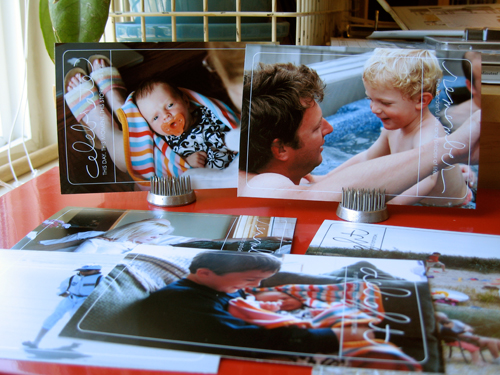
A little something to dress up your photos : 6 Things to do with AE Title + Journal Photo Overlays
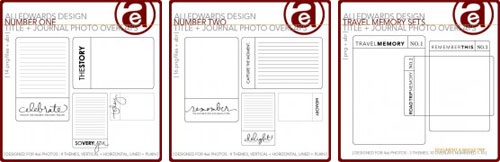
Yesterday we took a look at layout sized overlays. Today I want to focus on smaller overlays that are designed to be used right on top of a 4x6 photo (or as a journal block) and can be used as a brush (the .ABR file - to learn how to load brushes into Photoshop, read here) or as a .PNG file.
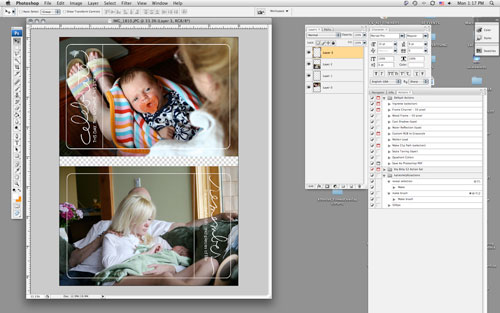
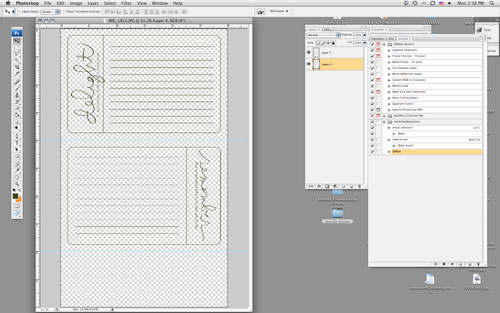
Same process as yesterday in terms of opening your photo and the .PNG file overlay in Photoshop, selecting the overlay with the move tool (the black arrow), then dragging and dropping the overlay on top of your photo.
Here are 6 ways to play with these photo overlays:
1. Add the overlay to a photo, print at home/upload to your favorite developer + add it to a page just like you would a regular photo. When printing at home on 8.5x11 photo paper I usually create a new canvas that is 6 inches x 10 inches. I open a couple photos, drag + drop them onto the canvas, open the overlays and drag + drop them onto the photos, and print.
2. Print overlay on a transparency + add to a layout (could be on a photo or a group of photos or on journaling, etc).
3. Print lined version onto cardstock or patterned paper for a journal block.
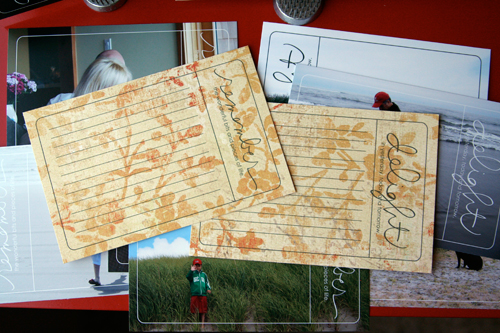
To print on patterned paper I opened a new file (6 inches x 10 inches) and placed two photo overlays on the canvas. I cut my patterned paper to fit in my 8.5x11 printer, loaded it in the printer, and hit print.
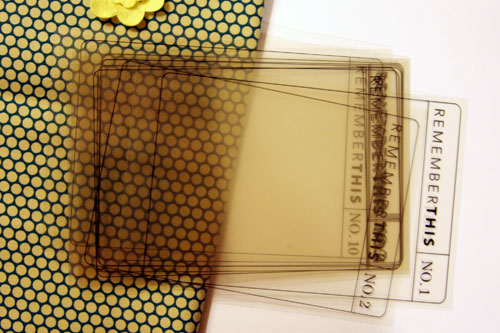
4. Print on transparency + bind together into a transparent mini book. The ones featured below are part of a travel set - each theme includes no. 1 through no. 10. My plan is to use the fabric to create a cover + use the transparencies for the interior pages (adding the photos + journaling on top of the overlays rather than underneath).
5. Print lined version and bind together into a mini book (or adhere onto a chipboard book) - great for a travel book.
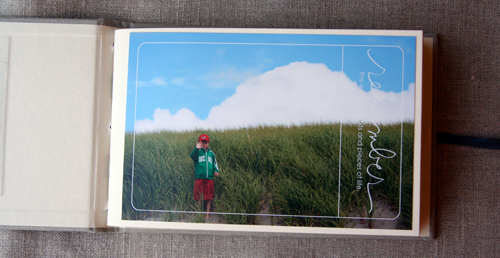
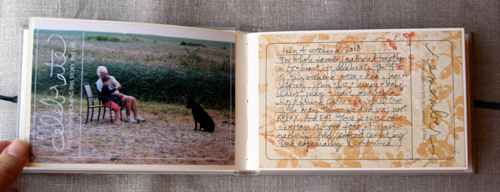
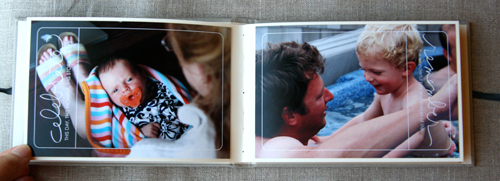
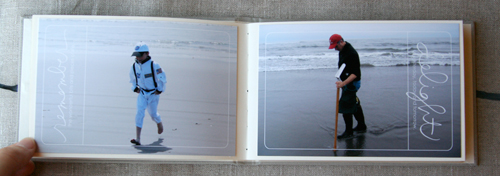
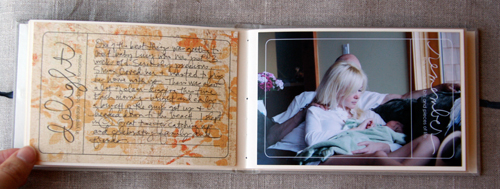
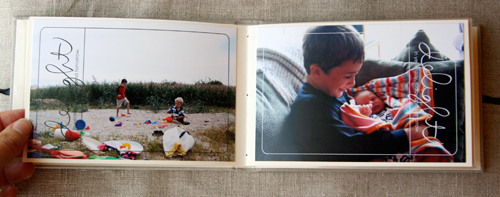
6. Create a 4x6 album that includes the photo overlays in conjunction with the journal blocks. This one is super simple and would make a great gift. If you don't print your photos at home you can add the overlays to your photos before uploading or taking your photo card to the developer.
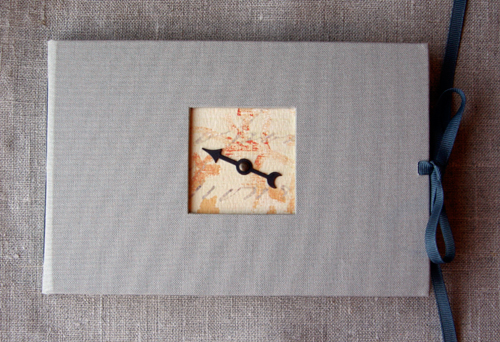
[ 4x6 album: Kolo; Spinner: Tim Holtz; Patterned Paper: My Mind's Eye; Photo Overlays: Ali Edwards for Designer Digitals Number One + Number Two ]
Enjoy!

Another great site to check out for digital education is Scrap Girls. Check out their University section for a ton of tutorials. I found this section on Digital Brushes especially helpful.
For more information on hybrid and digital check out Getting Started With Digital Scrapbooking.


Comments
Sign in or sign up to comment.
54 comments
Oh boy... yum yum yummy!!!!
Replies
Sign in or sign up to reply.
You are toooooo smart!
I am motivated to take out my PS and start it up , to see if I could do the same thing. Are the overlays somewhere where we can find them?
Replies
Sign in or sign up to reply.
Hi Ali,
You have the neatest ideas and I'm so grateful that you take the time to share them with the world. Every morning I look forward to a new post from you. You give me the itch to create and you push me to continue to evolve. Thank you for being you!!!
Nikki
Replies
Sign in or sign up to reply.
Wow, I love your ideas! Keep them coming!
Replies
Sign in or sign up to reply.
Wow.. best use of overlays EVER ;) Haha thanks for the inspiration, as always Ali!!! I'm off to travel again, hope to make a kickass minibook with your overlays when I get back! :)
Replies
Sign in or sign up to reply.
these posts are getting me all fired up to make something. I love your entire line at designer digitals and really like the immediacy of receiving my new goodies. Thanks, Ali.
Replies
Sign in or sign up to reply.
As my 2 yr old is saying right now; LOVE IT!!!
Replies
Sign in or sign up to reply.
I have the purchased overlay in my Photoshop Elements, but I'm not able to pull one of the five parts of the package out of its original state. I don't know what I'm doing wrong. Sorry for this silly question. You could say I am a total beginner with this sort of thing and with photoshop. Its almost like I still need to unzip the purchased file or something.
Any help would be great-thanks!
Replies
Sign in or sign up to reply.
Hey Brandi - which part is it? What is the file name?
Replies
Sign in or sign up to reply.
I am betting that the one you can't open is the .ABR file. That is the file for the brushes...you need to load those into your brush palette before using them.
Replies
Sign in or sign up to reply.
I am loving the new series and am so happy to see you doing more hybrid/digital techniques! Your digital elements are awesome. I've already gotten some but will need to get more. Great projects - thanks for the inspiration! :)
Replies
Sign in or sign up to reply.
this is such a fantastic idea Ali, can't wait to purchase your digital elements :)
Replies
Sign in or sign up to reply.
Bought them. Love them. Love that I don't have to design these myself and can just print & scrap! Thanks, Ali! Love the simplicity and clean design.
Replies
Sign in or sign up to reply.
Hi Ali, will this whole series once complete be available as a PDF?
Thank you
Replies
Sign in or sign up to reply.
Love these!! I have already bought two sets and have my pictures uploaded to the printer! Thanks for the fun ideas. Today and everyday :)
Replies
Sign in or sign up to reply.
Ali,
Once again you never cease to amaze me with your creativity!!!!!!!!!!! Couldn't help myself bought them all and I don't digital scrap hardly at all. Can't wait to use them.
Thanks Again. :)
Annette
Replies
Sign in or sign up to reply.
Wow! I love it! Thanks for sharing this!
Replies
Sign in or sign up to reply.
It is the title and journal overlay. When I open it in Photoshop Elements it just shows like I downloaded it from Designer Digitals. I can't use the move tool to move each individual part into Photoshop. I am truly a beginner so there is probably something very simple I'm not doing, but I don't know what it is. I keep trying to drag the "today you" page from the picture it gives me onto my Photoshop screen. Is this making any sense? I'm not sure how to explain it.
Replies
Sign in or sign up to reply.
It says Photoshop could not open my file because it doesn't recognize the type of file (.png)??? What am i doing wrong?
Replies
Sign in or sign up to reply.
I love this series. I'm totally inspired by the 4" x 6" album. I can totally see myself making this as I go, especially while traveling.
Replies
Sign in or sign up to reply.