AE : 365 : Project Life
Tags: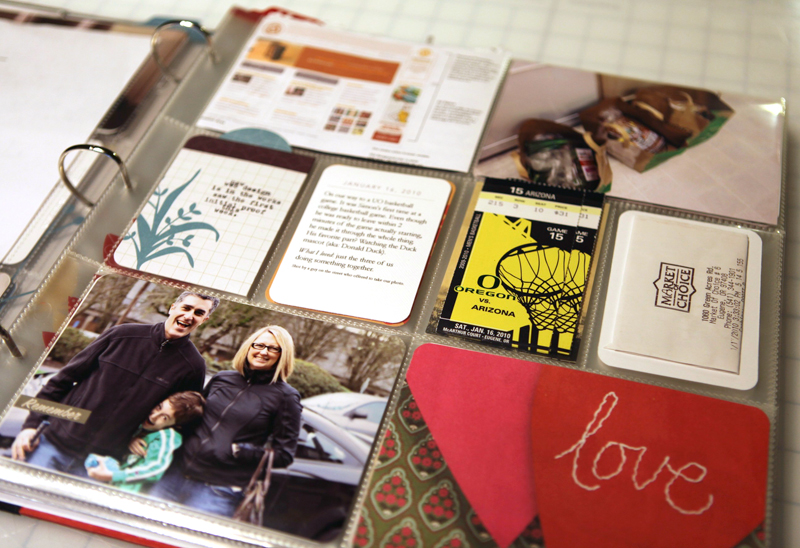
For the last few weeks I have been quietly playing along and figuring out a strategy for myself related to doing one of these year long projects where you document life by taking a photo a day.
Some of you might remember back in January 2008 when I started off on a 365 Self Portrait project. I made it into the second month and then decided to move on to other things. I ended up using those photos for this digital layout that appeared in Creating Keepsakes last year:

The photo calendar layered template I used for that page are available for 2009 and for 2010 (each package includes all the months with the dates included).
Fast forward to this year.
I decided to tackle this project again. This time I am not doing strictly photos of myself, instead I'm focusing on our daily lives as a family. I'm looking at this project as a chance to tell small stories (the small stories that are essentially the big ones when you see them all together). I want to capture little details, conversations, memories. It feels like a perfect compliment to my focus on story for the year.
Photos & words & the stuff of life is what I am looking to collect and place inside this album.
I am not stressing about taking a photo everyday. If I don't do it, no big deal. From looking back at
years past I almost take a photo a day already. I am cool with, and
looking forward to, adding in other pieces of life: notes, lists, mail,
email, etc. Some weeks will be all photos and other weeks will be a
mixture of the two.
The base for my album is Project Life by Becky Higgins
Here's a look at what I have been doing so far:
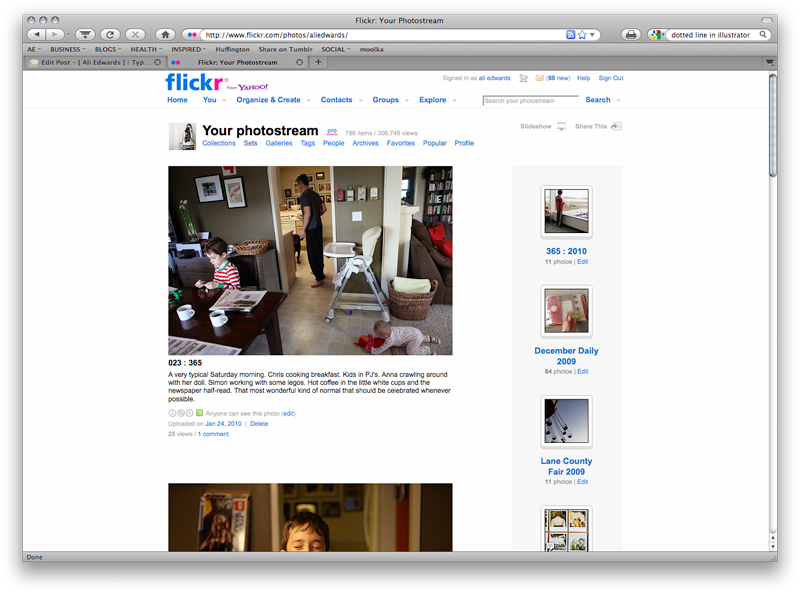
1. Uploading my photos (if I have taken one for the day) to my Flickr page. In the description for each photo I am adding some words. I am then taking those little notes/stories and transferring them into my album (see image example below). This daily activity, or every few days, is simple for me because I am on the already on the computer just about everyday (and I am in the habit of uploading photos every couple of days).
2. Printing my photos weekly. We have a brand new Walgreens down the street and I sent 13 prints as a test last Friday. They came back looking just fine and I think that will work well for these 4x6 photos. I am sure I will end up printing some of them here at home, but I like knowing that they did a respectable job (from feedback I got on Twitter it sounds like their service really varies from location to location).
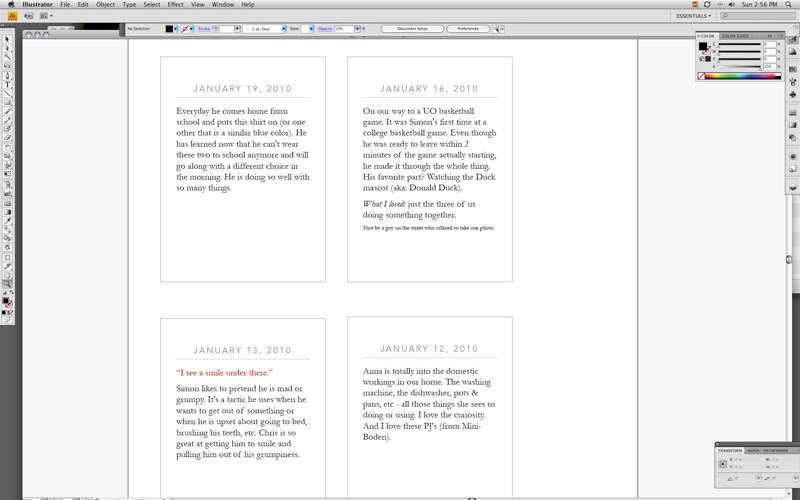
3. Taking those words I am writing on Flickr and copying & pasting them into a file I created in Illustrator. This super simple file includes the date, a dotted line, and then a space for me to input my text. These are being printed onto white cardstock and slipped into the pockets.
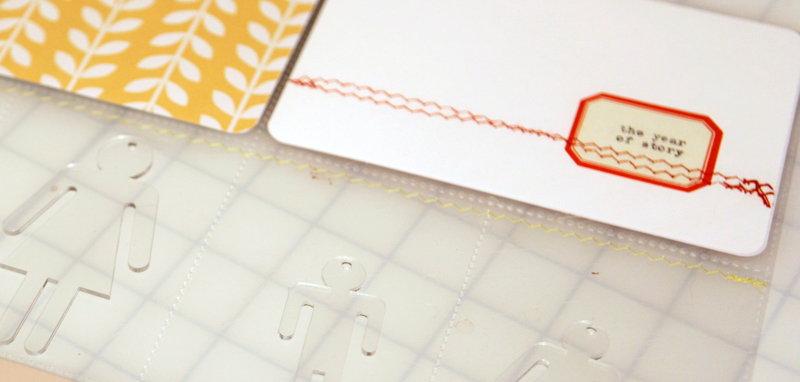
4. Taking advantage of the page protectors. The photo above shows how I placed Maya Road's acrylic people inside the four middle pockets of the intro page and then stitched the top edge closed to secure them in each pocket. I am hoping to play around a bit more over the course of the year with the page protectors - I've long been a fan of creating spaces that allow you to see through to the next page.
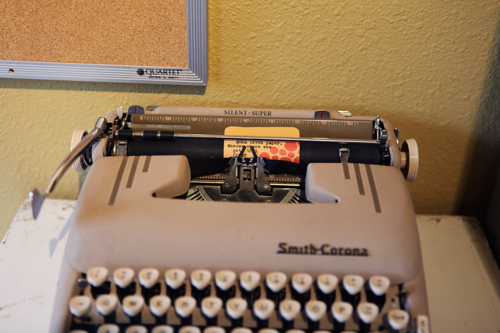
5. Using the cards that come with the kit and not using the cards that come with the kit. I like some of the designs that came with the kit better than others and will definitely be using them along the way. I have run some of them through my typewriter and some I have written little notes by hand. I am keeping one of the packs of cards out on my desk to use for notes, conversations, etc. I also really like that I can simply turn them over and use the white side as a base for stamping and journaling.
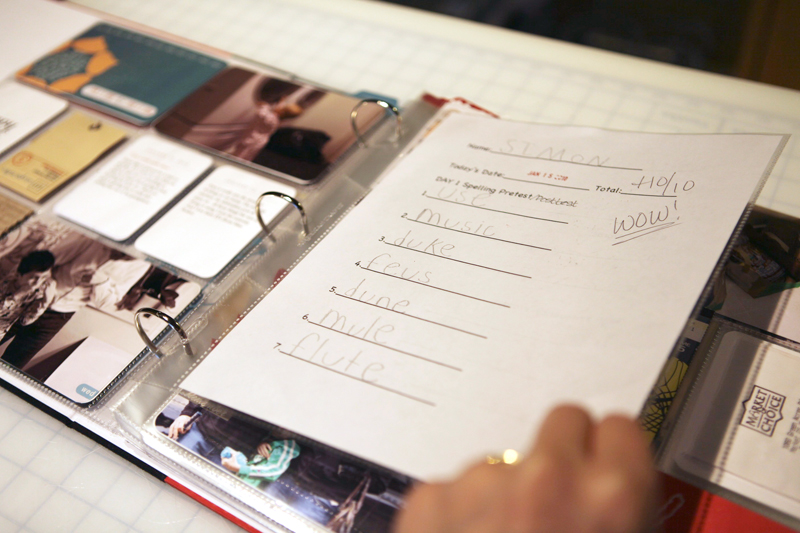
6. Adding 8.5x11 page protectors. One of the things that I loved in a previous version of Week In The Life was adding in one of these page 8.5x11 protectors between the 12x12's. I'm not planning on having one in there every week, but when there is something special it's a nice way to include it in the album (and give it a home). I also have a vision of adding in 8.5x11 photo enlargements if there are ones that are really, really special.
7. Envisioning adding in lots of those little bits of scrapbook stuff I have sitting in a basket on my work table.
Here's a look at the title page and the last three weeks all together:
INTRO PAGE
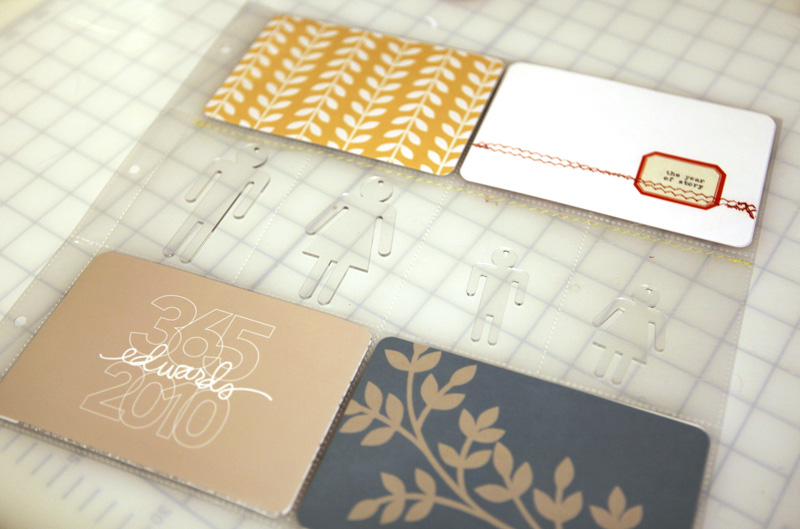
I used my "the year of story" piece that I scanned in for making my blog header as one of the cards for the first page in the album. As you read about above, the Maya Road's acrylic people were each placed inside one of the middle row of pockets and the entire row was stitched closed. The 365/2010 edwards' card was created using my Outline Days, Months, Years, and Numbers Value Pack from Designer Digitals.
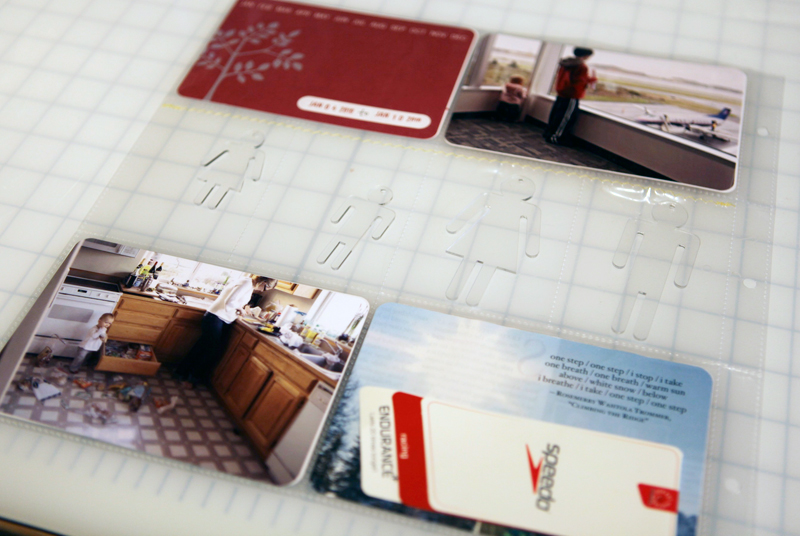
I'm including things such as pages from magazines and tags from clothing. I'm using the 4x6 weekly cards that came with the kit (and placing them in the top left corner) and the great little date stamp to label the week.
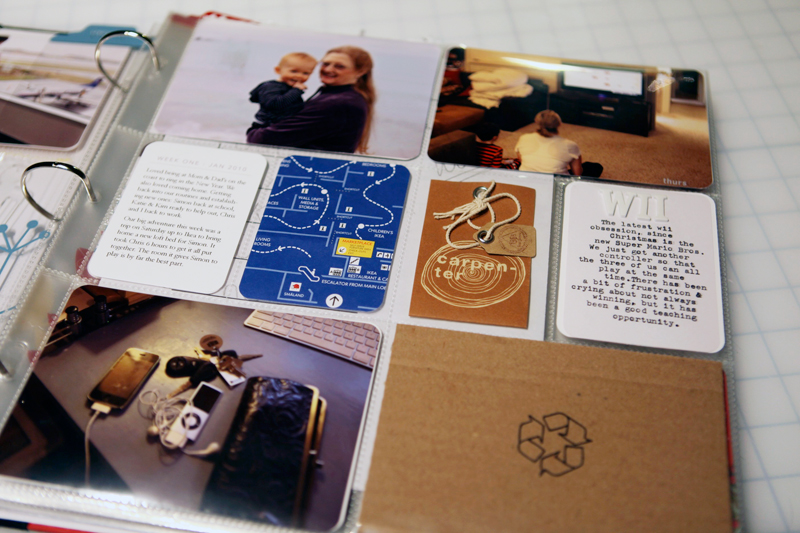
WEEK TWO
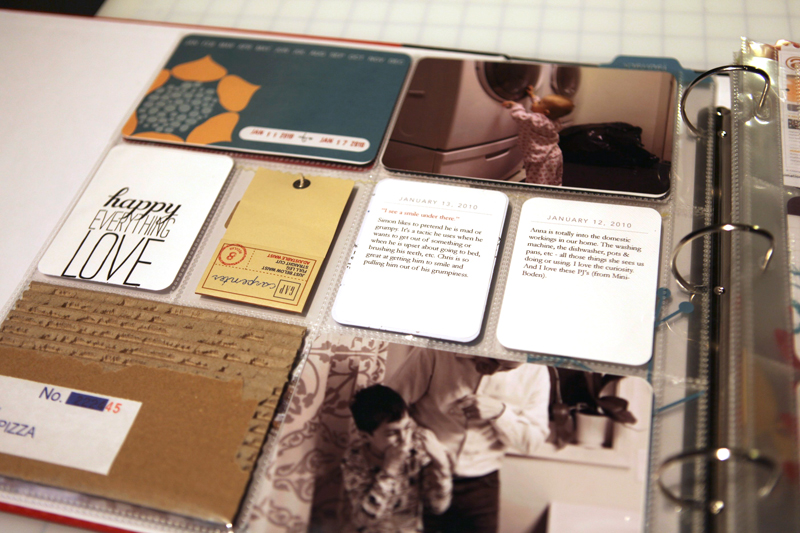
The little white cards with the journaling are what I showed above (created in Illustrator/copied and pasted from what I wrote in Flickr). I love having a place to keep some of those random bits of life.
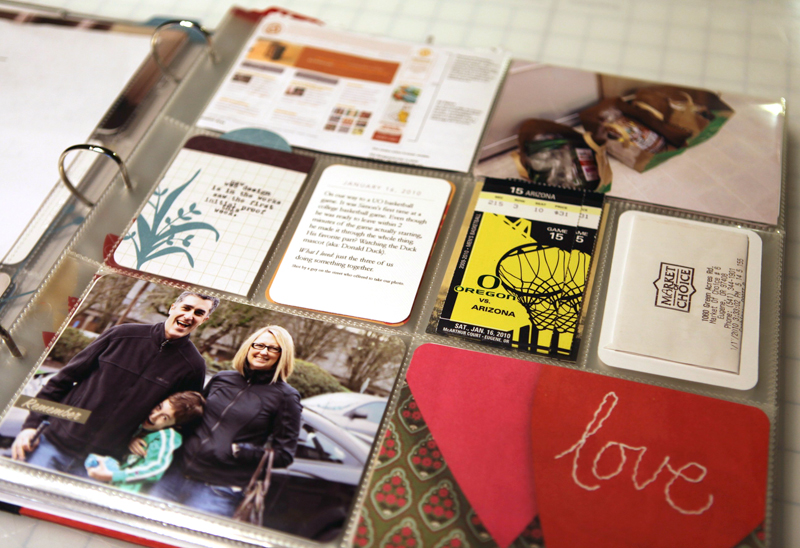
The "love" card is from a Paper Source catalog. Other things you see here include folded up receipts, ticket stubs, email print outs, etc.
WEEK THREE
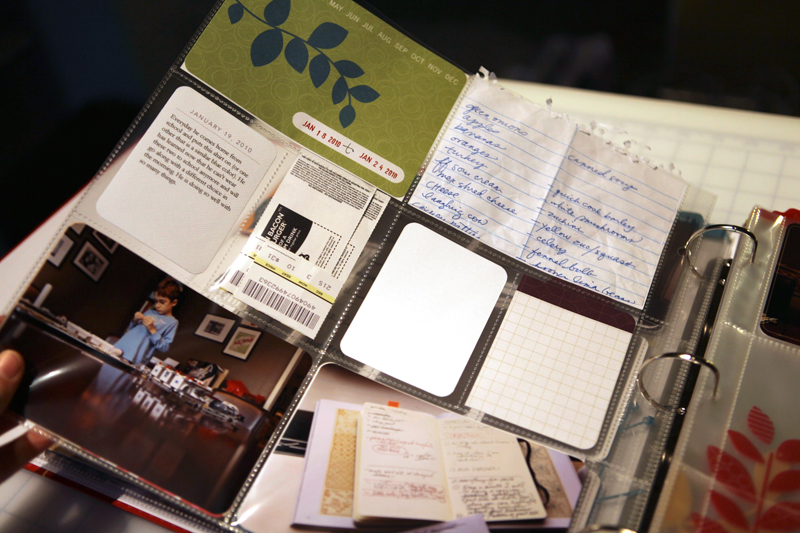
I'm in the middle of working on last week (week three) but here's a look at it in progress. A grocery list, one journaling card, two photos, and the backs of the other spaces along the middle.
I think the thing that I am really appreciating about this project right now is that it feels laid back. It feels possible and fun.
I am not trying to document every little thing. I am trying to capture the essence of the ways in which we live our lives from day to day. Our normal.
If you aren't already playing along with this project it's never to
late to begin. There's no rule that says you need to begin in January.
In reading Becky's blog lately I found her post about her evolving views on scrapbooking and memory keeping to be a really interesting read. I think this system can definitely work for some people as the way they document and celebrate their lives. For me, I am going to continue doing a mish-mish of things and play along with this project and see if I can't get a few more stories told over the course of the year.
In addition to checking out Project Life as your foundation you might want to check out Memory Works new Simple Stories system. Simple Stories also uses divided page protectors as their base (they use We Are Memory Keepers 12x12 leather albums and their awesome divided page protectors that come with a variety of different pocket sizes on a 12x12) and offer a full range of accents and designs in their Life Documented kit. The visual style of this kit is very different from the look of Becky's - it's a much more weathered/distressed. I think a lot of your decision will depend on your personal style and what you hope to accomplish with the project.
I know many of you out there are already on your way with your own 365 project. How's it going? If you did it last year did you learn anything that could help someone who is just starting out?

Want to hear me talk a bit about how I've been inspired by the concept of story? Check out last week's Paperclipping Roundtable.


Comments
Sign in or sign up to comment.
134 comments
I logged on hoping you had blogged about P365 today and wow...you did! I'm leaving my comment before reading your post. Anyway thanks for this post!
Replies
Sign in or sign up to reply.
Ali,
I love your creativity. Whether you want to use only the products provided or add additional 'personal' touches, Project Life can adapt. And I completely agree about leaving the stress of doing the project behind. Don't make it complicated, make it you.
I have posted some photos and even a video on my blog of what I am doing with Project Life in 2010. There is also a forum for those that may have questions.
I look forward to watching your Project Life come together throughout the year.
Replies
Sign in or sign up to reply.
This is my second year doing Project 365. I am also using Becky's kit, though not planning to add as much other stuff as you are. It is all I can do to get the photos printed and journaling cards done! :) I love what you have done.
Ali, I do use your day of the week designer digitals files on my photos and love how that looks. I also print my photos at Walgreens. Works great for me.
Every Tuesday I host a Project Life Tuesday on my blog, The Mom Creative. You can see the past two weeks here: http://jessicaturnersblog.blogspot.com/search/label/Project%20Life%20Tuesday. People are invited to link up their projects every week - great accountability and fun to see what others are doing with the project.
Replies
Sign in or sign up to reply.
Hello Ali,
I am doing Project Life this year and have been enjoying it so far. I think I will add more memorabilia also. I will also be adding other size page protectors when needed to highlight bigger events that week.
Great discussion with The Roundtable. Loved it.
Replies
Sign in or sign up to reply.
This is great. I did P365 last year with Becky's kit and took a similar approach to yours w/my photos. I just loved picking one each day. One tip that helped me out is that I created a folder for my pic-o-the-day and named my photo file name with the date. Now I find myself using that folder as a reference to find other photos! (I'll remember a photo but not when it was taken---when I want to find the other photos taken that day, I just use my P365 folder as a reference...this was a happy result that I hadn't planned but worked out nicely.)
This year I have the kit again and am doing an approach similar to yours with more "daily stuff of life" in there---love this inspiration today! I am not doing it all year, tho, since last year burned me out a bit (in a good way, hehe). So this year I am just taking random weeks to do sort of as you are doing, but mine won't be used all year. Then my pages are doing into my regular albums. I may do the same next year since I will have kit leftover---I, too, love the page protectors!
Thanks for these awesome pictures you shared with us, Ali!
Replies
Sign in or sign up to reply.
I did a photo-a-day last year. In December, I hadn't printed any photos yet, so I decided to try to create my first digital scrapbook. I purchased several 12X24 templates for 7 photos and also a few 7 photos on one page (12X12) so that my final book was about 95 pages. I found that I focused so much on the photos & journaled nearly everything at the same time. This year, I'm trying to capture more stories along the way. I learned a lot about photoshop & my personal style through this project as well. It took a bit of time to get the hang of digital scrapbooking, but it was faster (for me) than trying to create a paper one using 365 photos all at once! The family loves the finished product - http://tiny.cc/fQ1OK
Replies
Sign in or sign up to reply.
I forgot to mention that I didn't take all the photos for this project - I relied on my husband, friends, etc. Now they are all trained to share their pics! There were a handful of days where I forgot to take a photo & just took two the next day.
Replies
Sign in or sign up to reply.
Awesome stuff, Ali. Thanks for the inspiration...and for reminding us we can start at any time, not just in January. :)
Replies
Sign in or sign up to reply.
Love the Project Life concept. Since you have it in your possesion, can I ask about the page protectors? I am having a hard time determining how many opening are on each page. It looks from your pictures above that there are 2 large on top AND bottom and 4 smaller across the middle. Is that correct? How large a picture will fit in the larger opening? Thanks for you review of this product!
As for Walgreens.....I've heard it varies from location to locatio too. We have one around the corner and I love using them. My mom also scrapbooks but lives 4+ hours away. I use their online photo service to SEND her pictures. I can upload them to the site then have them printed at her local location. Works great!
Replies
Sign in or sign up to reply.
Ali I wish you would quit putting stuff like this on your blog. I have enough to do as it is and just seeing how cute this is turning out makes me want to do it too ;). I'm going to ignore this for as long as I can (but have filed it away for another time).
Replies
Sign in or sign up to reply.
I'm doing a P365 and really enjoying it. It's fun capturing all the little things. I've found that on the few days where I leave the picture until the last minute, I get a bit more creative and capture something about our lives rather than a run down of the day sort of photo. :)
Replies
Sign in or sign up to reply.
So inspiring Ali! I love how you're incorporating little bits of life (receipts and such) into your pages. I always save those things but never really incorporate them. I can't wait to see more.
I actually did a reflection of Project 365 (which I completed in 2009) on my blog recently. I enjoyed writing the reflection almost as much as I enjoyed the project. :-) http://www.allsamsidea.com/2010/01/project-365-2009.html
Replies
Sign in or sign up to reply.
Love how you are doing this album, capturing your "normal". Love it. TFS
Replies
Sign in or sign up to reply.
this is my first year doing project 365. I typically take photos every day but I think 365 will help me document the little things that make life so speical.
Your book is beautiful!! I'm afraid that I will fall behind if I have a book so I am going mine digitally through Shuttercal.
I have started to post and document my 365 on my blog.
http://iamahoneybee.wordpress.com/2010/01/21/project-365/
I also have a link to shuttercal on there.
Replies
Sign in or sign up to reply.
I'm so glad you posted this today, Ali! My kit is on its way and I've been looking for ways to best utilize it. I love that you've included clothing tags and tickets and receipts -- just seeing that makes me feel freer to do it myself.
I'm not really going to start mine until my bday in February, I've decided.
Replies
Sign in or sign up to reply.
Hi Kendra - you are correct. 2, 4x6 pockets on the top and bottom and 4 pockets in the middle.
Replies
Sign in or sign up to reply.
I started a project 365 last year but gave it up within a few weeks, in large part due to the fact that I got pregnant with twins (while also trying to manage my then-3 year old.) I'd love to give it another shot... but I don't know if I'd go with a kit. I think I could do it on my own. Not sure if I'll do it this year though.
As for Walgreens, I was not happy with the photos I got printed at one in Wilmington DE. The colours were bleached, and they botched the borders (I had placed two photos on one 4x6 to crop them for my page). When I re-sent the photos with even bigger borders they still botched them.
Replies
Sign in or sign up to reply.
I am doing a digital Project 365 called Everyday Life from dscrappro.com. I am finding it hard to get a picture in everyday. Thanks for the inspiration! I think I am going to need it to make it through 52 full weeks.
Replies
Sign in or sign up to reply.
Thank you for posting this. I am doing the 365 photo thing to improve my skills. I bought the Project 365 from CK last year and was wondering how I was going to make it work. Fantastic idea about taking your Flickr notes as the journaling. Don't know why that didn't occur to me. ;-> Adding in other bits of "life" to the pockets will help me with having a week on each spread. Thanks again for all of the inspiration you provide!
Replies
Sign in or sign up to reply.
Jessica, don't know if you saw above in my comment, but I mentioned getting the idea of using Ali's digi date stamps from your blog and that has helped make it so easy to put the pages together when I get them printed. Thanks so much for the inspiration!
Replies
Sign in or sign up to reply.