Siblings Layout
Tags: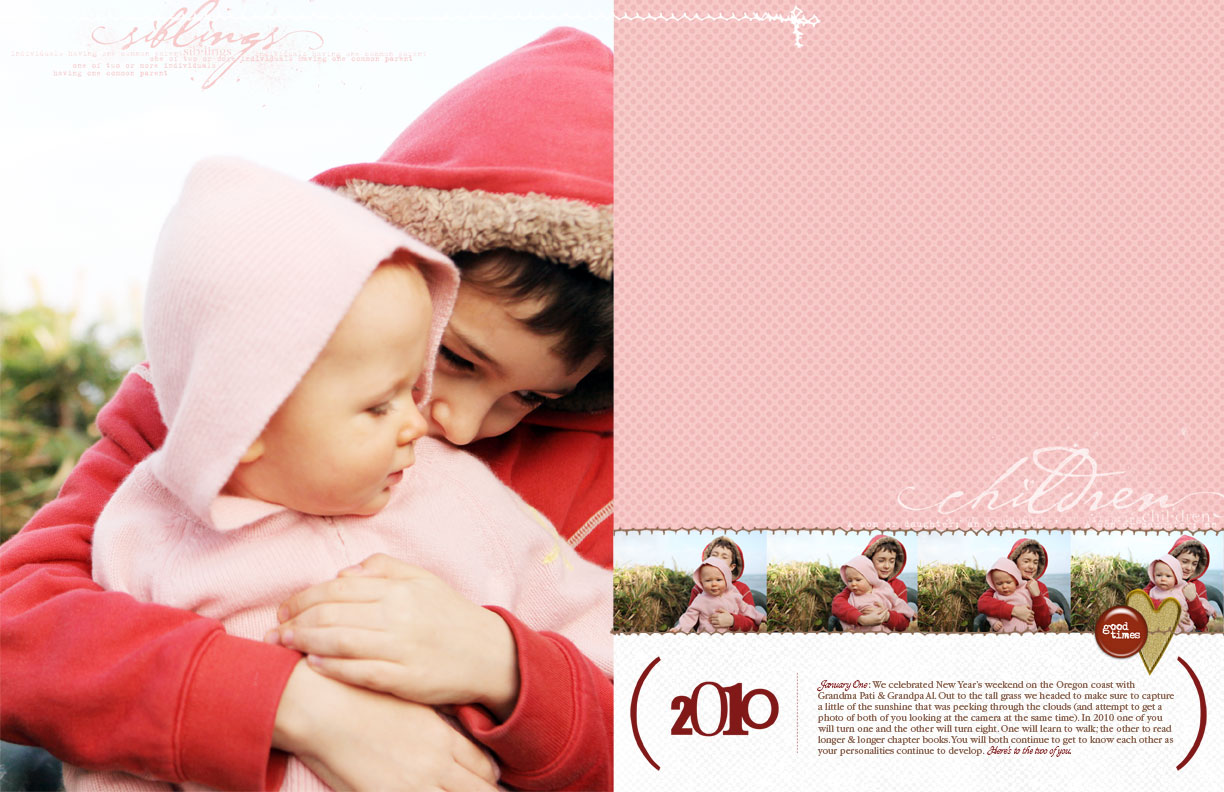
Click the image to view larger. Two-page, 8.5x11 digital layout.
We spent this past weekend on the coast with my parents ringing in the new year.
One of the things I love about digital scrapbooking is that stories can get told from anywhere you have access to a computer. Some of you may remember this photo from Thanksgiving 2007. The evenings this time visit looked pretty much much the same (everyone sitting around the living room with their laptop). The only difference is that Chris now has a Mac too.
It's been a long time since I scrapbooked layouts just for the sake of scrapbooking (vs. writing a column, fulfilling an assignment, or most recently creating pages for my online class). I loved sitting there on my parent's couch in the evening, computer in my lap, chit-chatting about what each of us was working on and looking at online.
This digital layout came together fairly quickly. It's a simple celebration to kick off the new year. I was inspired by Laura Kurz' use of full page photos (and before her I have always loved how Karen Russell has used enlargements). I love the idea of seeing more of these sorts of full page photos in my albums.
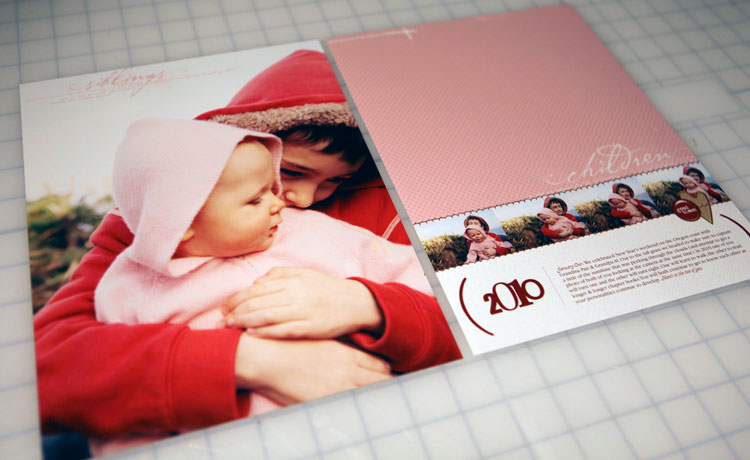
Here's a look at the printed version of this digital layout. I recently got a new oversized printer that I have been enjoying and using the last couple of months. It's an HP Photosmart B8550 Inkjet Photo Printer
(picked it up at OfficeMax when my old HP Photosmart stopped working). The layout was printed on Office Max brand 13x19 photo paper and then trimmed to size and slipped into two, 8.5x11 page protectors.

JOURNALING
January One : We celebrated New Year’s weekend on the Oregon coast with Grandma Pati & Grandpa Al. Out to the tall grass we headed to make sure to capture a little of the sunshine that was peeking through the clouds (and attempt to get a photo of both of you looking at the camera at the same time). In 2010 one of you will turn one and the other will turn eight. One will learn to walk; the other to read longer & longer chapter books. You will both continue to get to know each other as your personalities continue to develop. Here’s to the two of you.
SUPPLIES
Pattern Paper:
Spot Dots No.18 Paper Pack
Word Art: My Family Genealogy Definitons
Stitching: Stitched Layered Template No.2
2010 Bracket: AEdwards 2010-2012 Brackets
Circle Accent: AEdwards Love Epoxy
Gold Heart: PKnox Puttin On The Glitz Fabric Hearts
White Cardstock: MMartin Alana Solids
Fonts: Garamond, Aja
Today I will be pulling out my paper supplies to do some more layouts.
The last few days of my December Daily are coming later this week.

For more information on getting started digital scrapbooking I have a list of recommended resources here.


Comments
Sign in or sign up to comment.
63 comments
This is gorgeous Ali xxx
Replies
Sign in or sign up to reply.
I agree. What a sweet way to ring in the new year.
Replies
Sign in or sign up to reply.
LOVE this page, Ali. Love.
Replies
Sign in or sign up to reply.
Simply perfect. :) Happy New Year!
Replies
Sign in or sign up to reply.
Haven't made the leap to digital yet, but will scraplift this one using paper. Thanks for the inspiration.
Replies
Sign in or sign up to reply.
Love the layout too. I'm glad you took the time to do a layout just because and not for anything. I love the photo especially because it shows the wonderful relationship between you kids. Photos showing relationships are some of my favorites. Thanks for sharing
Replies
Sign in or sign up to reply.
I love this page, Ali...My favorite mail is an envelope from scrapbook pictures with my enlargements in it. :)
Hope your family had a wonderful holiday season and all is well.
Replies
Sign in or sign up to reply.
LOVE. The colors + photo are pure tenderness. I too am a fan of large format photos in layouts, reminds me of beautiful catalogs and magazine spreads.
Nice banner.
Happy new year to the Edwards family.
Replies
Sign in or sign up to reply.
Lovely page! I like how you make pink and red work together!
Replies
Sign in or sign up to reply.
Great page. Thanks for sharing. I am scraplifting it today.
Replies
Sign in or sign up to reply.
I love this, Ali. I'll be scrap-lifting it, for sure! ;)
I've also been trying to scrap "just for me" in between deadlines, and digi-scrapping is great for that. Sometimes I scrapbook on the streetcar on the way to work-- I find I choose stories that I want to document, but that might not make the paper scrapping priority list.
Replies
Sign in or sign up to reply.
Quick question for Ali, or anyone else who can help out; I'm starting to love digital pages. I was never into digital embellishments so I didn't go there, but while doing my DD I fell in love with adding words to pictures and have bought a few brushes and such at Designer Digitals. My question is; before I get too much going on, how do I organize them? I'm working on a Mac. Would you suggest storing them all in one place? By designer? By theme? Help!!! Please. :D
Replies
Sign in or sign up to reply.
Love this full-picture magazine look. So great! Maybe a stupid question, but why print on the larger paper instead of 8-1/2 x 11? Happy 2010! Here's to 'just for me-ing.'
Replies
Sign in or sign up to reply.
I love my B8550! Awesome photos come from it (it's great for making art prints, too)! Also, LOVE your layout!
Replies
Sign in or sign up to reply.
Mainly because I created it as a 17 inch x 11 inch canvas in Photoshop. I definitely could have printed it borderless on 8.5x11.
Replies
Sign in or sign up to reply.
this so awesome Ali!!!!!!
Replies
Sign in or sign up to reply.
Ohhh! Hadn't even thought about that. Good idea.
Replies
Sign in or sign up to reply.
Hi Ali, I am your huge fan. Now, I am very interested digital scrapbooking. I have a few question. Do I need to print it out or just work it out in the computer???
thanks
Replies
Sign in or sign up to reply.
What a beautiful layout. I love to see pictures of your kids together. I hope that the closeness they share right now will continue throughout their lives.
Replies
Sign in or sign up to reply.
Hi Ali,
I have been digital scrapbooking a lot lately and would love for you to have a post about your digital scrapbooking if you have the time and energy!
Here are some questions I have
What program do you use for your pictures?
How do you categorize them?
What program do you use to photo edit? scrapbook?
What program do you use to organize your digital papers, elements, ect. (I am having trouble getting organized) -by color, by season, and how do you keep track of who the designer is of them?
do you keep the kits together?
How do you back-up your digital stuff (including pics)
I see you have a new large format HP (I have an epson) but when you do send your digital pages out for printing, where do they go?
Same for your regular photos?
Do you use a Waacom? Which one?
Do you ever add elements/handwriting after you've printed out your digital page?
I really appreciate your help. You are a great source of information and I love how you share your knowledge and truly want us to succeed at getting our memories down on paper.
Replies
Sign in or sign up to reply.