Scrapbooking With Your Computer & Paper : Memories Line Stacks
Tags: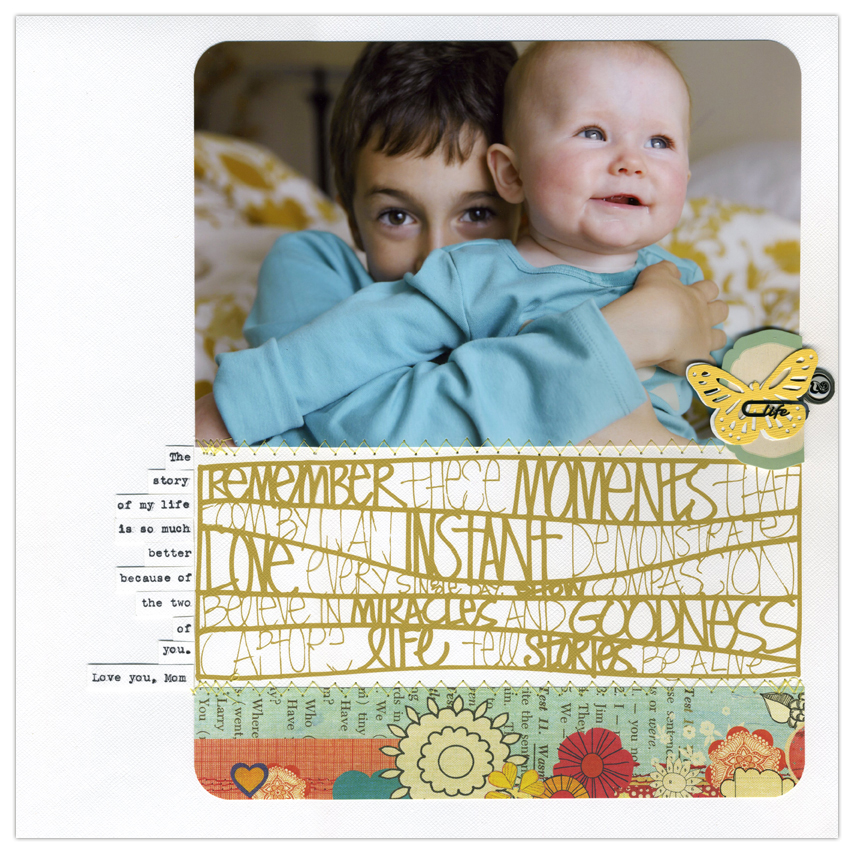
One of my favorite photos from last year was taken in September.
I was inspired last week after participating in the GO/venture challenge to make up some of those hand-drawn line stacks as a digital product for Designer Digitals.
To work with this file for my hybrid layout (combining paper and digital scrapbooking) I opened the file in Photoshop, adjusted the size to 8.5 inches wide, recolored the element (see link below for instructions), and printed onto white cardstock.

This piece was then adhered between my photo and pattern paper strip. To add a bit more texture to the page I used my sewing machine to stitch each of the three main elements together (photo, pattern paper, and line stack).
To watch a video tutorial or read printed instructions on how to resize and recolor a .png file in Photoshop Elements go here.
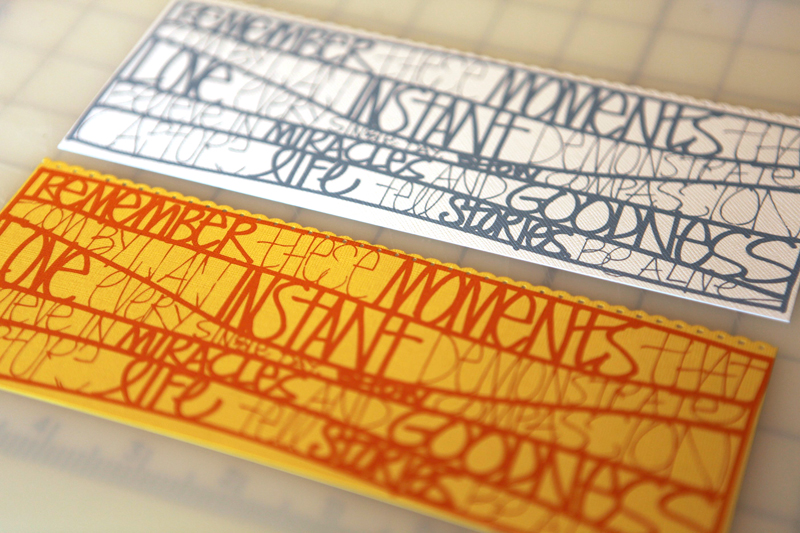
Here's a look at the same .png line stack I printed out on cardstock after re-coloring in Photoshop.
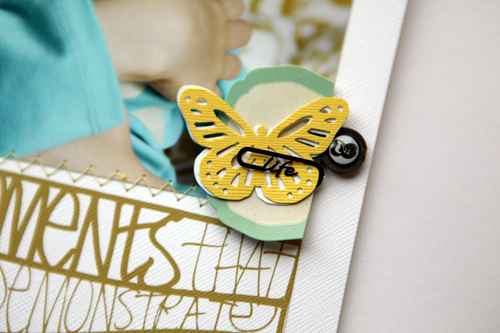
Here's a close-up look at the little combination of elements including 2 butterflies from the Martha Stewart Butterfly Large Double Punch, a Studio Calico 20% Extra Flashy Label Stickers lifted up with foam squares, and a 7gypsies Word Paperclip:
SUPPLIES
PATTERN PAPER : Sassafras Handmade Double Sided Sweet Marmalade
BUTTERFLY PUNCH : Martha Stewart Butterfly Large Double Punch
LIFE CLIP & "2" ACCENT : 7gypsies Word Paperclips
LABEL STICKER : Studio Calico 20% Extra Flashy Label Stickers
DIGITAL WORD ART : Ali Edwards Memories Line Stacks
CORNER ROUNDER : Corner Chomper
ADHESIVE : American Crafts Dispenser Dots (loving their new rolling dot adhesive)
Again, thank you so much for the birthday wishes this past week.

A new episode of The Paperclipping Roundtable podcast is available: How To Deal With All That Stuff with special guest Aby Garvey from Simplify 101. Paperclipping Roundtable is a weekly scrapbook podcast that covers a variety of topics related to scrapbooking. I'm excited to join the team as a rotating panelist.


Comments
Sign in or sign up to comment.
27 comments
Thank you - and thanks for saying hi :).
Replies
Sign in or sign up to reply.
What a fun layout! Love the way you combined high and low teach so nicely.
Loretta
Replies
Sign in or sign up to reply.
Ali - I really love these! But I don't have Photoshop. Am I able to use them in Word? Sorry, I know pretty much zero about digital brushes!
Also, have you considered doing these with words, ie. boy words "Snips & Snails & Puppy Dog Tails/Rough n Tumble/Gorgeous/Energy" or girl words "Sugar & Spice & Everything Nice/Pretty/Delicate/Blessing"? Or maybe even roles ie. "Wife/Mother/Daughter/Aunty/Friend" etc etc. OR maybe even a stack of "One Little Words"! The possibilities are ENDLESS! And I would so buy them. =)
Replies
Sign in or sign up to reply.
Grogeous picture and good blog..... I just got it...
http://www.facebook.com/pages/Viva-Magazine-Your-Premium-Womens-Natural-Health-Magazine/262734921452?ref=ts
Replies
Sign in or sign up to reply.
Your wordart just perfects this...utterly gorgeous.
Replies
Sign in or sign up to reply.
I'm behind on my reading. This is a beautiful page. I have been adding journaling I created on my computer and printing on card stock. My question is, is there a computer ink that is archival. I'm worried about fadding & disappearing.
Replies
Sign in or sign up to reply.
beautiful!
Replies
Sign in or sign up to reply.