December Daily 2010 | Digital Layered Templates & Overlays
Tags: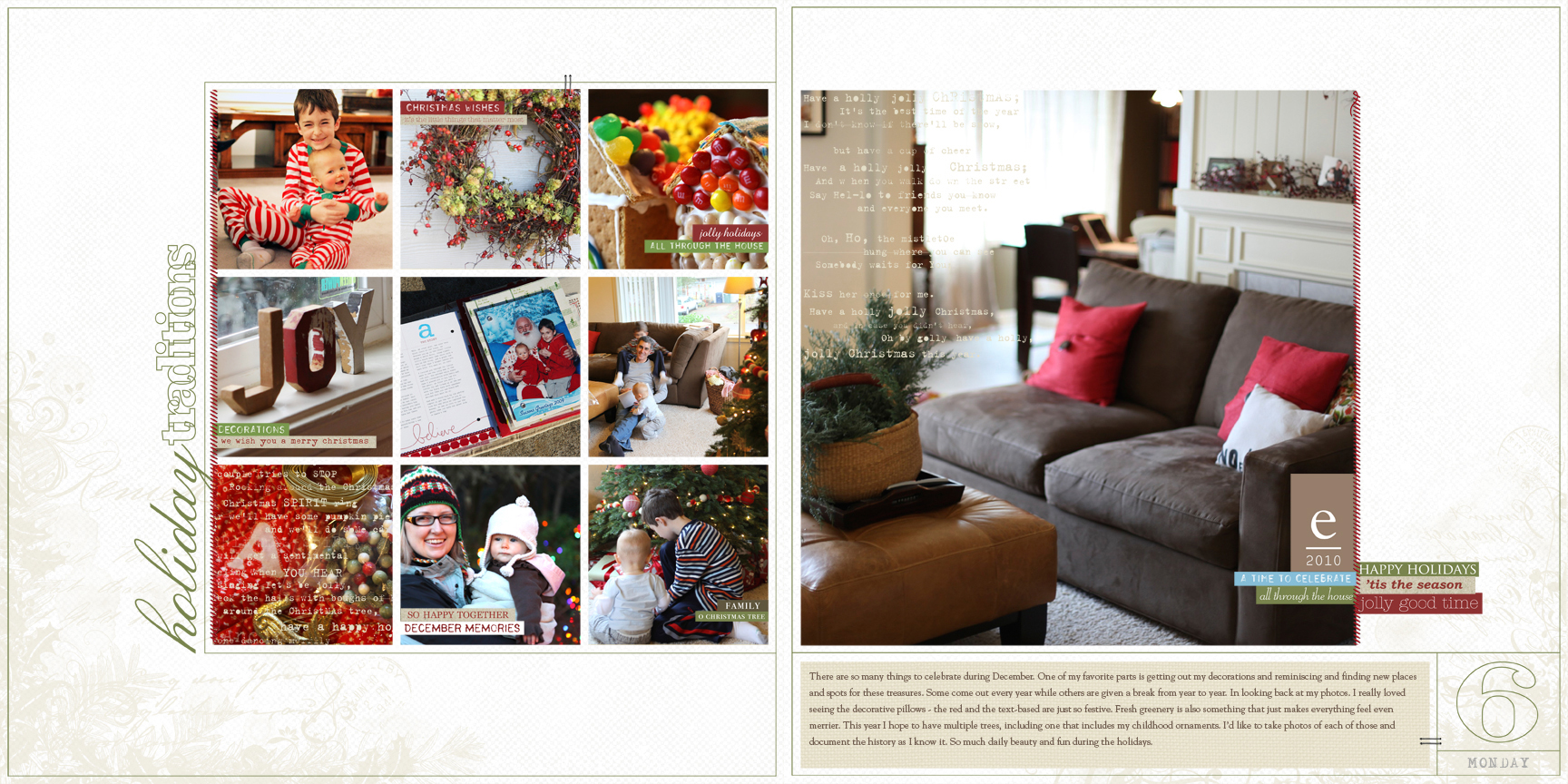
For those of you who are planning to do all digital December Daily projects, I've created two new products to help you document your season. The new products include a set of 12 layered templates and a set of 12x12 31 days overlays. Click the sample layout above to view larger.
Here's a look at the package of 12 layered templates (these all come in one package - I made three preview images so you could see all 12 of the layered templates):
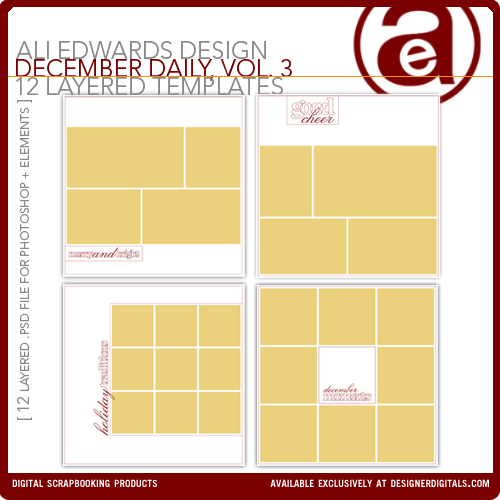
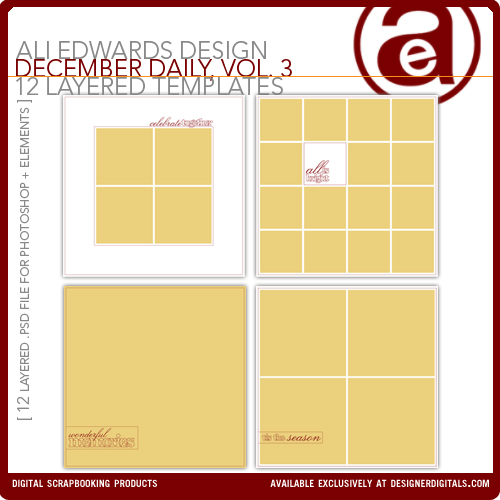
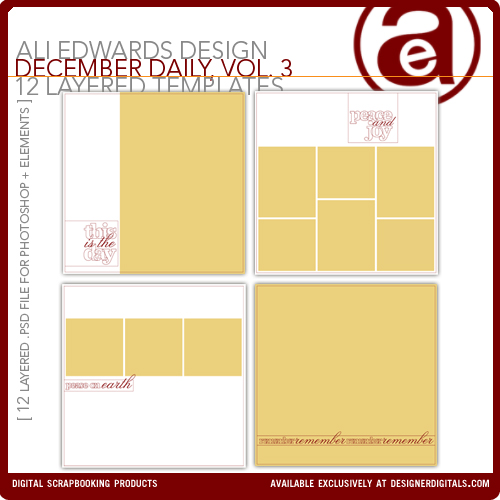
Here's the 12x12 31 Days Overlays which include a bonus set of 4 layered templates that co-ordinate with the layered templates shown above:
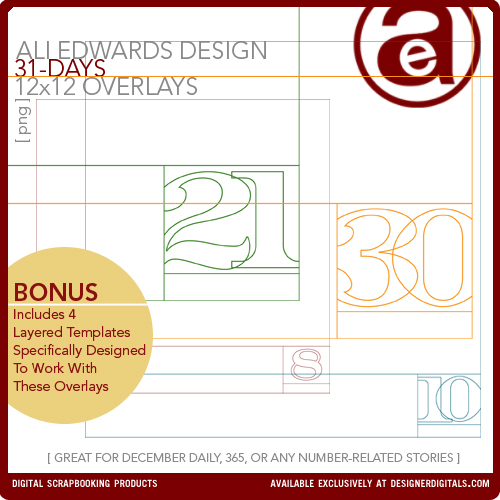
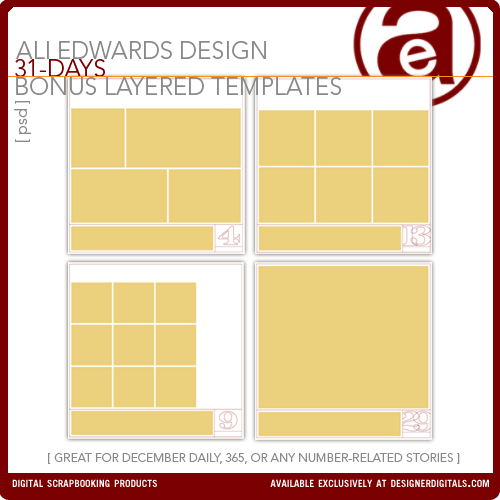
These overlays do not include specific days of the week (like the 2010 6x8 overlays I'm using in my hybrid album). They could be used in a variety of different projects documenting days or birthdays or anything that includes a number.
Here's a closer look at those products in action starting with the left side of the spread (click image to view larger):
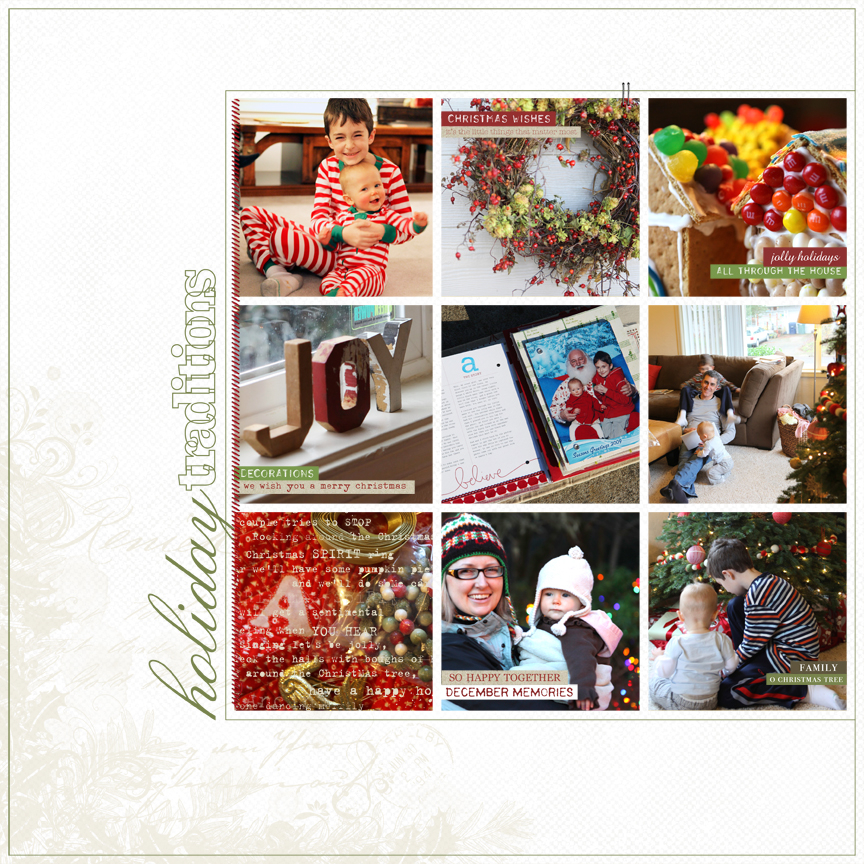
and the right side:
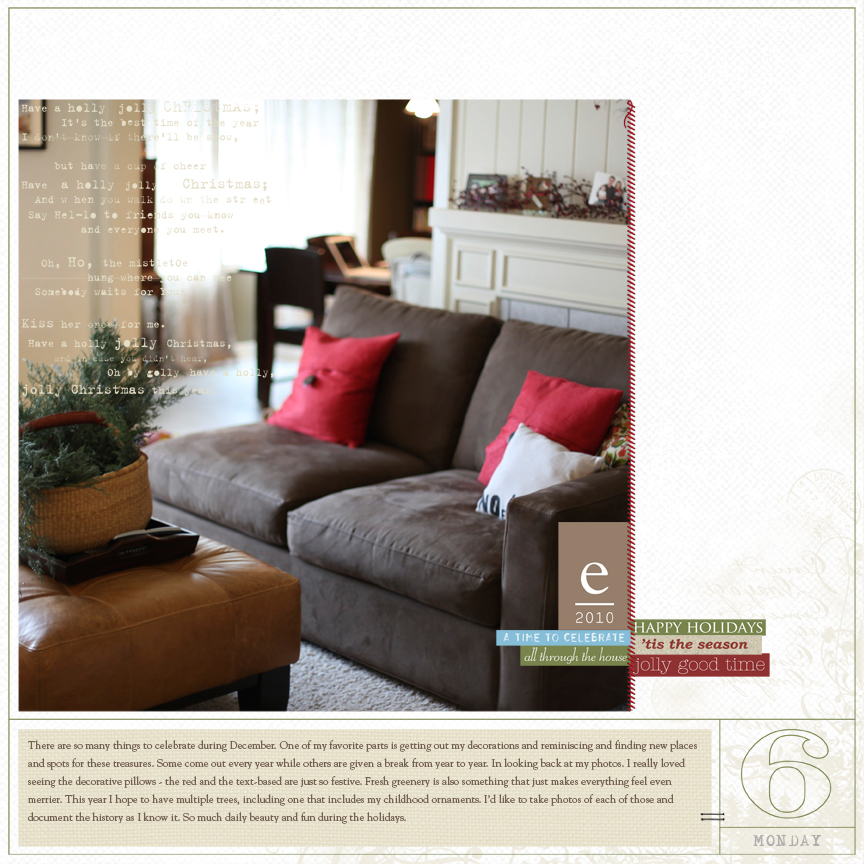
If I were doing this project all digitally I'd aim for a simple approach using templates plus a combination of the products I used above (and listed below). Word and phrase stickers are still one of my favorite products in paper or used on the computer. I just found the Katie Pertiet Text Clusters Brushes & Stamps No. 1 and they are so cool. And white cardstock, always white cardstock.
There's a great post over at Designer Digitals in the General Digital Talk forum right now that addresses getting templates ready in advance for December Daily. If you'd like to learn more about prepping digital files in advance and see some samples check it out here.
DIGITAL SUPPLIES
Ali Edwards December Daily Template Package Vol. 3
Ali Edwards 31 Days Overlays 12x12
Ali Edwards 2010 Alphabet Tabs
Anna Aspnes Straight Line Stitched No. 1
Katie Pertiet Cut Ups Christmas
Katie Pertiet Word Strip Labels No. 2
Katie Pertiet Kraft Cut-Ups Holiday
Katie Pertiet Text Clusters Brushes & Stamps No. 1
Katie Pertiet Letter Box Holiday Corners
Michelle Martin Michaela Solids Cardstock
If you are interested in learning more about digital scrapbooking check out my series of posts on Getting Started With Digital Scrapbooking which includes free downloads and video tutorials.
More information on the December Daily project can be found here.


Comments
Sign in or sign up to comment.
66 comments
[...] PRE-PLANNING + BASICS Foundation Pages 1-25 Cover Option One | Step By Step Cover Option Two | Step By Step (+ Free Title Download) Working With The 6×8 Printable Overlays (+ Video Tutorial) Interior Page Steps + Video Walk Through Of Album Digital Layered Template & Overlay Example [...]
Replies
Sign in or sign up to reply.
digital is a very tempting route for me this year. these are beautifully done. takes the guess-work out of it.
Replies
Sign in or sign up to reply.
so excited to go digi on our dd, this year ....
Replies
Sign in or sign up to reply.
Love this Ali!!!
Replies
Sign in or sign up to reply.
Although I adore the texture and layers that I see in handmade/traditionally scrapped albums, I know that working digitally will fit better with my skill set and time. Love the clean designs and flexibility of this set. I can’t wait to get set up for this year.
Replies
Sign in or sign up to reply.
I've never done digital. Once I download the templete, do I load my photo's onto that, then send it off to be printed (if I don't have a 12X 12 printer)?
Replies
Hi Lisa - take a look at my link for Getting Started With Digital Scrapbooking: http://aliedwards.com/2010/01/getting-started-digital-scrapbooking.html - that will help you get started.
Here's a specific link for working with layered templates like those you see above: http://aliedwards.com/2010/01/scrapbooking-with-your-computer-creating-layouts-with-layered-templates-video-tutorial.html
Sign in or sign up to reply.
beautiful page ali! i'm looking forward to incorporating some digi elements into my dd this year. Seems like a great way to get some pages done since I'll be editing photos anyway. thanks for inspiration.
Replies
Sign in or sign up to reply.
i love everything about this layout! i definitely plan to be mixing it up again this year with some digital and some traditional pieces in my dec daily. great products - thanks ali.
Replies
Sign in or sign up to reply.
oh - i forgot to say i like how you included a pic of your dec daily in the layout too.
Replies
Sign in or sign up to reply.
I love this idea of digital and how easy it would be but I don't have the right software or a printer to use. So I am going to try and use your other overlays and add my own goodies to it. Like you word stickers are my favorite supply and white cardstock is always a must for me too. Thanks for showing us so many different ways to do this and making it easy for us.
I also saw your article in the Scrapbook Etc. at the store this morning and plan on picking it up this weekend to really read it over. Also love it when you have something new on both your blog and projects in one day. Happy Monday!
Replies
Sign in or sign up to reply.
Hi Ali,
These maybe dumb questions, but are you going to be doing templates in any other sizes for the December Daily album. I love your templates, but my album for this year has 8x8 pages. Can they be resized using Photoshop Elements? Also, I bought your DD templates last year from Designer Digitals. But don't seem to have them anymore. Do they expire and vanish, or have I (my husband) deleted them by mistake?
Replies
Hi Carla - yes, the 12x12 can be re-sized to 8x8. When you are finished creating the design you simply go to File/Image Size and change it to 8x8 rather than 12x12. The files do not vanish :) or expire so it's possible that they were deleted by mistake.
Sign in or sign up to reply.
Hi Ali, Last year I made my own DD and totally loved it. Now I'm trying the hybrid version and allready bouhgt the overlays from your last post. Only for the 12x12 you've got 31 days. Is it possible to include the last few days of the year also for the DD 6x8 overlays...?Last year I used these days to document our christmas- school-holiday. And the last day of the year is a really fun family/frieds-gathering in the Netherlands with fireworks, the kids staying up late and eating "oliebollen"!
Replies
Hi Seetje - the 6x8 package includes 31 overlays.
Sign in or sign up to reply.
Hi Ali,
Do you have these templates in the 6x8? Or is there a way to use these in a 6x8?
Thanks!
Replies
Hi Lelee... This is my question too! I love the 6x8 size and doing a hybrid style but I love these layouts too! I saw Ali answered someone else's question about downsizing to 8x8 but the ratio is the same from a 12x12... is it possible to change these to a 6x8 with a tinge of adjusting?
Thanks in advance!
Hi Kim...I tried adjusting another digi-template to a 6x8 and it just didn't look right to me. But then I thought...oooh, maybe I could do 6x6 instead? Might be nice to mix it up a bit in a 6x8 album. I think I could live with that.:)
Lelee
Now that's a brilliant idea - downsizing to 6x6 and mixing it up! I thought it might be a bit wonky since the ratio wouldn't be the same but I have never tried and I am pretty new to the digital scrapbooking... which I so love! Thank you for sharing your idea.
Love seeing the back and forth here :). I didn't have plans to make 6x8 templates but could definitely do that for this project if there was an interest.
And taking the 12x12 and resizing down to 6x6 is a really great idea - one benefit is that you still have the full size templates to use for other things (vs. a 6x8 template that would not be able to be sized-up).
Still interested in 6x8 templates?
I think the issue of square vs. tall is always a big one for me - so many templates are square and I scrap a lot 8.5x11. I don't know if totally different templates would be necessary, but a post on how to go back and forth with examples would be very popular, and not just for DD. For instance, your other 6x8 overlays could be combined somehow with these 12x12 ones, some would work better than others, because the pictures get a lot smaller when you shrink down 12x12. But sticking one of the photocollages onto the 6x8 template instead of a big huge picture could potentially work, KWIM? I have this issue all the time with Katie's free templates that are ALWAYS square. Sigh.
I would really, really LOVE to have a 6x8" layered template package. This is my 3rd year doing DD, and the first year contemplating the hybrid route. I think having the template package would definitely make up my mind!
I too would like to see a 6x8 DD package. I'm enjoying digital layouts more and more and was playing on doing my DD that way. I'd be on board for buying the set.
OK cool - I'll get to work.
I was on the fence about whether I should request you do the 6x8 but seeing someone else say yes... I will also wait until you have those together and purchase them. You do have lovely work. I was in Designer Digitals and saw 2 other Daily December templates. Loved them too.
Thank you for your beautiful simple style! Kim
Ali - Thanks for considering a 6x8 template! I know it's not a popular size, but if you're planning on making one, that would be SUPER! I think mixing up the different sizes will be fun. Can't wait to get my DD going!! :)
Hey just wanted to let you guys know that the 6x8 templates will likely be out the weekend of October 30th (not this weekend).
YAY! Ali- thanks so much for doing this. I'd love to do a hybrid DD. I've printed out all the daily brushes for the 6x8 size and would love to have the option of doing a few layouts with your 6x8 layouts!
thanks for listening!!!!
Sign in or sign up to reply.
Hi Ali,
I would love to use your templates but I'm using an 8.5 x 11 album. Is there any way to make these templates works?
Thanks!
Kelly
Replies
hi Lori, I also work in 8.5x11, and occasionally use 8x8 albums. It looks like Ali may create 6x8 templates, which we could use.
Ali, your work is lovely, clean and rich.
Sign in or sign up to reply.
HiAli! I was so excited to open my Scrapbooks Etc mag. today and find your December Daily album project featured. It is so great to see you in a mag again!, specially my favorite one...
Replies
Thanks Brenda - I was so excited that they were interested in featuring the project. Look for a post about it coming soon.
Sign in or sign up to reply.
Oh I love these templates - I just purchased them from dd and they are going to help in saving time to do my decdaily. I loved last years templates, so I couldn't resist these for this year!
Replies
Sign in or sign up to reply.
I know this is a crazy dream. That you would also do a digital DD to inspire us who will be going the digital route. Perhaps just a few pages????? But I have done 3 years' of DD's and understand how it just won't be reasonable to expect.
Replies
Oh man, it's just too much Alida :). Maybe I'll try to fit in a few here and there. I definitely always do hybrid.
You'll inspire me none the less. December Daily really has changed the way I view the Christmas season.
Sign in or sign up to reply.
I'm totally doing it hybrid this year and am going to print off the 6x8 pages from your template today Ali. I think I might miss playing with paper, so I am going to do some fun stuff with the back of the page to quench my thirst for doing some fun new things I've been thinking of.
I don't have enough transparencies, but Valerie Mangan { http://paperandcookies.blogspot.com/2010/10/in-works.html }suggested on one of her blog posts to print on vellum and I'm going to try that!
Replies
Sign in or sign up to reply.
Lovely templates, Ali! And very inspiring layouts you have made, they are lovely!
Last week I was really thinking not to think about Christmas already, but then after seeing your DD startup (and also after a visit to Ikea where the Christmas stuff was already out) I find myself getting slightly more setup to the fact that it is only about two months away :-)
If I hadn't already set up my mind on going to try the hybdrid variant of DD I would certainly have done it the "all-digital" way in a photobook using these templates.
I am considering a purchase of a photoprinter (or more correct, this would probably be a christmas present for me :-) to be able to print photos at home, and tried to read a bit about how you use your printer. I understood you don't use it for 12x12 digital LOs and instead develop these at a store, and more use your printer for printing out smaller photos and e.g. journaling parts of LOs? I am curious if you use the possibility of the wider printouts (size A3) on your printer a lot or if you mainly use a smaller (A4) size?
Thanks!
Mrs. b
Replies
Sign in or sign up to reply.
Love your work Ali, as usual! Just read through the comments, and wanted to chime in to those reading that if you are considering digital--DO IT! While I love the look of papers, and the feel, and all that great stuff...I found myself buying more and more supplies and lacking the time and space to actually create pages. Once I found designerdigitals.com and jessicasprague.com, and learned the how-to as well as where to find super products--I was hooked, and I actually completed ALBUMS and not just PAGES. I printed everything up through shutterfly last year and it's still a book my daughter and I look at together every week. I am SO excited for December! Thanks again for such a wonderful and inspiring idea.
Replies
Sign in or sign up to reply.