December Daily 2010 | Day Eight
Tags:
Welcome to Day Eight!
A day without photos for me. I did take some (including one I just took tonight of Simon in his Santa hat that I'll likely use tomorrow), but decided to use my journaling from this post. Behind the journaling I added one of the words from my Painted Christmas Words package. That story, along with a note Simon wrote me, is my Day Eight.
Here's a look at that first page:
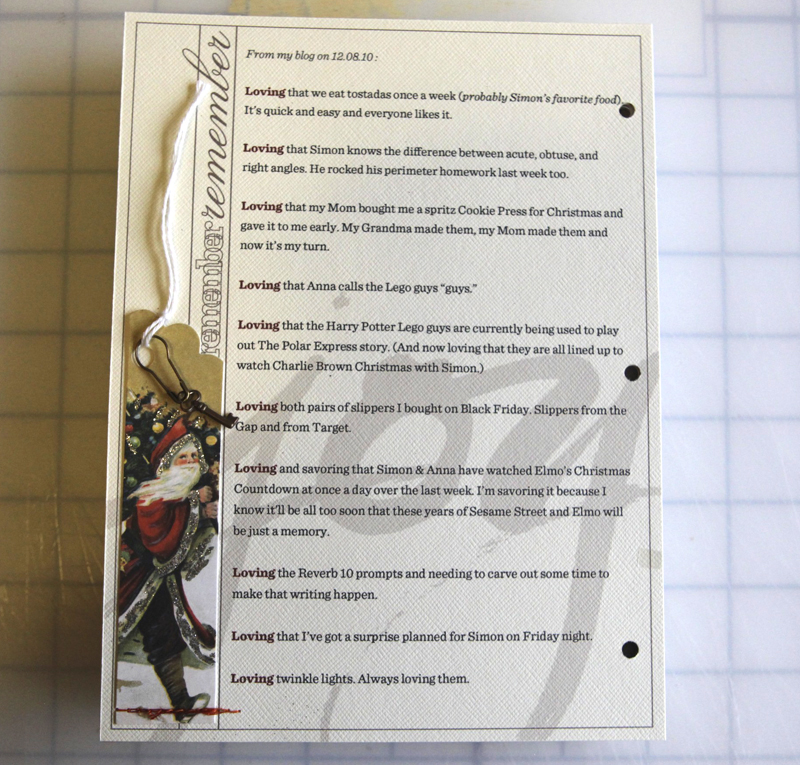
In Photoshop I opened the Remember Template from the 6×8 December Daily Layered Template package, made the background white, drew a new text box with the Type tool and then copied and pasted my journaling from my Loving post. I made the "Loving" at the beginning of each sentence bold and red. I also changed the color of the frame to a light brown.
Next I opened the Joy.png file from my Painted Christmas Words package and enlarged it by dragging it from the corner (I work in Photoshop CS4 so I need to hold down the shift key while doing this to maintain the correct proportions). Edit/Fill to recolor and then I adjusted the opacity to about 20% by moving the slider at the top of the layers palette. I moved it down in the layer palette to just above the background.
Printed the whole thing on cardstock. I'm using the same Cream Puff cardstock from Bazzill throughout my album.
Along the edge I trimmed a tag from this set and added a little metal key. Here's a close-up look at that part of the page:

I used adhesive and just a bit of stitching along the bottom of the tag.
And page two:
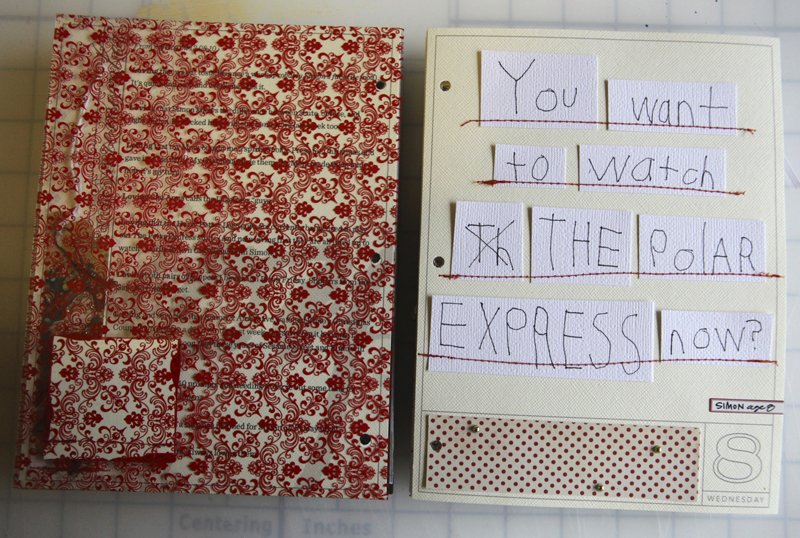
Lately Simon's been reaching for my 12x12 white cardstock when he wants to write me a note (which usually takes up just a bit of the page). That was the case with this note. Since I couldn't fit it onto the page as he had written it (straight across the top of the 12x12) I decided to cut out each word and paste it back together.
After adhering I ran it through the sewing machine to create the lines.

I definitely could have left out the "th" that he crossed out, but I liked it.
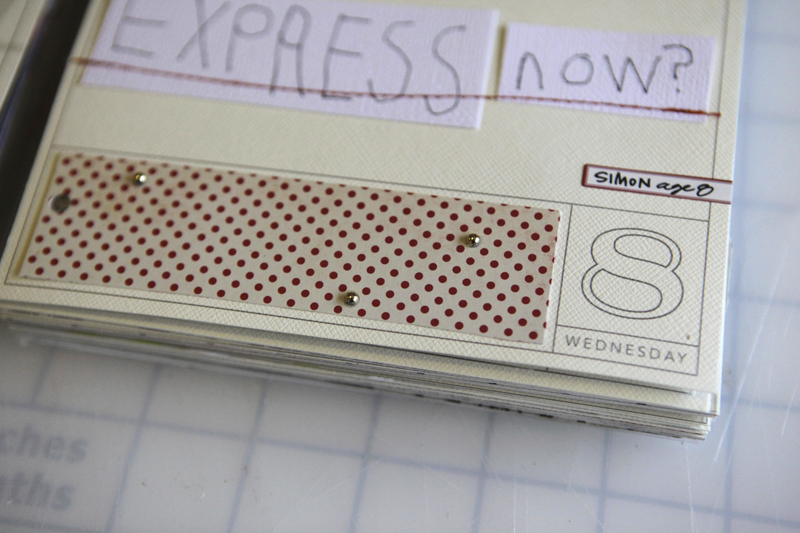
Finished off the page with a strip of pattern paper, a couple little gold gems (I think these came from Micheal's - they were in a little strip and I trimmed off individual ones), and a 7gypsies label sticker with Simon's name and age.
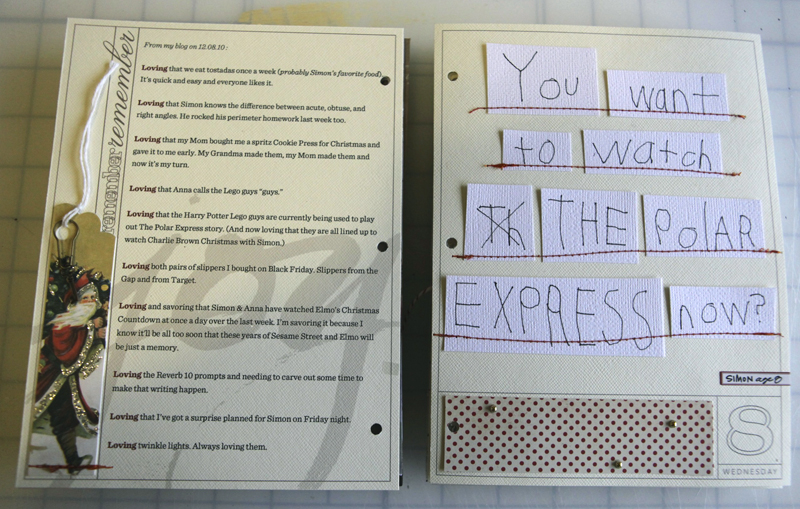
SUPPLIES : Ali Edwards Painted Christmas Words; Small Gold Jems; Bronze Key (unknown source); Making Memories Clasp; The Girls Paperie Pattern Paper; Cavallini Christmas Cheer Gift Tags; Hamby Red Vintage Plaid; Ali Edwards Christmas Boxes; American Crafts Playroom Thickers (in green here); Claudine Hellmuth Studio Paint Dash of Red: Two Peas | Scrapbook.com; Ali Edwards 2010 6×8 December Daily overlays; Ali Edwards 6×8 December Daily Layered Templates
All posts related to December Daily can be found here.

TODAY'S POST SPONSORED BY :shimelle.com
Since 2004, Shimelle has encouraged creative women to take back the holidays with the online class Journal your Christmas. Every day, participants receive detailed prompts designed to make journaling easy, plus crafty ideas and photography tips too. JYC alums sing the praises of this class: "The prompts are seriously amazing and help you document and reflect on the holidays in a deeper way," "without doubt my favourite," "I *love* JYC". The class includes permanent membership so you can join in as many Christmases as you would like at no extra cost. Join Journal your Christmas at any time or gift it to a friend, or choose any class at shimelle.com to kickstart your creativity!
SHARE A LINK TO YOUR DAY EIGHT
I’d love to have you include a link to your DAY EIGHT page here. Please link directly to your post or image on Flickr vs. your general blog link. Thank you! Also – don’t feel like you need to leave a comment!


Comments
Sign in or sign up to comment.
82 comments
I am making my first December Daily album. I don't understand why Ali's overlay templets are not allowing me to type on them directly. Is anyone else having this problem?
When I open the PDF file and try to type my journaling on the overlay, I am not allowed to do so. Is it me? Or are we not allowed to do our computer journaling on them?
Help! Let me know.
Replies
Hi! Unless you have Adobe Acrobat (a different program than Adobe Reader) you can't add journaling to the PDF file in Adobe Reader. You can open the PDF in Word (you can do this with the PNG file too) and create a new text box on top of the overlay to type your journaling. You can also add journaling directly to the PNG files in Photoshop.
Sign in or sign up to reply.
Love your December Daily project and just got the overlays and templates on sale. Have been taking pictures and doing a little journaling every night. Any tips for someone arriving late to the party? Thanks for all your inspiration!
Replies
Sign in or sign up to reply.
So glad you "loving" made it in and the words will be such a treasure.
Replies
Sign in or sign up to reply.
I'm caught up. I'm finally caught up! (just on this I mean....)
Replies
Sign in or sign up to reply.
Here is my comment - Merry Christmas!
Replies
Sign in or sign up to reply.
I finished up Day 8 today. That's why I have two posts here - the first was just my mistake on 8. Happy weekend!
Replies
Sign in or sign up to reply.
That note is so precious and you are right you so had to keep the TH in there, what a great memory for the future! xx
Replies
Sign in or sign up to reply.
I love that Simon writes you notes! and I love that you used this one on your page
Replies
Sign in or sign up to reply.
[...] PAGES December 1 December 2 December 3 December 4 December 5 December 6 December 7 December 8 December 9 December 10 December 11 December 12 December 13 December 14 December 15 December 16 [...]
Replies
Sign in or sign up to reply.
Love the tag especially.
Replies
Sign in or sign up to reply.
love how you used Simon's writing
Replies
Sign in or sign up to reply.
Thank you for sharing, Ali. What a beautiful entry in your journal, and a very inspiring way to include a photo-free layout. :)
I have a question about how you added the text to the layered template. I am using your templates and adding my journaling before printing out but I am finding that my text continues off the page unless I hit the Enter key to start a new line so that it stays within the borders.
Question: Is there a way to constrain the text to fit a certain area on the template before you start typing?
Sorry if this is really basic, I am a relatively new user of PS Elements, and I don't remember seeing this in any of your video tutorials. Thanks!
Replies
Hi Lana - the key is to grab the T (type tool) and rather than just clicking on a spot and starting to type, click and drag while still holding down the mouse to create a text box. You will then be able to adjust it and it will do the returns when your words get to the edge of the text box.
Sign in or sign up to reply.
I just love how you saved Simon's note and used in it your book. I'm sneaking the kids' Christmas wish lists to include in mine this year.
Replies
Sign in or sign up to reply.
thanks for letting me share! Getting closer to being done!
Replies
Sign in or sign up to reply.
This is the only page not yet done - I'm going to go back and fill something in about our traditions and decorations... Time just got away from me during this week so I will fill it in later...
Replies
Sign in or sign up to reply.