December Daily 2010 | Day Three
Tags: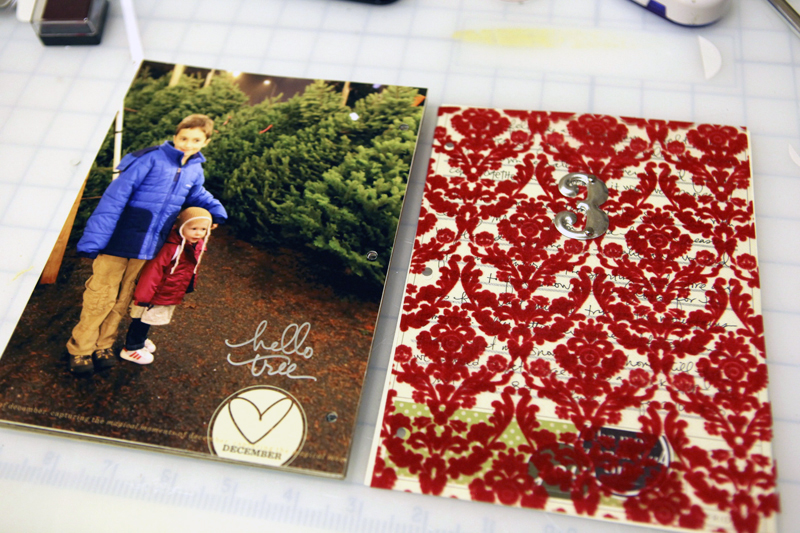
Welcome to Day Three.
Last night we went out and got our tree. We're not picky about our tree at all - it took all of 10 minutes total to pick the tree, have some of the bottom branches trimmed, get it on the car, and pay. That's probably our fastest time yet.
One of the things I added to my journaling was the price of the tree (it was $50). That's the first time I've added it in and wished that I would have included it in past years as a fun comparison.
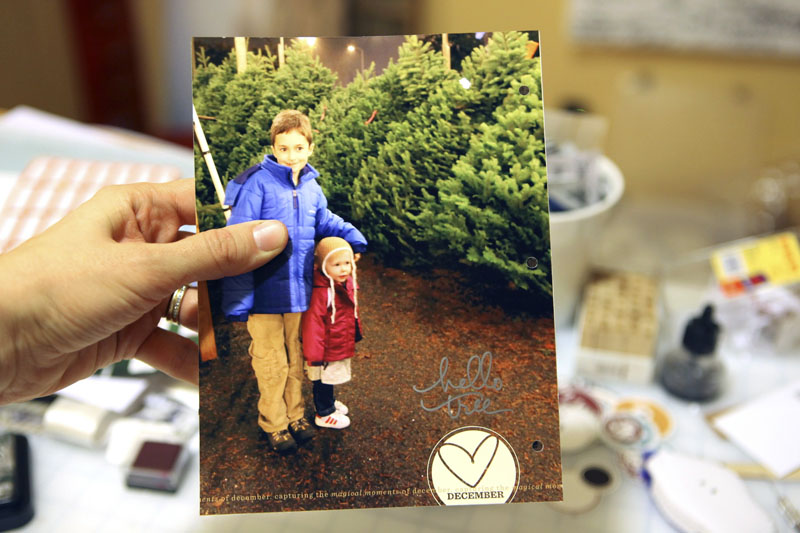
I went with a full 6x8 photo again. I'm totally loving this size.
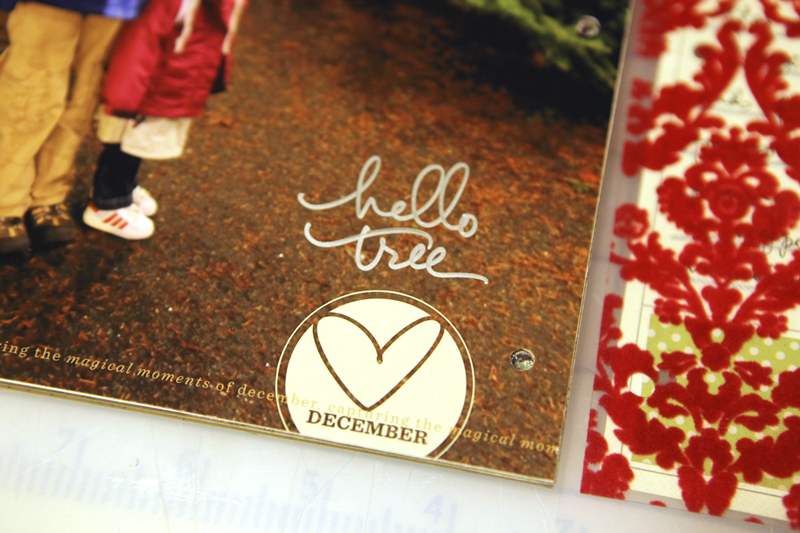
The circle accent and the line that goes across it are both part of a new set of word art called Holiday Word Art Vol. 2.
Also, this is a good opportunity to make sure you know that Designer Digitals is running a Days of December promotion throughout the month where each day there is a new $.50 item along with a random selection of a couple hundred other items throughout the store at 30% off. You can always check out what's currently marked as a sale item here.
The "hello tree" was handwritten using a metallic silver pen from PITT Artist Pen from Faber-Castell. The number on the pen is Silver 251. It worked great on my photo. I also used it to draw the journaling lines on the cardstock below. Worked great for both applications.
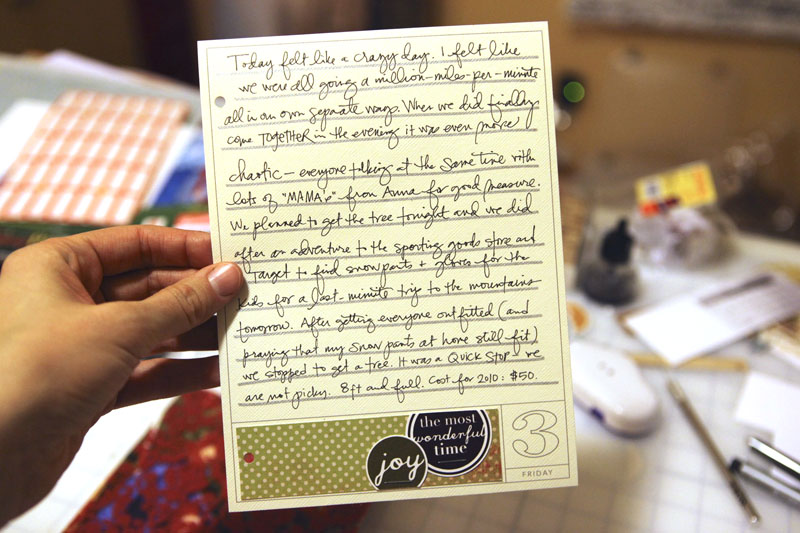
I drew the journaling lines by hand and then filled in my jouranling. The cute little circles from Ormolu are stapled onto pattern paper from The Girls Paperie.
A couple close-ups:

A NOTE ABOUT THE PHOTOS :As you might have noticed - perfect pictures aren't a necessary part of this process. In an ideal world the color in my shots would be spot-on. They wouldn't be blurry. I know the color is off and often times so is the focus. I'm ok with that - they tell a story in and of themselves.
JOURNALING : Today felt like a crazy day. I felt like we were all going a million-miles-per-minute all in our own separate way. When we did finally come together in the evening it was even more chaotic - everyone talking at the same time with lots of "MAMA's" from Anna for good measure. We planned to get the tree tonight and we did after an adventure to the sporting goods store and Target to find snowpants and gloves for the kids for a last-minute trip to the mountains. After getting everyone outfitted (and praying that my snow pants at home still fit) we stopped to get a tree. It was a quick stop - we are not picky. 8ft and full. Cost for 2010: $50.
DAY THREE SUPPLIES :Fancy Pants Tradition Flocked Transparency; Tim Holtz Silver Numerals: Two Peas | Scrapbook.com; Ormolu Merry Memories Dots N Spots; Ali Edwards Holiday Word Art Vol. 2; The Girls Paperie Festive Brocade; Ali Edwards 2010 December Daily 6x8 Overlays
All posts related to December Daily can be found here.
SHARE A LINK TO YOUR DAY THREE
I'd love to have you include a link to your DAY THREE page here. Please link directly to your post or image on Flickr vs. your general blog link. Thank you! Also - don't feel like you need to leave a comment!


Comments
Sign in or sign up to comment.
98 comments
I'm all about imperfect pictures! Love the full size pictures too!
Replies
Sign in or sign up to reply.
what type of printer do you use for the dd pictures you print at home? is it the same printer you talk about in the FAQ on your website? i think you indicated it was an hp photosmart b8550.
Replies
Yes - that's the one I use. It's been great.
Sign in or sign up to reply.
Used your Holiday Title and Journal overlays and a bit of Holiday Word Out on today's layout today and loved how it turned out! Hope you enjoy your snow trip today. We are going sledding next Sat...my Maggie will just be eight weeks old so we'll see how that goes. :)
Replies
Whoops! I meant Word *Art*! Stll in bed and grabbed the iPad to log on and post my blog/comment. That touchpad can be a touch slippery.
Sign in or sign up to reply.
I get up in the morning and the very first thing that I do is go straight to the computer and pull up my mail. I can't wait to read about your December daily, and what everyone else has to say. It helps with the ideas as this is my very first december daily.
I also like how you always stress"no pressure", "doesn't have to be perfect". ex: your picture. This is my first ever December Daily and with 6 kids everyone can imagine the amount of short time to myself that I do have. I thank god that my oldest son (19) is a fabulous photographer (a real natural) and is very willing to help me with this project. He reminds me , "mom, its day 3, lets take pictures". I love doing this project with him. It is giving us a good connect and hopefully he will pass this on to his future wife someday or just maybe do it himself!
Replies
Sign in or sign up to reply.
Love love love! I am liking the full page pictures - need to incorporate some of those. I also just wanted to tell you what a hit the Advent cards are with my 4 year old - she LOVES them. Every day she wakes up and asks to go downstairs and read the activity for the day. Thank you for such a wonderful idea! Question- are you planning to incorporate those cards in your Dec Daily album at all? Not sure how I am going to do that, given they are double sided.
Replies
Sign in or sign up to reply.
Oops, computer glitch. Now my day 3 photo-link is on the list twice. Feel free to remove one.
Replies
Sign in or sign up to reply.
Ali, I'm having a problem with printing my pictures at home (don't even get me started! LOL) But I can't seem to save my completed template/layered template in a fashion that I can find it later to upload to Costco for printing. I'm saving as a .psd file, even saving it on my desktop for easy access - but then it doesn't show when I'm ready to upload! Do I need to change it to .jpeg somehow? And save it somewhere else? help!
Replies
Yes, I was looking this up and I think you have to change it to a JPEG or a TIFF file. When you are saving, use the drop down menu to choose either JPEG or TIFF and if you aren't sure, do both!!
Yup--she's right. Flatten the file and save as jpg. (IT's in menu under file...save as...)Tiff files are huge (I think) so a jpg would probably work better for you all the way around. It took me weeks to figure this out when I first started digi scrapping --you are not alone!
In addition to saving as a JPG you might want to place that JPG on a 8x10 canvas for uploading. A couple people have emailed me about that and it has seemed to be the way to go. Go to File/New and create a new canvas that is 8x10 at 300dpi. Open your JPG if it's not already open. Use the move tool (black arrow) to drag + drop the JPG onto the 8x10 canvas. Save that as a JPG and upload. Once it's printed you can crop.
Thanks so much everyone...off to try that out!
Ali..
Once I drag and drop to the new canvas, it just sits there. How do I merge the two? Sorry, this is my first try at digital scrapbooking!
You don't need to merge them together. Just go to File/Save As to save it as a JPG or just print it there at home.
fyi, I created the 8x10 canvas like you instructed and Costco still didn't print them with the right dimensions - it looked right on my screen :)
Sign in or sign up to reply.
We are only on day 4. Can we keep this up?
Replies
Sign in or sign up to reply.
Just want to say "thank you" for writing out your journaling so we can read it easily! Love the story as much as the photos :).
Replies
Sign in or sign up to reply.
i am so HAPPY to hear you talk about imperfect pictures. love love love. My photography friends and I (my brother included) have discussions about how sometimes you only have that ONE shot of the moment and even if it's flawed, it's most precious. They just sometimes don't GET it.
Replies
Sign in or sign up to reply.
I love the idea of using the pictures that we think are "not perfect" they really make the page personal because it is how we captured the scene.
Replies
I'm so with you on this one!
Sign in or sign up to reply.
There will be a similar timing in my album - we went for a tree today (day 4), but were not so fortunate as you - real trees are not yet in sale, only the artificial ones :(
Replies
Sign in or sign up to reply.
I am so loving these 6x8 photos too - hoping to incorporate this full page size for tomorrow! :) Thanks again for all of the inspiration!
Replies
Sign in or sign up to reply.
Totally love the hand drawn journal lines!
Replies
Sign in or sign up to reply.
ali... just a quick question about the pens. did you purchase a pack of them? and which one? i really like that it wrote on your photo so nicely. i have a hard time finding pens that don't bleed or smear all over my slick photos. thanks in advance.
Replies
Hi Mandee - these ones were sent to me and the silver one came in a package of metallic pens - all have been good (silver, gold, a purple, and a couple other colors).
Thanks Ali. I may give them a try.
Sign in or sign up to reply.
Oh Ali, you've made my day by saying that perfect photo's aren't necessary, that your color is off and sometimes the focus too! I've been agonising with my camera but still end up touching up some of my pics - now I'm OK to go with them just the way they are! Thanks sooooo much for making me realise mine don't have to look professional!
Replies
Sign in or sign up to reply.
it's so fun seeing everyone's DD layouts! i'm really lovin' the smaller size, but couldn't find the transparencies i wanted this year. i'm thinking i'll plan ahead better for next december (ha!). but i'm having fun with the digital layouts & i can fit all the photos i take in them :)
Replies
Sign in or sign up to reply.
Ali, do you have any suggestions about framing your photo so that it will fit in the 5.5x6.25 space better? My photos are getting clipped at the top and bottom when I crop them to that size. Maybe I should stand farther back when I shoot so I have more room for cropping? Thanks.
Replies
Hi Terri - just about every shot I take is horizontal. I also often do combination of up-close and farther away for most things I want to document - when it comes to telling my story I have more options that way :).
Ali, your post today answered my question perfectly! Thank you so much for all the inspiration you give every day.
Sign in or sign up to reply.
I just love being "up-to-date. Am having so much fun with it!!! Thanks Ali :)
Replies
Sign in or sign up to reply.
Ally, I just purchased the Holiday Word Art and I was wondering how you change the "love december" circle to the color white? I'm a little new to photoshop elements so I'm not sure how to... Thanks so much, I love your pages!
Replies
Hi Sophie - I've got a tutorial on recoloring elements here: http://aliedwards.com/2010/01/scrapbooking-with-your-computer-opening-recoloring-adding-to-a-photo-loading-brushes.html
Sign in or sign up to reply.