Project Life | Week Twenty-Six
Tags:
Welcome to Project Life | Week Twenty-Six.
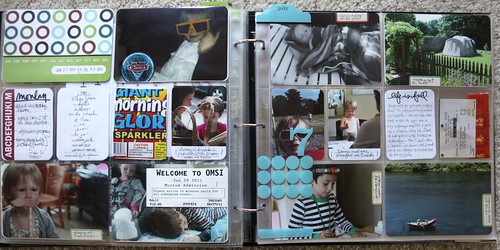
I felt a little rushed to get this week together.
I started off on the right track by sticking things in the pockets at the beginning of the week but got distracted as the week went on (any one know how that goes...). I finished it up tonight and am happy as always for the photos have a home even with just a few words added in for context.
The things I said to myself tonight included some of my old favorites: don't make it more complicated than it needs to be and just get it done.
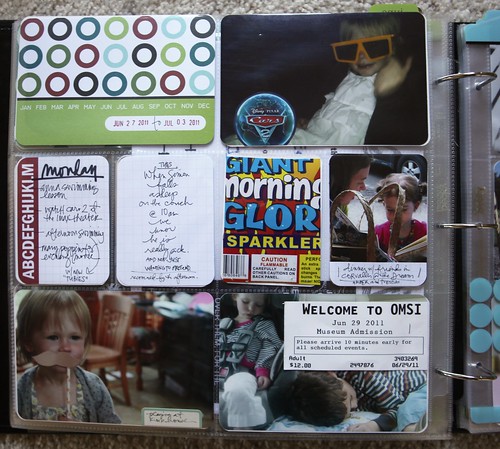
Something I liked this week was taking a couple of the things I'd tucked in the pockets and stapling or adhering them right onto the photos. It made sense for the ticket and a little Cars circle that I cut from a brochure Katie brought home from the movie.
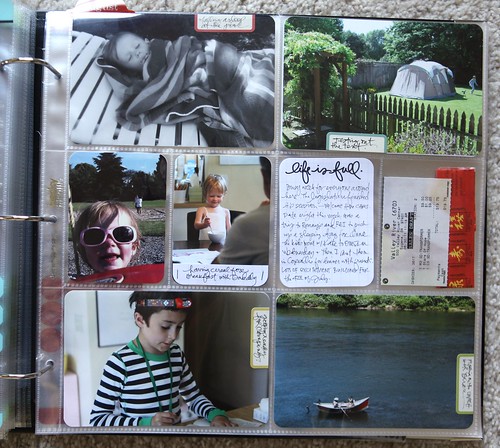
The label stickers I used this week are from Cosmo Cricket's Odds And Ends Collection ( Two Peas | Scrapbook.com ). I loved that they had just the top (or the bottom if you look at it that way) rounded and wish that they had a whole sheet of just these stickers!
26 weeks of our lives all in one place. That's so totally cool.
Project Life is a product created by Becky Higgins. It can be anything you want it to be. The pieces of the album kit (similar to the one I’m using) are available here. If you live outside the US check Becky’s site for more information on sources. View all my posts about Project Life here.


Comments
Sign in or sign up to comment.
41 comments
I started Project Life in January. I got connected to your site through Becky's Twitter. I am thoroughly enjoying your posts. I love the digital overlays that you have created. I have a Mac. I do all of my photo editing using iPhoto. How would I use the overlays? Could I use them in iPhoto? Do I need another program? Project Life has helped me simplify my documentation. Something that I can manage. I still need to keep things simple. The overlays seems like a really fun touch, but still simple! your help would be greatly appreciated.
Replies
Sign in or sign up to reply.
Hey Ali, just wondering how you are doing the split of your albums. Mine is also getting full and I'm starting on album #2 in July. But I as put in my last week of June, I thought hmmm, how's this going to work? Did you split a week? And the back page is part of a week, the front page of the new album is the other part? Or did you do an ending page and have another introductory page in album 2? If I do that, won't I run out of page protectors? Just wondering what solution you came up with. Thanks. :)
Replies
Sign in or sign up to reply.
[...] Ali Edwards [...]
Replies
Sign in or sign up to reply.
Ali -
A few questions with regard to your daily project (if you don't mind)...
What do you do with all of the photographs after you take them? Store them on some sort of drive?
What tool/resources do you use for printing your photographs? I always do projects but don't have immediate access to my pictures to complete my project. Guess I need a good photo printer!
Replies
Hi - all my photos are in a program called Aperture (similar to iPhoto) - a photo management program. They go directly from my camera to Aperture when I connect my camera to my computer. I print here at home using a HP Photosmart B8550 printer onto 4x6 pieces of photo paper. It's been a really good printer for me.
Sign in or sign up to reply.