December Daily 2011 | The Foundation Pages, Part One
Tags: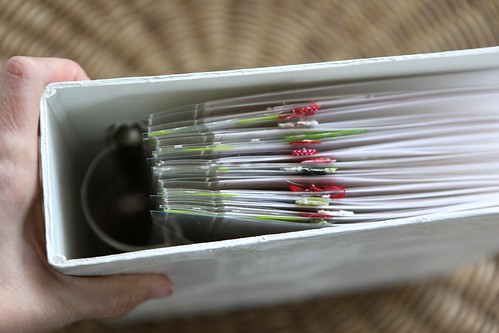
Welcome to December Daily 2011!
Today I'll be sharing some of my foundation pages (the base pages that I set up in advance to simplify the process of documenting in December). I'm still waiting on a couple items from the Studio Calico kit - namely the letterpress number coasters and the American Crafts letter stickers. As soon as I get those into my album I'll share the second set of pages.
You can see the exterior and interior of my album cover here.
A couple things to note as we begin this year:
ONE | If this is your first time embarking on a December Daily project I highly recommend checking out my compilation page that has links to all my previous albums and posts.
TWO | There's no right or wrong way to approach this project. Find a groove for yourself and go with it. I liked my general design approach in 2010 (see below) so I'm repeating a lot of those elements again:
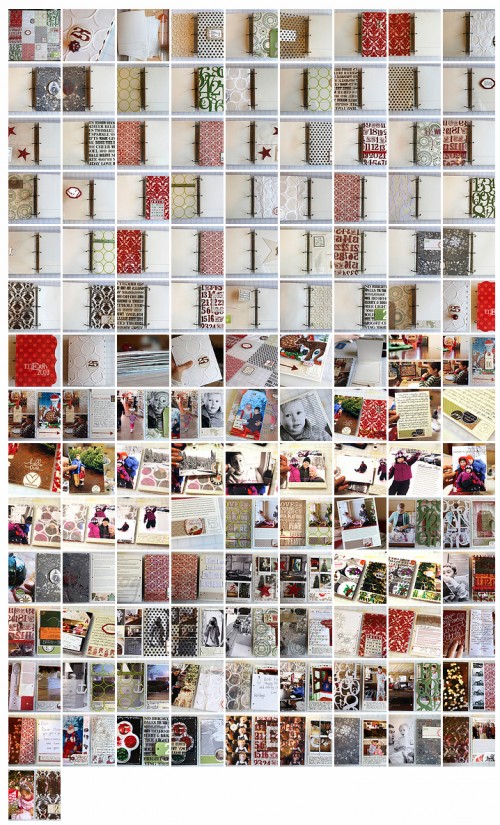
THREE | I loved the size last year which is why I'm repeating it again this year - well almost - this year my foundation pages are 6x8.5 inches. In looking back at my album from 2010 I felt like this size was really great for both the photos and the words. I definitely might be ready for a change up again in 2012. You can view all my pages from 2010 in my Flickr Gallery here.
FOUR | This project is always a great opportunity to use what you have at home. As in year's past, there is a kit available - this year it's through Studio Calico. As you'll see below I'm using a combination of things that I have on hand and pieces from the kit.
FIVE | This is a daily project. My approach is to highlight one story per day. Some days it's a holiday related story and other days it's something entirely not related to Christmas. For me it's about documenting our lives during the season. Maybe you want to approach it this year as a gratitude album - pick one thing you're thankful for each day and highlight that. Or maybe you just want to highlight specific special stories as they come up vs. daily documentation. Again, it's completely up to you. My hope is to simply encourage you to get some of these special moments and stories of the season recorded.
SIX | I'm planning to continue Project Life right on through December. For December Daily I usually choose just one story per day. Since there are definitely more than one story each day I know I'll be able to find some good bits of life to continue adding to Project Life over the course of the month.
SEVEN | Sometimes people see my foundation pages and say, "there's not a lot there." And you're right. There's not a lot. But what I've done is set myself up with a solid foundation to build upon during December. By having at least some of the work done in advance I'm not trying to do everything (printing pages, choosing products, etc) during December. I know from past experience that setting myself up in this way has lead to a much better chance of success in getting my stories told.

In thinking about my own album this year here's some things that were top of mind for me in terms of design:
Calm. Whites, creams, silver with a little bit of red and green.
Stitching. I love the look of both machine and hand-stitching on paper. This is the machine I use: Brother XL2600I. It was recommended by Mary Ann Moss who runs an awesome class called Remains Of The Day among other cool creative adventures.
Glitter/sparkle. I'm going to argue that glitter can still be calm. Think twinkle lights vs. Times Square.
Stars. I found as I was looking through my stash of holiday supplies that I had a bunch of star stuff I've been accumulating. It started to become a theme I was excited about and I'm going with it.
Photo & Story-centric. Just like last year I plan to include quite a few full page photos again. Looking back through my 2010 album it's one of my favorite parts.
2011 DECEMBER DAILY FOUNDATION PAGES | PART ONE
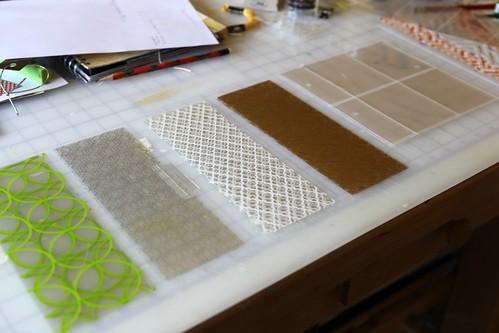
One of the things I really liked in last year's design was having a transparent page in the middle of each daily spread. I allocate two pages (a spread) for each day, with the exception of Day One. This year I made them about 1/3 the size and used a total of 4 Hambly transparent 12x12 sheets (I used Hambly White Lattice, Gold Mini Brocade, Chicken Coop Silver and Chic Green Circles). Hambly has added a page to their site to make choosing some transparencies for December Daily easy - click here to view their selection.

From each 12x12 transparent sheet I cut 5, 3 x 8.5 inch pieces.
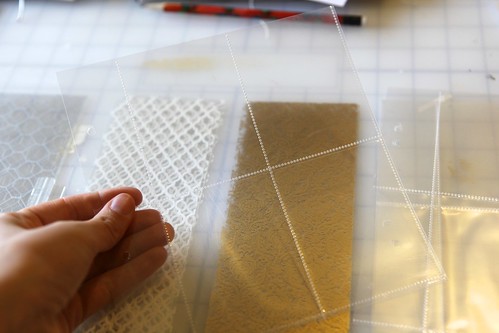
In addition to the transparent sheets I added in six We Are Memory Keepers 8.5x11 Page Protectors that I cut down to fit in the album. I cut each one so that I ended up with four pockets.
Basically I wanted 26 inserts.
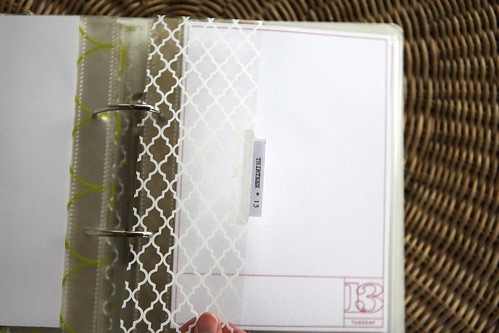
Along the edges of each of the Hambly pages I added some ribbons/twill/lace from my stash or an Avery 2-inch plastic tab.
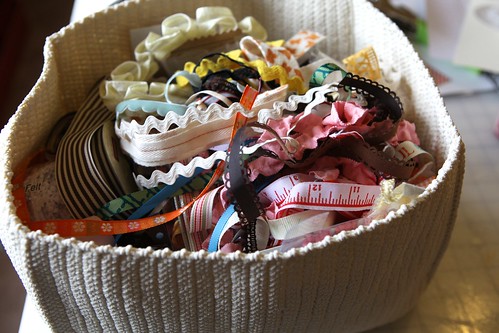
They ended up looking something like this.
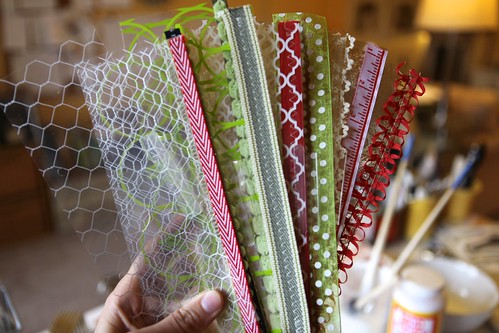
I put them in order, starting with a 4-pocket page followed by one of each of the Hambly transparent designs. I repeated that throughout the album.
Here's a look at how the pages came together. Remember, today I'm just sharing some of the pages - the rest will come later this week when I get some additional items from the Studio Calico kit.
DAY ONE
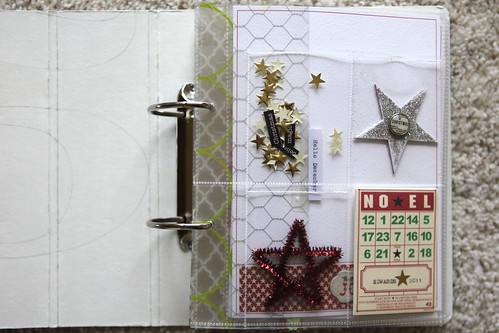
My album begins with a 4-pocket page with a variety of star-focused embellishments.
I was inspired by this image found on Pinterest (confetti pockets) and wanted to do something similar with a few small gold stars (and also keep it in mind for things to add later in the month). After sticking the little goodies inside I stitched the pocket closed with my sewing machine.
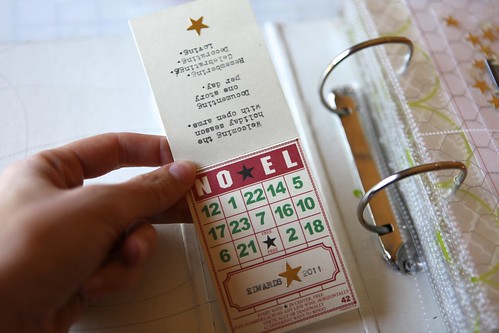
Inside the bottom left pocket I included a Bingo Place Card from Jenni Bowlin. On the front I typed "Edwards 2011" and on the back I typed the following:
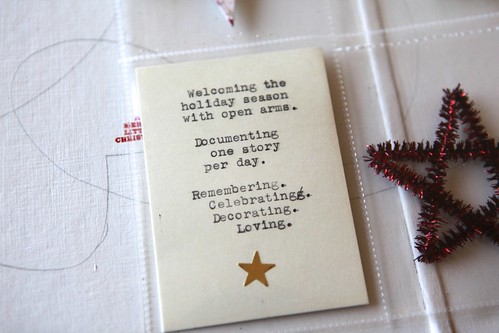
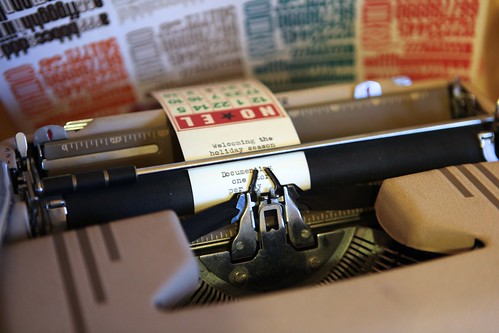
And yes, I literally ran it through my typewriter.
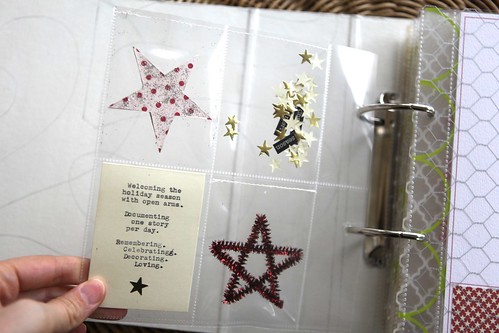
The Bingo Place Card isn't stitched in but the rest of the embellishments have a line of stitching about 1/8-1/4 inch from the top.
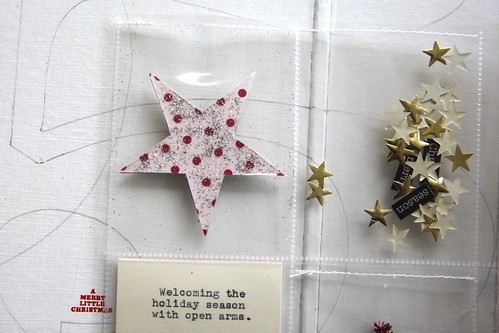

Since this is Day One I ended up with the 4-pocket page plus a Hambly insert. All other spreads have just one insert in between the pages (as you'll see below).
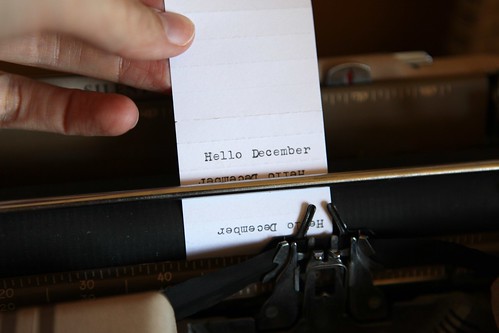
I ran the paper from the Avery 2-inch plastic tab through my typewriter. It's an old one I picked up at an estate sale - super fun to play with for projects like this.
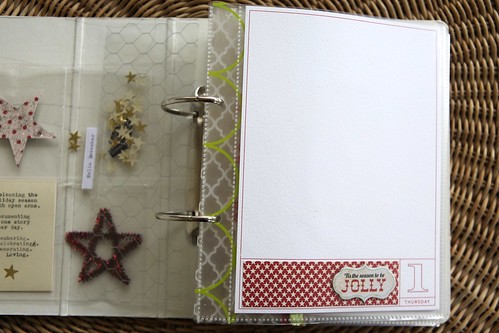
For most of the days throughout the month I'll be adding pattern paper along the bottom in the space designated on the 2011 December Daily Overlay Package. I liked doing that during the month last year rather than in advance. Each of my days from 1 through 25 has a printed piece of cardstock ready to go. I'll add photos, ephemera and stories directly onto this cardstock throughout the month.
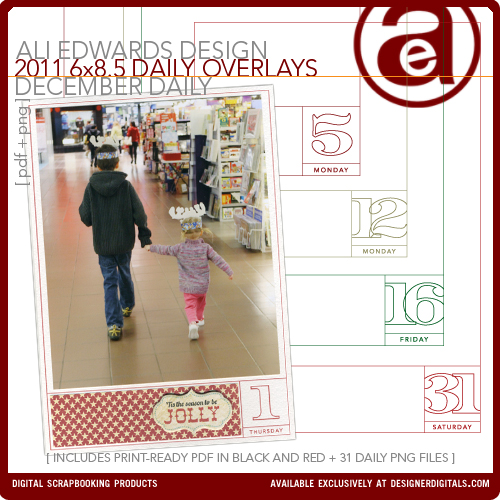
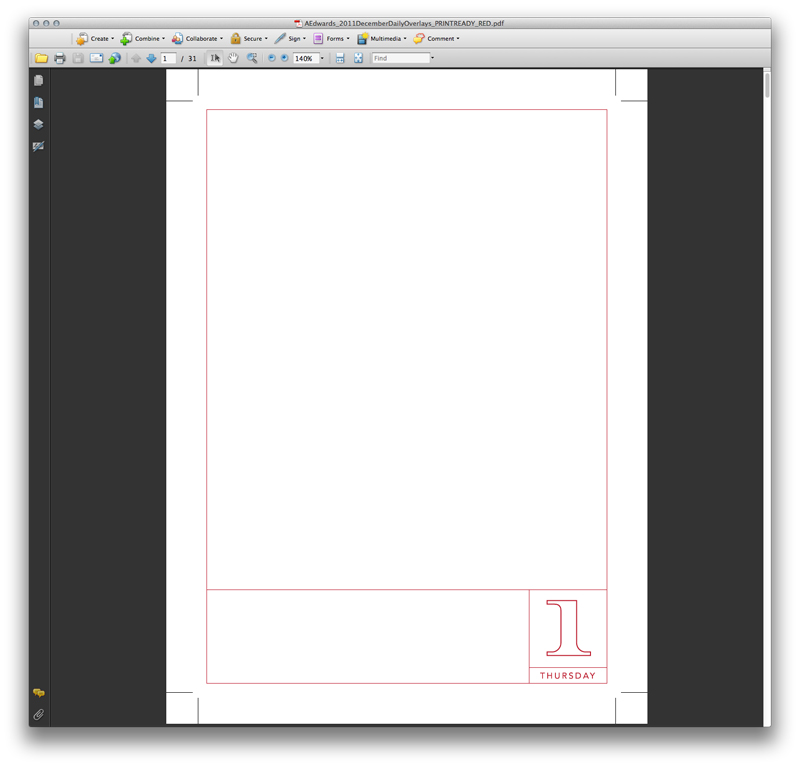
The 2011 December Daily Overlay Package includes 31 individual PNG files (dates and days of the week are customized for 2011), and print-ready PDF files in both black and red. As you can see above I'm using the red file this year. The PDF files include crop marks to show you right where to trim after printing. I printed my pages on Bazzill White 8.5x11 cardstock. These pages are 6 inches x 8.5 inches tall - sized to fit the album included with the kit from Studio Calico. I did a video tutorial on working with these overlays last year - the same steps still apply: Working With The December Daily Printable Overlays
Again, it's essentially the same format as last year - just a little taller and with the red option included in the package (and the days/dates correct for 2011). My plan is to also use the 6x8.5 December Daily Layered Templates as the companion page to these overlays. This is very similar to what I did last year.
DAY THREE
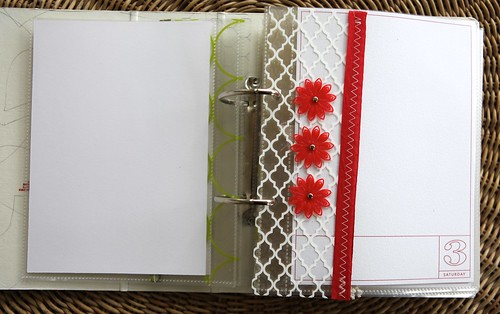
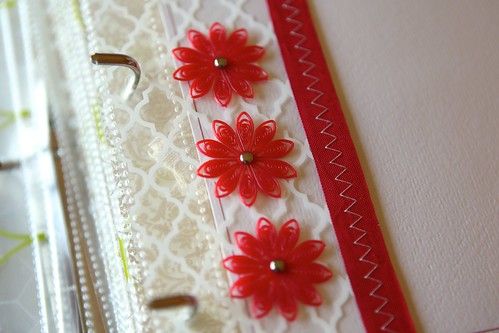
Sometimes instead of an actual number I'm showing a certain number of something. In this case, three of the Jenni Bowlin Red Doily Flowers. This tends to be easier to do in the smaller numbers.
DAY FOUR

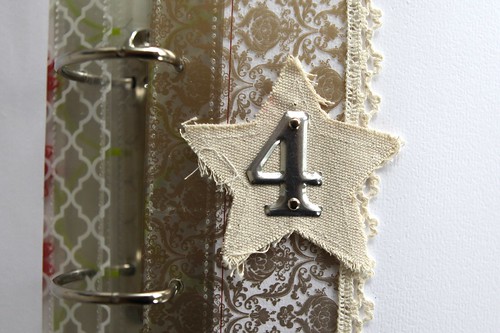
Canvas Corp Mini Canvas Star + Tim Holtz Metal Number.
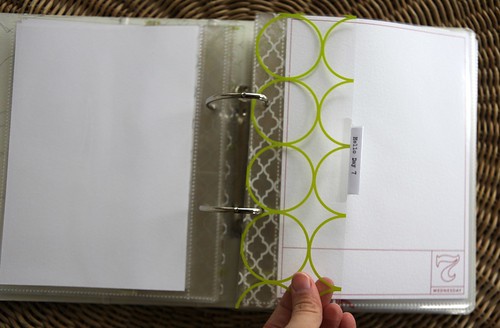
DAY SEVEN
DAY EIGHT
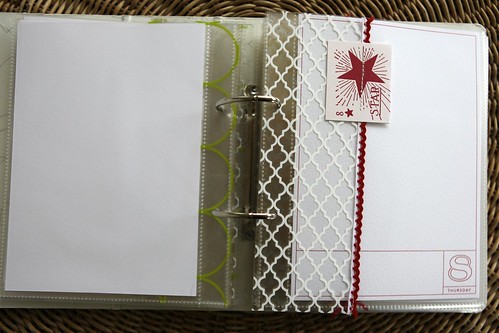
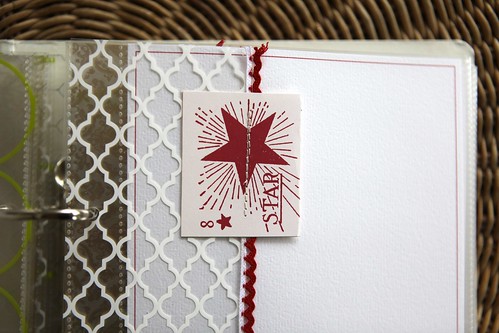
I cut out the number 8 star card from the Jenni Bowlin Christmas Accessory Sheet, folded it over and stitched it onto the Hambly transparency.
DAY THIRTEEN
DAY FOURTEEN
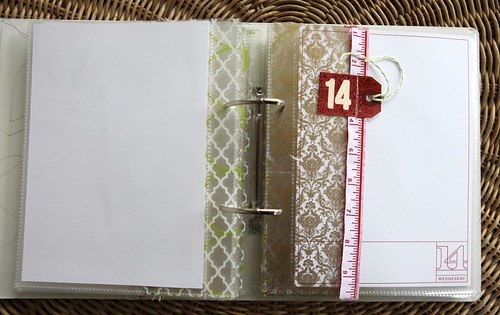
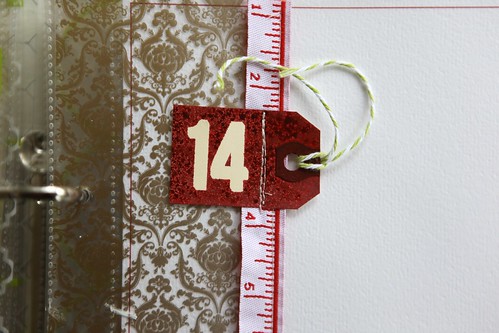
For Day Fourteen I grabbed a small manila tag, adhered a couple of the Jenni Bowlin Red And Black alphabet stickers and used a Studio Calico Mister Huey (exclusive to the kit) to spray on top. After the ink dried I pull off the number stickers and stitched the tag onto the ribbon/transparency combo.
DAY SIXTEEN

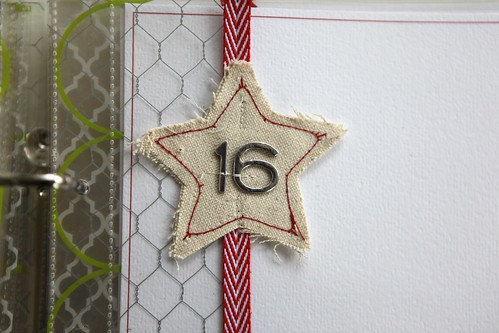
Canvas Corp Mini Canvas Star + American Crafts Hardcover Silver. I stitched around the edge of this one with red stitching. I also stitched the numbers in place with cream - a little more guarantee that those chipboard letters will stay in place.
DAY EIGHTEEN
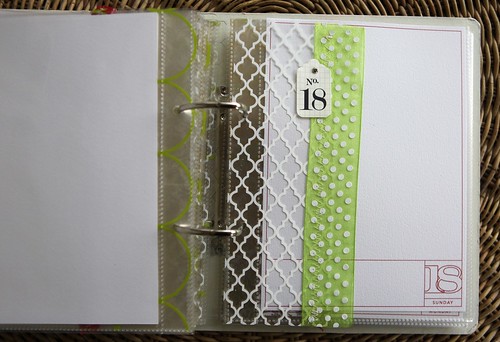
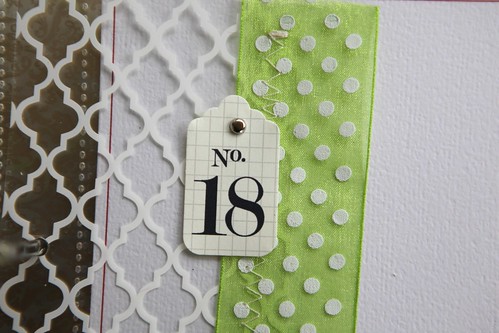
Number tags from Bananafish Studio.
DAY NINETEEN

DAY TWENTY-ONE

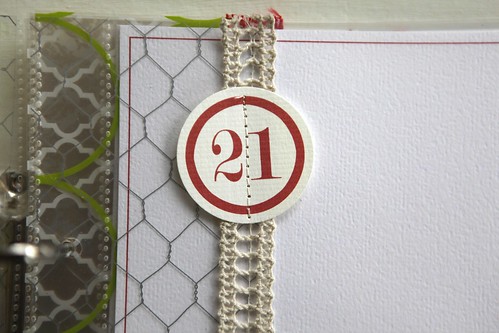
Red number tags from Every Jot And Tittle. I think I've used these circle numbers in almost every one of my December Daily albums. Love that I've been able to use them from year to year (different numbers in different years).
DAY TWENTY-THREE
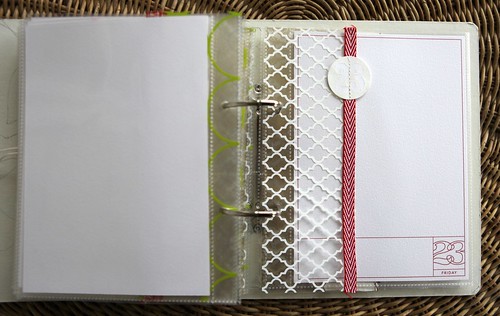
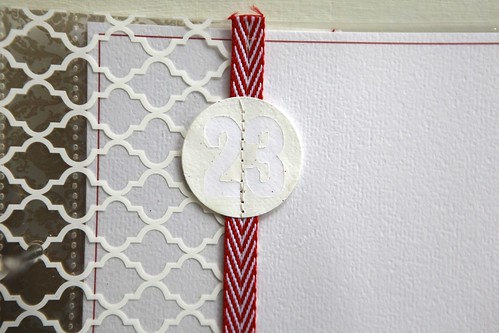
For this one I punched a 1.5 inch circle from white cardstock.
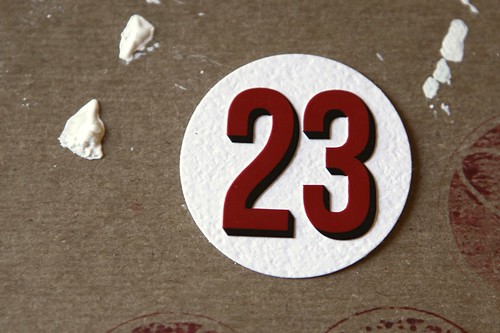
I placed the Jenni Bowlin Red And Black alphabet stickers numbers onto the circle.
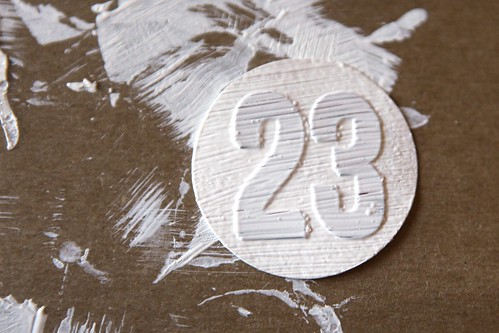
Covered it with gesso/white paint. Let dry.
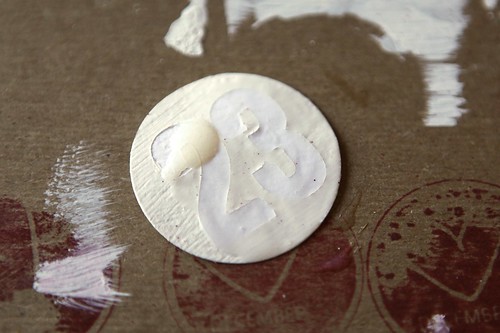
Peel off the number stickers and cover with Glossy Accents.
DAY TWENTY-FIVE
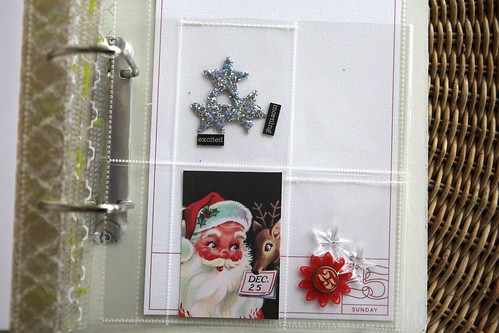

Maya Road Trinket Pin Stars (pulled the pin portion off the bottom of the star before placing inside the pocket), Jenni Bowlin Christmas Accessory Sheet, Jenni Bowlin Red Doily Flowers, silver stars from Prima, Authentique Wonder Diction Word Stickers.
SUPPLIES
DECEMBER DAILY KIT |Studio Calico
PRINTABLE OVERLAYS | Ali Edwards for Designer Digitals 2011 December Daily Printable Overlays
STAMPS | AE Holiday Boxes, November 2011 Studio AE Technique Tuesday Stamp Set (available November 1)
BINGO PLACE CARD |Jenni Bowlin Christmas Bingo Place Cards
DIVIDED PAGE PROTECTORS |We Are Memory Keepers 8.5x11 Page Protectors
CARDSTOCK | Bazzill Basics White Orange Peel Texture 8.5 x 11
STAR PUNCH |Fiskars Extra Large Twinkle Twinkle
CANVAS STAR | Canvas Corp Minis
GOLD STARS |Gold Foil Star Stickers
INDEX TABS |Avery 2-inch
TRANSPARENCIES | Hambly White Lattice, Gold Mini Brocade, Chicken Coop Silver, Chic Green Circles (click here to view a selection of recommendations from Hambly)
LETTER STICKERS |American Crafts Hardcover Silver
CLEAR STARS |Maya Road Trinket Pins
DECEMBER DAILY SPONSORSHIPS
A limited number of December Daily business sponsor spots are available for 2011 - both for giveaways and daily sponsorship. Please email me sponsors@aliedwards.com for more information.

TODAY’S POST SPONSORED BY |Elle's Studio
Elle’s Studio has some great items for your upcoming holiday scrapbooking - their numbers and journaling tags also work great with your December Daily projects! Use coupon code ALIHOLIDAY on any order over $45 and your order ships for free, today and tomorrow only! Also, today only, you’ll receive a free Halloween Tidbit, with any order, for their October special and some of their last call Halloween items are 30% off!


Comments
Sign in or sign up to comment.
155 comments
Hi - I have Microsoft Digital Image 2006 Standard. Do you think the overlays would work with this program? TY
Replies
Hi Liz - I don't know anything specifically about that program but if it can open a PNG file you are good to go (this would be if you wanted more editing capabilities). You can also simply open the PDF file and print using Adobe Readers (that you probably already have on your computer).
Sign in or sign up to reply.
oh wow! this is great. i have started preparing my december daily materials while waiting for yours and it is so amazing that because i have so much leftovers from last year that i chose to use strips of papers where to attach the numbers/days. and my album will look similar to yours. i love it ali. :)
Replies
Sign in or sign up to reply.
Ali,
I am so excited about your DD album... it this is my first year participating and I can't wait!
Will you be putting out a blinkie for the December Daily like you did for a Week in the Life?
Thanks,
Diana
Replies
Hi Diana - yes I will - working on that today :).
Sign in or sign up to reply.
Hi Ali, while stitching the ribbon on to the transparencies, my needle is getting really sticky and the upper thread keeps on breaking. I heard there's a teflon needle??? What are your thoughts?
Replies
hi ali, i wanted to let you know i think my problem was due having a little adhesive on the ribbon. i just had to keep rethreading and cleaning the needle with Undo.
i guess there is a tephlon needle that is suppose to help reduce friction. maybe i'll try it next year!!
i didn't have any problems sewing the page protectors. :)
thanks for the inspiration to finally attempt this project. it's my first time!! :)
Hi Janice - I wish I knew more about it - every once in awhile mine gets sticky (usually if there's some adhesive I'm sewing through). I didn't adhere the ribbons before stitching them - just held it in place and prayed :). You might not have used adhesive...I'd love to hear about it if you try the other needle.
Sign in or sign up to reply.
I'm in love with your album! I've decided to do a DD album this year but will be using up my scraps from last year. I should have my new camera to play with so this should be a good way to get me to use it and try out the different features.
Replies
Sign in or sign up to reply.
Just got in, from buying a local version of supplies! DD vol 4 for our family, a cherished tradition.
This size fits beautifully with the A5,(metric) stationery system. looking forward to blog members links. Ta again Ali!
Replies
Sign in or sign up to reply.
Thanks for all the inspiration and a peek into your process. I feel behind already!
Replies
Don't let that stop you - you've got time.
Sign in or sign up to reply.
Ali thank you for showing us your pages and helping motivate us for the preparation! I'm so excited because my Mom and I are going to each make albums again! (this will be our second year).
I create the foundation pages for both our albums, then we each take photos and write. Over Christmas week, we get together and put our albums together. It's a treat!
Thank again for this wonderful project.
Replies
Sign in or sign up to reply.
Wow! I feel in line with your thoughts! I loved the transparencies from last year. I really wanted the album, but couldn't find the kit price in the budget, so I ordered a different 8x8 album to modify. I ordered a bunch of transparencies, but I couldn't afford 25 of them to fit each page, so I planned to cut them to half size just like you did! I love the ribbons stitched on the edges, so I will lift that idea. This is one of my favorite projects ever, and I look forward to every year. Thank you so much!
Christine
Replies
Sign in or sign up to reply.
Hi Ali,
I don't use Photoshop and don't have a color printer, so I brought the PDF of the red overlays to the local print place and when I just trimmed them, they measure 6 1/2 by 9 3/8? (Measurement is using the red outline, not the crop lines.) Did the print shop do something wrong?
Thanks. I love this project. You rock!
Replies
The measurement of the cut page should be 6 inches x 8.5 inches (that includes a border around the red line). My guess is that the print shop did not set it to set the "page scaling" to none. Sounds like they choose "fit to printable area" which enlarges the actual image on the page.
Sign in or sign up to reply.
[...] The Foundation Pages | Part One [...]
Replies
Sign in or sign up to reply.
Hi Ali! I wrote you on instagram as well. The album is coming along beautifully. I'm having a lot of fun making my foundation pages. I'd love to share my work. Where's the best place to post? Here on your blog, flickr, or Facebook?
Replies
Hi Mallory - sorry I missed that on Instagram (I saw it but your stream was protected and I couldn't click through to see exactly what you were talking about). Right now the Flickr gallery is a great place: http://www.flickr.com/groups/decemberdaily2011/. In a couple days when I post the second half of my pages I'll include a place to include links to your foundation pages.
Awesome! Thanks for the reply.
Sign in or sign up to reply.
Hi Ali-
I am looking at a bunch of your designer digitals product and my question is, I really only will use them to print out and use or maybe to overlay a photo (if I cam figure it out!). Can all the products be printed out or can some only be used digitally?
Thanks,
Gretchen
Replies
Hi Gretchen - everything I offer can be printed eventually :). The one's that take a little more of a learning curve (but not much) are the layered templates - those are the ones that look like layouts with simple colored blocks where the photos go. In general all my word art and overlays can be printed using photoshop or word. Check out my Getting Started With Digital Scrapbooking page for more details/tutorials and some free downloads to get you started: http://aliedwards.com/2010/01/getting-started-digital-scrapbooking.html
Sign in or sign up to reply.
Oh my Ali- you've outdone yourself. I love your album already. I'm looking forward to joining in the DD festivities this year. Looks like I have a little shopping to do. Thanks as always for the inspiration and fun excuse to get out my paint and art supplies. Maybe I should ask Santa to bring me a typewriter early this year...
Replies
It's such a fun tool to add to your arsenal Jenny :).
Sign in or sign up to reply.
Hi Ali,
Love Love Love your album already..
I had a questions about the page protectors, I don't know if it's because it's late at night or I just didnt read it properly, are you cutting the 8.5x11 page protectors downto go in between each of your pages or only the 4 pocket pages at the front & pack & then normal page protectors cut for the foundation page or a photo or something? I'm a tad confused..
Jess
Replies
Hi Jessica - the only page protectors I'm cutting are the pocket pages (they are 8.5x11 9-pocket pages that are cut down to 4-pockets). The other page protectors came with the album.
Sign in or sign up to reply.
[...] am also going to be working on my December Daily album – for the 4th year in a row. Can’t believe it’s been that long. Love love love [...]
Replies
Sign in or sign up to reply.
I have a question - If I'd like to make my format similiar to yours do I need an additional 6 of the SC page protectors - Or does what I need come with the kit itself? The other question is, the overlays that come with the SC kit are 6x12 is that right? I was able to order additional Hambly overlays any tips on how to cut & measure those to work out (that's not my favorite - the measuring lol!)
Replies
Hi Audra - I added 6, 8.5x11 divided page protectors that I cut down so it fit into the album with four pockets (not in the kit). The overlays that come with the kit are 12x12 - I included a drawing above that shows the measurements for cutting the Hambly transparencies.
Thanks Ali! Good to know I can cut down the additional page protectors. Also, I did see where you showed the diagram of the overlays cut down - HUGE HELP! I had it in my head that the ones coming in the kit were an odd size for some reason. Thanks again, looking forward to seeing the rest of yours & for all my goodies to arrive so I can begin!
Sign in or sign up to reply.
SOOOOO excited for this year's project... just anxiously awaiting my package from Studio Calico to combine together with a bunch of kraft colored items from Tim Holtz, white & red as my theme. Have never done the pre-assembly so really hoping to do that this year & have a night when my husband is out of town blocked out for some crafty time while listening to Christmas music!
Replies
Sign in or sign up to reply.
[...] December Daily 2011 | The Foundation Pages, Part One (aliedwards.com) [...]
Replies
Sign in or sign up to reply.
Hi Ali,
I'm very excited to be creating a December Daily album again - this will be my second. 2010 was my first.
The only thing left to do on my 2010 album is to punch the binding holes and add my rings. But I'm paralyzed with fear that I will mess this up! Can you please provide some advice on how deep from the edge I should punch the holes?
Ho ho ho!
Nancy
Replies
Sign in or sign up to reply.