New Digital Product Releases | 10.22.11
Tags: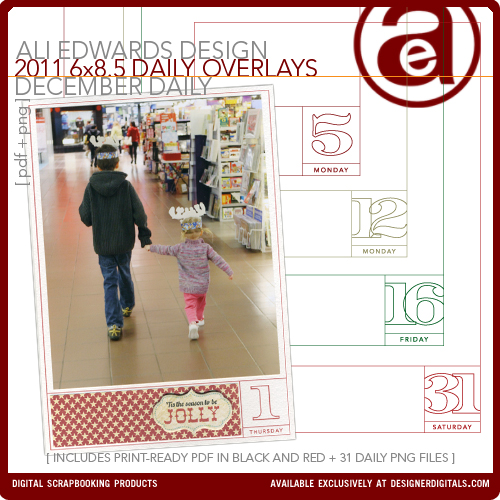
One new product from me at Designer Digitals this weekend: the 2011 December Daily overlay package.
This year, in addition to the 31 PNG files, I've included both a black and a red PDF file for easy printing (includes crop marks). I'm using the red version. This package is specific to the days and dates of 2011. The page size is 6 inches x 8.5 inches - sized to fit inside the page protectors included with the album kit available through Studio Calico on October 27th (subscribers) and October 28th (non-subscribers).
I'll be showing my foundation pages later this week.
If you'd like more information on how I worked with these last year check out this post which includes a video tutorial and steps for working with these printables in both Elements and Word.
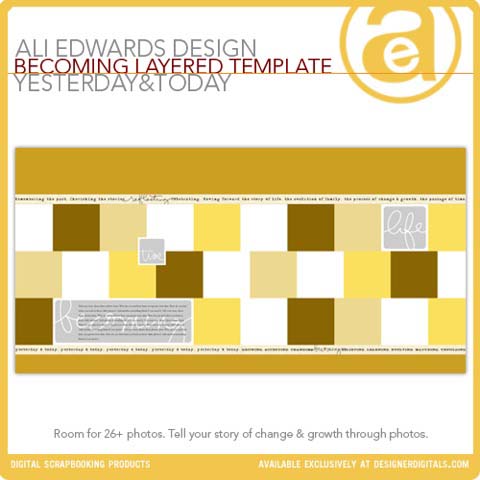
DIGITAL PRODUCTS FROM YESTERDAY & TODAY
I also wanted to let you know that while I was in Italy some additional new products were added to my collection at Designer Digitals. These include the first half of the digital products used in my Yesterday & Today class (this was a 12-week class offered at Big Picture Classes). I'll be adding the second half of the series soon as well as offering a PDF/book of the actual content from the class. The video presentations and tutorials will be available through Big Picture around the same time as the PDF/book is ready. More info on all that as I get closer to launching the PDF/book.
You can see all the products in my Yesterday & Today collection here.


Comments
Sign in or sign up to comment.
62 comments
Hi Ali, I'm hoping to join in with December Daily this year. I have a couple of 5x7 photo albums and would like to use one for this project. I was wondering whether you have any December Daily overlays that would work with this size?
Replies
Hi Rhona - I don't have any that are specifically that size. I do have some 4x6 overlays that include all the days of the month that might work - you could adjust them to fit closer. Check them out here: http://www.designerdigitals.com/digital-scrapbooking/supplies/product_info.php/products_id/12594
Sign in or sign up to reply.
[...] 6 x 8.5 December Daily Overlays Available [...]
Replies
Sign in or sign up to reply.
Hi Ali, sorry to bother you but I have bought the Overlays and really struggling as I have 12x12 card stock and hoping to get 2 6x8 pages per a sheet.
I just can't figure out how to print it on to the card, I can cut my card to 6x8 ready but it's working out what settings to set so I have the perfect page if that makes sense.
Last year I ended up hand drawing each of the boxes on to the page which was rather time consuming as I couldn't figure it out lol.
thank you in advance from Tracey :)
Replies
I have a normal sized printer (A4) Photosmart C5180 all in one. I haven't got photo shop on my computer as of yet just waiting on hubby to put it on my computer.
Tried printing the first page of the PNG files onto a piece of paper cut already to size and that didn't come out too bad.
But printing from the adobe files I can't seem to get a good sized print as the markings to cut are on the print out which makes the box smaller. So as my page is already cut to size I wouldn't need.
Hi Tracey - are you using Photoshop? Do you have a 12x12 (or over-sized) printer? If you cut your cardstock (this year the overlays are 6x8.5) what I would do is first run a plain sheet of paper through the printer to see exactly where it will go on the page. Then I would adhere (using re-positionable adhesive) the cut cardstock (6x8.5) onto the page you just printed. That way you can get it centered just right.
Sign in or sign up to reply.
Hi Ali,
Yay! December Daily time! I love the clean look of the page overlays from last year. I again purchased for this year. But I would like this year's to be 6 x 8 inches like last years. Is there a way to somehow do that? I have Photoshop on the mac.
Thank you!
Replies
Never mind! :) I figured it out. So easy I made it hard. Just grab the little squares on the overlay, after dropping it in your blank file of the desired size and move the aquares to the size you want.
Sign in or sign up to reply.
Does anyone know, can the 6 x 8.5 templates be resized in Photoshop Elements to fit a different page size? I am doing an 8.5 x 11 sheet this year, but would really like to use ALi's templates. Any ideas?
Replies
Sign in or sign up to reply.
Hi Ali, Just downloaded the overlays and started resizing and printing so i can do two to a 8.5x11 sheet. i was wondering if you were going to re-do the title page for 2011? i really loved having our family picture on the front page. i also want to thank you for re-using the templates from last year. i love the uniformity! so great!
Replies
Sign in or sign up to reply.
[...] looking forward to Ali Edward’s December Daily and plan to create mine digitally using all her cool digital products [...]
Replies
Sign in or sign up to reply.
Hi Ali,
I am a little late getting finalised with DD being my first time- just one question- I have printed the red pdf daily pages and wondering- do I trim all sides where the crop lines are or is it best to leave the left side to hole punch?! I have made a wooden cover that has ample side space for the rings.
cheers
Carlie
Replies
Sign in or sign up to reply.
Another late starter here....don't know where the time went! lol Are there kits still available? I would really love to use an album!
Replies
Sign in or sign up to reply.
Wow, this post is fastidious, my sister is analyzing these kinds of things,
therefore I am going to convey her.
Replies
Sign in or sign up to reply.