December Daily® 2014 | Day One
Tags: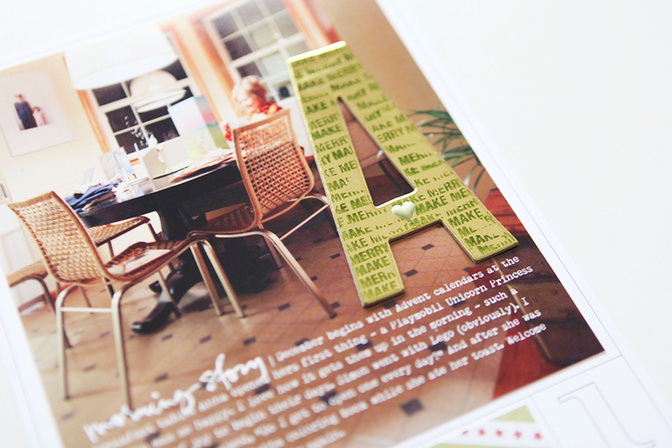
Welcome to December Daily® 2014 | Day One.
Remember when I suggested not making this more complicated than it needs to be? It's still true. I thought about that a lot today as I printed my photo and added a bit of stamping directly onto the letter A.
I also thought about how this project, like many others I embark on, is not about any one single page. It's about all these pages coming together - some super simple, some more complex, some with long stories and some with short - to tell the story of our December.
Here's a look at my full page for Day One:
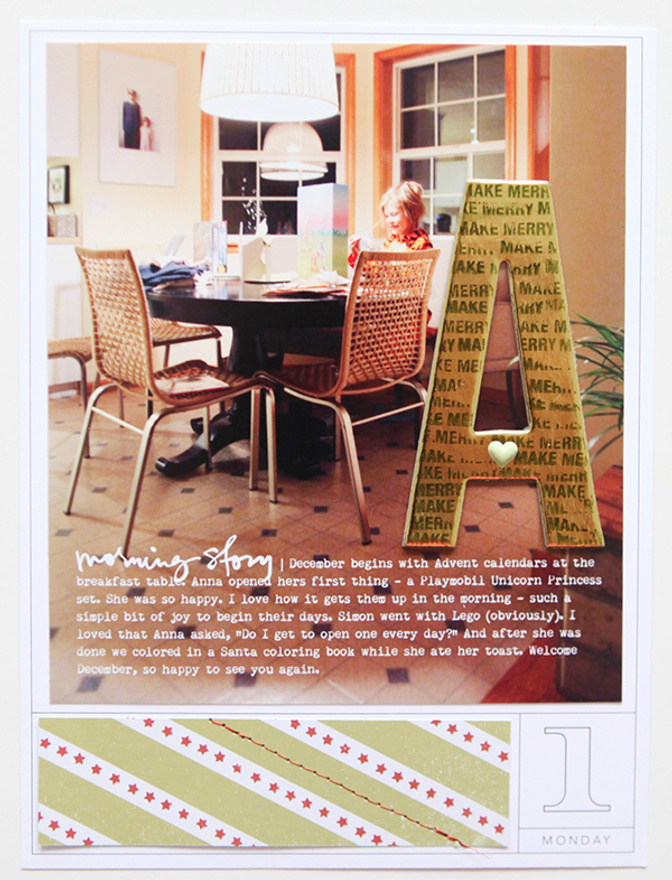
My foundation page included a printed date card + green stripe pattern paper + star stamps + red stitching.
We do have some printed date cards (in all three sizes) available in the shop if you'd rather have them printed for you (vs. using the overlay set to print your own).
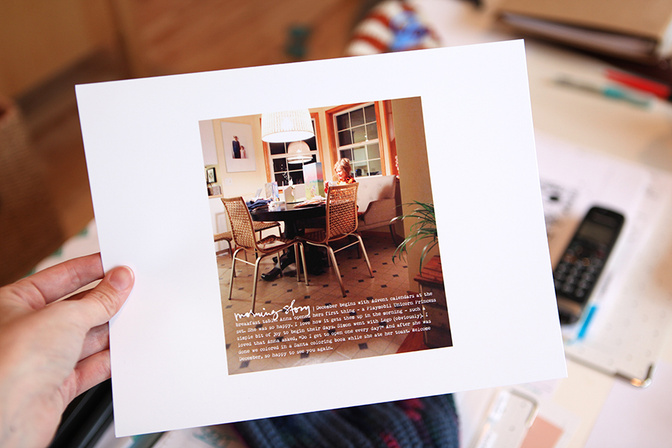
Today's story centers around a photo of Anna at the table in the early morning hours opening her Advent calendar. I'll probably include something about Simon and his on another day - he was still in bed at this point in the morning. On top of the photo (in Photoshop) I added "morning story" from this word art set + my story about Anna and welcoming December.
The photo size I used (cropped in Photoshop) is 5.5 inches x 6.25 inches.
I printed it here at home on my Epson R2000 printer.
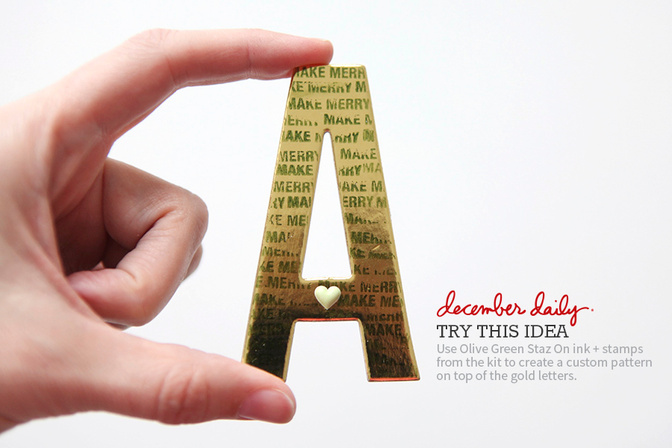
On top of the photo I added a letter A (A is for Anna but could also be for Advent). I played around with stamping using Olive Green Staz On ink directly onto one of the large gold letters.
As you can see, it's not perfect and it does want to slip around a bit but I still liked the text pattern it created.
If you know it's not going to be perfect then it tends to look a lot cooler when it's messy.
One of those puffy hearts found it's way into the center of the A.
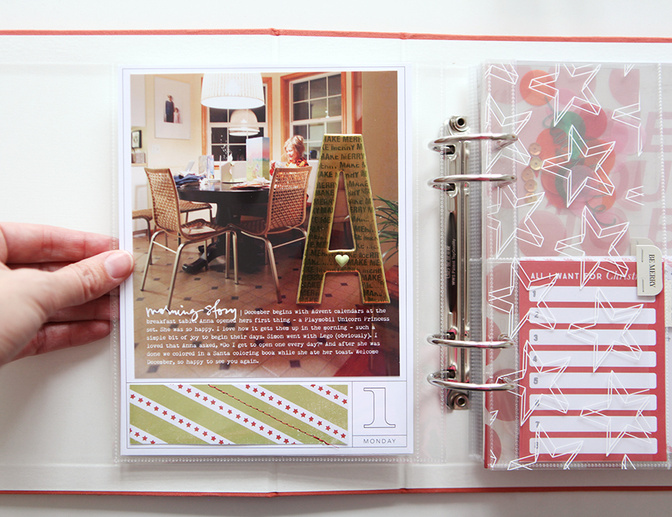
I adhered the A to the photo using Scotch adhesive. I'm thinking (as I look at it now) that I might add a staple too because it feels like it needs to be "grounded" to the page a bit more.
A really simple start to December - because it doesn't have to be complicated and there is joy around every corner if we are willing to look.
Here we go!
SUPPLIES
Click on the images below to link to the products used in this project.
TODAY'S POST SPONSORED BY | LAIN EHMANN
Get fun tips and strategies, and resources for simplifying your December project in the free “Dazzle Your December” video scrapinar from Layout a Day. Every month, Layout a Day offers free video “scrapinars” for scrapbookers and papercrafters just like you! From techniques to trends, to new uses for old tools and products, we’ve got you covered in these inspiring, interactive sessions. Sign up for our next free session here.
SHARE YOUR DAY ONE
I'd love to have you share a link to your Day One pages below. Please link directly to your post vs. a general blog link.


Comments
Sign in or sign up to comment.
41 comments
Wow Ali that stamped on "A" is gorgeous. Thanks for sharing your first day with. One page, so much inspiration.
Replies to petrac
I like this too. Good idea for other projects as well.
Sign in or sign up to reply.
I agree, it's the sum total of the album.
Replies to Michelle06
Sign in or sign up to reply.
Love your day 1 Ali!! Love the idea of simple and done too when it's called for!
Replies to m_sweetman
Sign in or sign up to reply.
Beautiful Ali. Love it.
Replies to pirate63
Sign in or sign up to reply.
I've been excited all day waiting for this to go up! Just the beginning! :)
Replies to beckany
Sign in or sign up to reply.
What size do you print your pictures? Beautiful, simple page.
Replies to hgauvin
Morning - it's 5.5 inches x 6.25 inches. Thanks for the reminder - forgot to include that above.
Hi Ali! If I wanted to create a jpeg to send for printing at Costco of the image size above, would I create a canvas size that is 5.5x6.25 and then drop the photo on as a new layer? Or is there a tutorial you could link to that explains it? Thanks!
Hi - check with Costco and see what size paper they offer? If 8.5x11 is the closest size then you would want to crop your photo to 5.5 x 6.25 and then place it on an 8.5x11 canvas (or whatever size is closest from Costco). I don't have a specific tutorial for that - hoping it makes sense.
Hi there everybody! A printing question here.....I usually load my pictures to Persnickety Prints for printing as we do not have a Costco in our area (or any other photo processing place for that matter!). If I am resizing a photo in PE, how do I get it to print to that size, like the 5.5 x 6.25, from a place like Persnickety?
Heather
Sign in or sign up to reply.
Great day 1! Are you going to have any sort of link up so we can see what others are doing?
Replies to scrappyal
Hi - it's included in the post above (at the bottom of the post).
Sign in or sign up to reply.
Absolutely love. I love how your mind puts your pages together! Things I would have never thought of!
Replies to abragg79
Sign in or sign up to reply.
love, love. love that awesomely stamped A! (& i totally agree about the "whole album" strategy, but secretly... it's always COOL when page one is especially fab, isn't it? ...which this is!!!)
Replies to llaurenb
Sign in or sign up to reply.
Love the page Ali! Can I use your overlay set in something other than Photoshop??? I'm using an iPad and iPhone
Replies to Chantille
Sign in or sign up to reply.
Ali, what size it that picture you printed? I know you've discussed this before, but I can't seem to find - thank you!!
Replies to MicheleHolz
Morning - it's 5.5 inches x 6.25 inches (just added it to the post above - forgot to include that).
If you're using the PSD file, you can just mask the photo into the file and then turn off all the other layers & then print on an 8.5x11 sheet of photo paper. It will come out the exact size you need! This is what I did for WITL
Sign in or sign up to reply.
Happy December,Ali.
What font did you use for your journaling on the photo?
Replies to moi5
Remington Noiseless
Sign in or sign up to reply.
What a nice simple page. Love the stamped A idea. You are so right about the album as a whole. Will Katie be showing her December Daily too? :)
Replies to Untiedt
Katie's not doing a December Daily this year - she's working on catching up on Project Life. She said she'll probably do something using the kit in Project Life.
Sign in or sign up to reply.
Beautiful, and so awesome inking up the letter A. Michelle t
Replies to mtercha
Sign in or sign up to reply.
Really like the "Try this tip" feature.
Replies to jennie
Sign in or sign up to reply.
I love your page as usual.
I got the kit and started using it, of course, yesterday and I really, really love it!
Replies to beriuqam
Sign in or sign up to reply.
Love my kit too :) I'm curious...is the transparency next to your page in a page protector and if so, what size and brand? It looks to be trimmed in half in the photo, but it might just be the photo.
Replies to torysmama14
The transparency is just cut in half with holes punched to add it as a page - no page protector around the outside.
Thanks for your awesome quick reply!
Sign in or sign up to reply.
Simplicity. Love it. Because I have no kids at home and no big deal for Christmas, I am taking it a day at a time. Ali, you mentioned one story per day, so that's how I'm approaching it. Funny how each day develops its own story. This is my first Christmas entirely without family, so it is worthy of being documented. Wonder how it will go together? (don't worry I have an invite for Christmas Day and purchased my ticket for New Year's Eve already.)
Replies to Raylene
Sign in or sign up to reply.
Another curiosity question--what's your favorite paper trimmer? Both slide style and arm style if your have them :)
Replies to torysmama14
Easy one - even carry it in the shop here: https://aliedwards.com/shop/paper-trimmer/fiskars-portable-rotary-paper-trimmer-12
Sign in or sign up to reply.
I love it! I heard your voice in my head as I was making mine today - keep it simple!!! Thanks!!!
Replies to TracieClaiborne
Sign in or sign up to reply.