Week In The Life : Bringing It All Together • The Photos
Tags: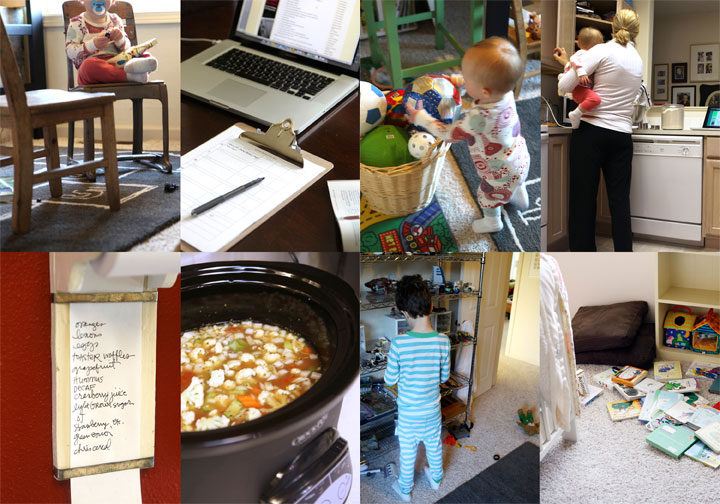
Seven little days in a life. There it went.
I always feel a little strange on Monday morning when I wake up and don't start taking photos right away (and a little bit of relief as well). This is an intense, in-depth project. It's a whole lot of work but one of the coolest projects I have created since I started scrapbooking.
Each time I tackle the "putting together" phase of Week In The Life I do things a little different. Today I want to share with you my process for going through my photos
and how I chose which ones to place where, which to enlarge, which
to crop, etc. Some of it will be done after printing, but for the most
part I am going to make a plan before uploading.
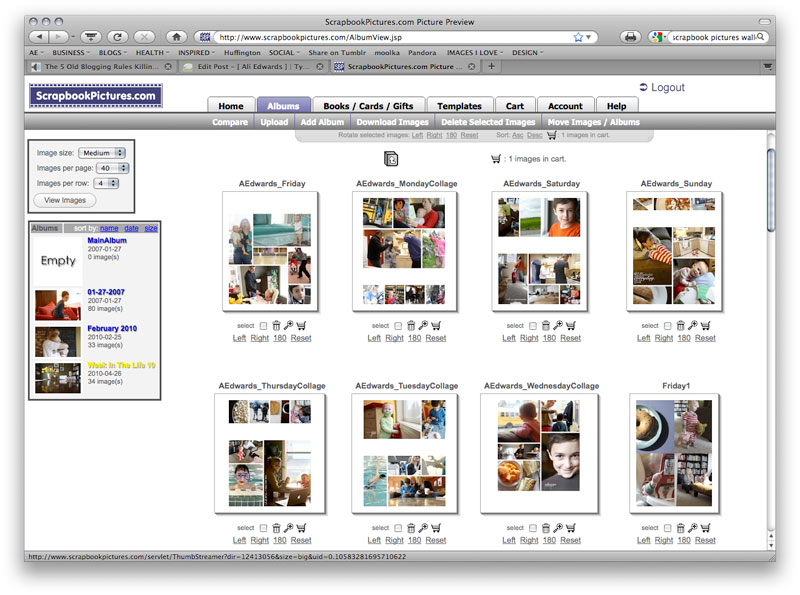
This year I'm having Scrapbookpictures.com print my photos vs. printing them here at home. I definitely considered printing at home, since that's what I normally do, but with this many at one time I think it was easier for me to upload. And as you will see later on in this post, I'm pretty sure it was less expensive as well.
Remember this?
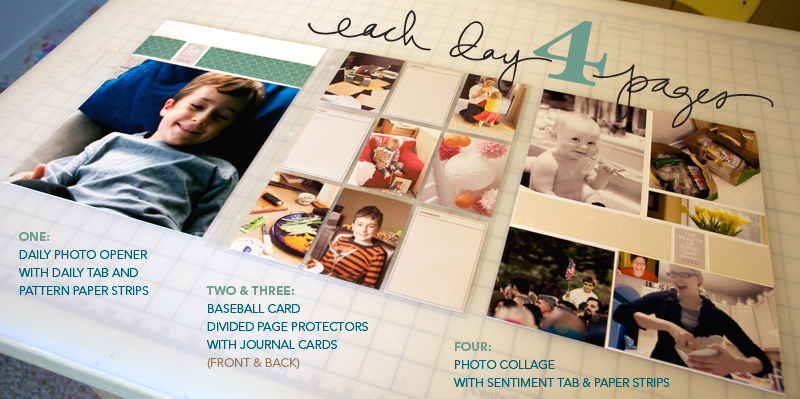
I'm still definitely following my design plan for this album. For each day I have a Daily Opener, a baseball card divided page protector (front & back), and a photo collage page.
HELLO PHOTOS
Each night during this past week I uploaded my photos to my computer.
At that time I went through and did a quick delete of any photos that
were obviously not going to be used (triplicates, seriously blurred, mistakes, etc). Since I was taking over 100 photos
per day (and I knew there was no way I would use them all) I was pretty ruthless about which ones I deleted.
NOW HERE'S THE DEAL : I did take around, or over, 100 photos each day of my week. In my experience, 100 photos doesn't really mean "100 photos that I want to frame and hang in my house" or "100 photos that must be crammed into this album no matter what." 100 photos usually means about 20 of Simon & Anna chasing each other and wrestling in the living room...one of which I will use in this project. It means 5 shots of my lunch...one of which I will use. It means 5 shots of Simon and I in the mirror...one of which I will use. You get the point.
Out of 100 photos I average about 30 or less that I really want to use per day. This is the reason that I always encourage people to take more than you think you will use. It's this point in the process that having more is really a benefit because you have more choice when it comes to telling the story of your life at this point in time.
Yesterday I went through all the photos again and got serious. I created canvases, pages, etc (read below) to be uploaded. It took me most of the day to organize, edit, crop, etc. Even though it was a really long day, it is really fulfilling and eye-opening and cool to see a whole week in photos all together in one place.
I encourage you to make a plan for yourself to get this album done. Set aside some time each night to address your photos. One night for deleting. One night for selecting and uploading your daily openers and collage pages. One night for working on your divided page protector pages, etc.
DAILY OPENER PHOTO
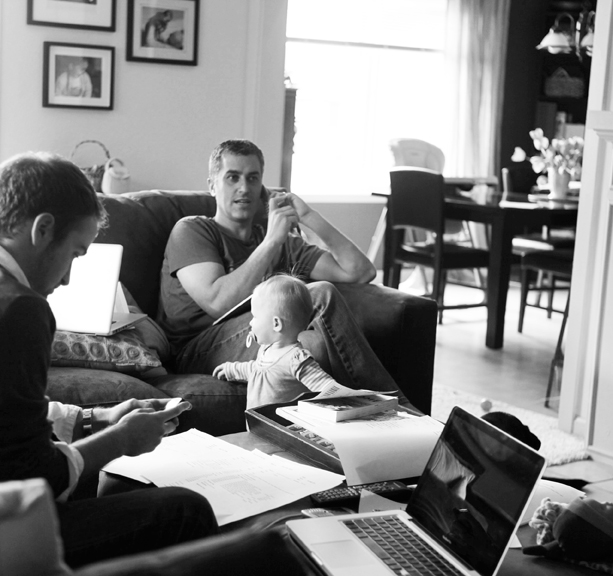
As I looked through all my photos to select which ones would be my main image for each day there were definite favorites. Through this process I realized that what I wanted for these intro pages was variety - each one showing a little something different about life right now (the black and white image above will be the opening photo for Wednesday).
I ordered 8, 8x10's that I will crop to 8x8.5 when they arrive (one for each day of the week and one for the intro page).
In years past I have used only photos of myself as the main photo. This year I'm branching out and including a photo of Simon, a couple of Anna, a couple of me, one of food, the one of Chris above, and one with all of us.
There's no right or wrong in choosing an opening photo. If you have a ton of photos you really want to include you might consider creating a collage in the daily opener photo space. For me, I love the enlargements contrasted with all the smaller photos throughout each day.
JUST A NOTE: EMBRACE THE PHOTOS YOU HAVE.This project takes longenough without going through and adjusting every single photo trying to
get it just perfect. Embrace those photos that aren't perfect -
what a great reflection of real, everyday life.
COLLAGE PAGES
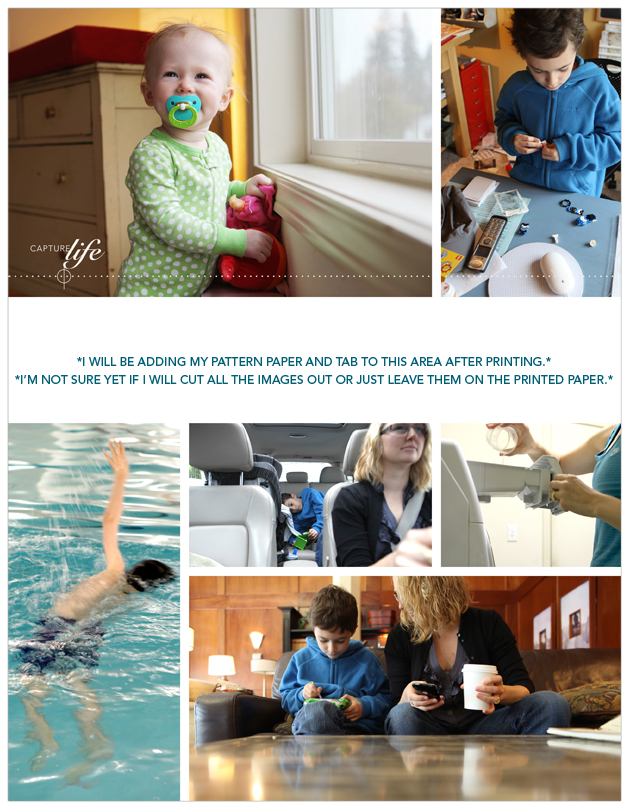
Next I attacked the collage pages. I decided to tackle these second, before the baseball card page protector pages, because of the variety of size and orientation and ability to pick just which photos I wanted to be highlighted.
To create my collage pages I used the 8.5x11 digital templates I created for Designer Digitals. The package includes seven different layered templates. My process for this part was simple: open the template, drag photos into Photoshop, mask them into the spaces on the template, save as a jpg and upload to the developer.
So how did I choose which photos to use on the collage pages? The collage pages are really a collection of my favorites photos and/or ones that fit the designed spaces (like the really vertical shot of Simon swimming above). Again I look to create variety and include different times, places, people, colors, etc.
As some of you noticed throughout the week, when I take photos I take almost exclusively horizontal shots. This is just my personal preference. I know coming into this project that I will be cropping many of them. I also know, from expereince, that part of what I love about this project is seeing the "pieces of life/pieces of the whole" that show through the cropped shots.
BASEBALL
CARD PAGE-PROTECTOR PHOTOS
After selecting the photos for the daily openers and the photos for the collage pages I worked on rounding out each day with photos for the baseball card page-protectors.
For uploading to scrapbookpictures.com and for printing I decided to create canvases in Photoshop that were 5 inches x 7 inches. On each 5 inch x 7 inch canvas I was able to fit 4, 2.5 inch x 3.5 inch photos.
For most days I ended up with about 12 (there's 18 pockets available) photos which will leave room for the journaling cards and other "stuff" I collected throughout the week.
I tend to follow a pretty simple cropping and saving procedure in Photoshop. Here's a video tutorial that walks you through that process (click to view larger on Vimeo):
Ali Edwards Week In The Life : Photo Crop Tutorial from Ali Edwards on Vimeo.
Here's the written how-to for Photoshop Elements:
Here's a look at a couple of those 5 inch x 7 inch canvases:
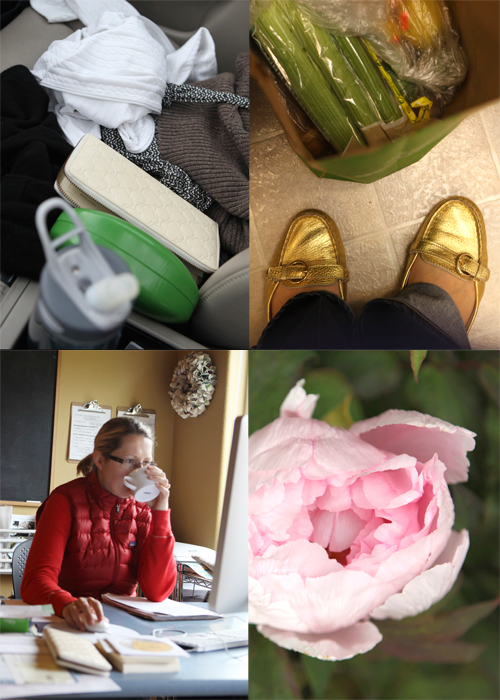
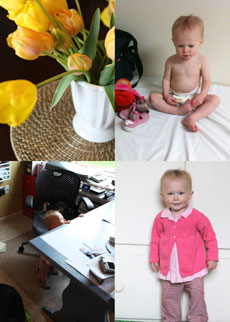
I love these 2.5 inch x 3.5 inch photos. They really do round out the album in terms of filling out the rest of each of the days. Again, think pieces of the whole.
PRINTING COST
One of the questions I am often asked is related to printing at home vs. uploading to a developer.
After uploading my completed photo pages to Scrapbookpictures.com the total cost was $30.85 (including $3.99 for the shipping option I selected). This cost included the following:
9, 8x10's (I added one additional photo that I want to frame)
18, 5x7's (photos for the baseball card page protectors - 4 to a page for a total of 72 images after trimming)
7, 8.5x11 (the collage pages)
I know that is significantly less expensive than purchasing new ink cartridges for my printer. I'm looking forward to seeing how the pages all turn out and hoping that the sizing is all correct. I'll give you an update on that in a couple of days.
In the meantime, while I wait for my photos to come home, I'll be putting other pieces of the album together. Tomorrow's post will cover that process.

Click
here for a complete list of Week In The Life posts.


Comments
Sign in or sign up to comment.
129 comments
Thanks :)
And yes, I was. Better now. Also bought the memory lines. Just the little bit of something I was seeking.
Replies
Sign in or sign up to reply.
Hi Jenny - I have two of the daily opener photos that will be black and white. In general my personal preference is for color, but this one of Chris and another of all of us together just felt better in b/w.
Replies
Sign in or sign up to reply.
I love that the processor you used does 8.5 x 11 prints! I have been making daily collages in Picasa (varying numbers of photos and even some extra collages beyond the 7) and have them currently formatted to 8.5x 11 for my book, but have been pondering how to print. That would be perfect for me!
Replies
Sign in or sign up to reply.
Hi Jackie - if you are considering doing more digital scrapbooking I would recommend doing a trial of Photoshop Elements from Adobe's website. To be able to work with layered templates you do need to have a program that can work with .PSD files.
Replies
Sign in or sign up to reply.
I kinda thought you might like those :).
Replies
Sign in or sign up to reply.
so love looking at your process and all the pictures! Thank you for sharing. I love that picture of Chris - so JFK-like. You just never know where his political career make take him!! Thanks again for sharing.
Replies
Sign in or sign up to reply.
Hey Sara - make sure that the height and width is "locked" together (check the "constrain proportions" box).
Replies
Sign in or sign up to reply.
I'm having the same problem. When I change the resolution, then the height, the resolution number changes right away, Please help! thanks
Replies
Sign in or sign up to reply.
the constrain proportions box already looks like it is checked and it will not let me click on it at all. Thanks anyway x
Replies
Sign in or sign up to reply.
Okay, seem to have sort have sorted that problem - I re watched Ali's video and saw that all 3 boxes at the bottom are checked so I checked all 3 boxes on mine, but now the width changes to 4.667 not 5.25 as Ali suggests it will. Also, I then go to crop and click on the crop tool but only the hand (like the move tool) will come up - the whole thing is driving me bonkers!!!
Replies
Sign in or sign up to reply.
Thank you for such an informative post! I have shamelessly borrowed your idea for my own album pages, and you can view my attempt at Monday's spread on my blog: http://suburbansahm.blogspot.com
Replies
Sign in or sign up to reply.
Thanks Ali for all of your hard work--that makes it easy for us! I am using an older template of yours for this week-but I love to see what you are doing with the newer stuff. I don't have as many pictures as you as my kids are gone--but still had fun doing the project. I am doing it all digi and may just leave it on my computer and not print cuz I am not sure anyone else is interested in looking at this--I will have to see!
Replies
Sign in or sign up to reply.
Can't wait to get home today...I'm just itching to get photos picked out, printed & into the album! This is my 1st attempt at "a week in the life"...LOVE. LOVE. LOVE it! Thanks Ali!
Replies
Sign in or sign up to reply.
I have all my photos, and I'm a bit overwhelmed by the next task of getting it into the album. It helps to see your process, even just as a reminder that these things take time. When I see your completed page, and I think it looks perfect, it helps to know you spent a day going through photos. I don't need to be so hard on myself. Just need to make the time.
Thanks for this great project.
Replies
Sign in or sign up to reply.
Hi Ali,
I'm loving seeing your album unfold and hear about your processes.
I'm in need of some advice, if you have time. I am a teacher and have just started my own week in the life. I just started on Sunday, now Wednesday here in oz! So my question is, I spend ALL day at school - preparing and teaching and I would really like to document this. However due to child protection laws I can't just go around taking photos of the kids for my own use, but I'm ending up with just masses of photos of me and none of the real school stuff. I'm in desperate need of some ideas about what I could take the pictures of to accurately capture my day. I work with students with disabilities, so my days are extraordinary. Yesterday was an amazing day at school but didn't know how to document the achievements of the students that were just making my heart SING...
I'm feeling a bit lost and disappointed that I wasn't able to record those moments in a picture..
Replies
Sign in or sign up to reply.
I have done one!!! woooh hoooo!! My laptop is sooo sllooww, it took forever - but I got there - thank you Ali!!!
Replies
Sign in or sign up to reply.
Emily: I teach, too, and I documented my week last week. It was an amazing week, really. We all received ActivBoards the weekend before while we were out and my kids really wanted to use them so I did take photos of them using the AB. I also took photos of a project I had going on in the hallway. As well, our school was participating in National Youth Service Day by collecting gently used or new stuffed animals and the club sponsors and members were setting up the display as I walked past the cafeteria so I shot some photos there. I included the photos in my week because it was part of my week.
We send home a form at the beginning of the year that asks parents to sign if they will allow their child/children to be in photos, videos, etc., throughout the year. It's a middle school so we have clubs, music performances, athletics, etc., where a lot of photos are taken or video is shot. Almost all sign it but some do not. I make sure I have the non-signers' names on file and I made sure their kids were not in any of my photos. That said, I was not going to publish or give out any photos to anyone so I'm not even sure I had to be careful of that but I was going to upload the photos for printing so I erred on the side of caution. Maybe you could get permission from the parents of the kids if you explain what you are doing and how it is for your personal use only. Can you print from home? That way, non-school personnel would not even see those photos. I did this project last year without my job and it isn't as broad a look as this year's will be. Also, my times were missing 7:45-3:20 and it felt untrue. At the very least, you could journal what happened and snap some photos of your room, the chairs, the stuff the kids used, etc. One thing that I noticed from the December Daily photos on Flikr was a layout that was all about "If I had had my camera, I would have taken these photos" and she had listed them with words. I liked that idea because we don't always have our cameras with us.
I hope I helped and didn't just blab on and on. People who teach understand how important your kids are to you. And progress is so critical for your kids. I hope something can work out.
Replies
Sign in or sign up to reply.
Thanks Ali for putting this into motion. I'm doing my best to keep up each day and today is day 4. I've had a lot of fun doing this, so thanks so much!!
Replies
Sign in or sign up to reply.
Check out Simply Autumn's blog. It looks like she is a teacher. You might get some ideas there.
Replies
Sign in or sign up to reply.
Such a helpful post - thank you! I love the printing details. That's the sort of thing I get wrapped up in. I first did this project in October - the week I got married! Planning on doing it for the 1st anniv. week too. LOVE it.
Replies
Sign in or sign up to reply.