New Digital Product Releases | 10.22.11
Tags: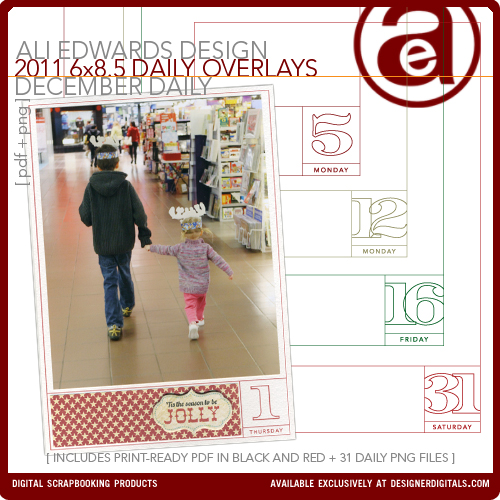
One new product from me at Designer Digitals this weekend: the 2011 December Daily overlay package.
This year, in addition to the 31 PNG files, I've included both a black and a red PDF file for easy printing (includes crop marks). I'm using the red version. This package is specific to the days and dates of 2011. The page size is 6 inches x 8.5 inches - sized to fit inside the page protectors included with the album kit available through Studio Calico on October 27th (subscribers) and October 28th (non-subscribers).
I'll be showing my foundation pages later this week.
If you'd like more information on how I worked with these last year check out this post which includes a video tutorial and steps for working with these printables in both Elements and Word.
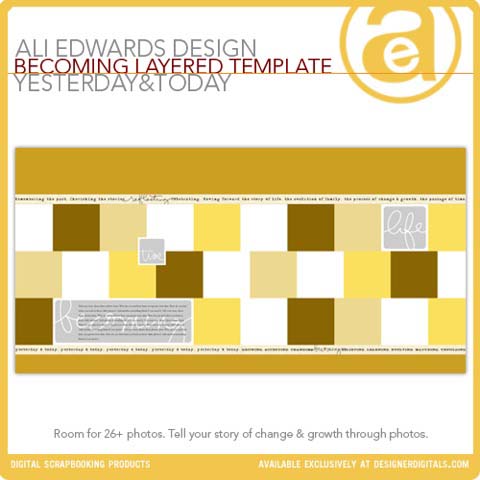
DIGITAL PRODUCTS FROM YESTERDAY & TODAY
I also wanted to let you know that while I was in Italy some additional new products were added to my collection at Designer Digitals. These include the first half of the digital products used in my Yesterday & Today class (this was a 12-week class offered at Big Picture Classes). I'll be adding the second half of the series soon as well as offering a PDF/book of the actual content from the class. The video presentations and tutorials will be available through Big Picture around the same time as the PDF/book is ready. More info on all that as I get closer to launching the PDF/book.
You can see all the products in my Yesterday & Today collection here.


Comments
Sign in or sign up to comment.
62 comments
Hi Ali!
Are you going to be issuing new layered templates for 2011? Am thinking can still use the ones from 2010 and just trim to 8.5 long but wondering what else you have up your sleeve ;)
Hope you're having a great weekend...it's definitely fall here in New England!
Best
Sue
Replies
I'm thinking/planning to do a new set that is 6 x 8.5.
Sign in or sign up to reply.
I am also interested in the layered templates. The ones that are available from 2010 are 6 x 8. I suppose I could just stretch it to match the new 2011 size of 6 x 8.5" ? So excited for this project, don't know how I am going to survive November! Thanks!
Replies
Sign in or sign up to reply.
Very excited to be a member of Studio Calico right now! Can't wait to see what the kit includes, I actually finished my book last year and have lots of fun little things left over to use this year. Thanks, Ali for motivating me to once again to document my favourite month of the year.
Replies
Sign in or sign up to reply.
Do the PDF files come preprinted with the days on 31 pages as well? Or are the PDF files just the template. Thanks.
Replies
Hi Sandra - the PDF includes all 31 days. You print them at your own house.
That's great. Thanks for the quick response.
Sign in or sign up to reply.
I'm very excited to start planning my 2011 December Daily - I've already purchased the overlays!
Replies
Sign in or sign up to reply.
I'm so excited for DD time again. This is my favorite project ever.
Replies
Sign in or sign up to reply.
I remember this picture from last year Ali and Anna not sitting on Santa's lap. This picture is adorable and priceless. Looking forward to seeing your foundation this week. I've been looking at last year's everyday for the past 5 days, love it!!
Replies
Sign in or sign up to reply.
Looking forward to playing along again this year. I find that DD helps me stay focused on the really important things rather than allowing chaos and stress to fill thoughts and memories. Also, these are some of our favorite scrapbooks. Thanks for the inspiration, Ali. And the digital products. I'm definitely a fan of those!
Replies
I feel the same way - helps me stay focused on the spirit of the season :).
I too am hoping DD will help me stay focused on Christmas and not all the stress. And I am planning Christmasy outings this year. My "babies" are almost grown but I'm thinking maybe a visit to Santa would be good in my DD project...lol Now if I can only talk them into it!! :)
Sign in or sign up to reply.
As soon as I read that you included black and red png files - I said "Yesss!" Every year I struggle to try to "recolor" these things in photoshop and it never looks right - and just takes too much time. So now I can use "right out of the box"
Replies
Cool Vonda - I was really happy with the red.
Sign in or sign up to reply.
So excited about doing this again this year! I actually have almost everything bought and ready to go. I was just waiting on the Designer Digitals things from you. Yay! Can't wait to see what you are doing this year. :)
Replies
Sign in or sign up to reply.
This is my first year doing DD and I am so excited. However, $80 is a little pricey for the album kit this year. Money is tight since I am now a SAHM. ANyone have any suggestions where I can find an album and sheet protectors that size?
Replies
Hi Mary - completely understand. As far as I know that's the only place that offers an album that size (both in the width of the spine with the number of page protectors). You should take a look at my past year's albums - most of the time I've used rings to hold my books together (this is the first year I've used an actual album). This project is really about finding something that works for you and your budget to help you celebrate the season. You can see all my past December albums here: http://aliedwards.com/2009/12/december-daily-compilation.html
Sign in or sign up to reply.
I can barely contain my excitement for this project. This is my first year and I am so looking forward to capturing the month of December. Can't wait to see your foundation pages. So inspiring! Love seeing everyone's work...I keep pouring over last year's flickr site. Yeah!!!
Replies
Sign in or sign up to reply.
Can't wait to see your foundation pages!!
Replies
Sign in or sign up to reply.
Hi Ali,
I was wondering if the binder is going to be offered by itself or just as part of the kit? Looking forward to DD!!
Replies
Hi Patricia - just part of the kit.
Sign in or sign up to reply.
I havent gone digital yet. Will you have some rubber stamps for this year's project too?
Replies
Yes - I've already released three holiday sets and there will be one more as part of the Studio AE subscription for November. The others can be found here: Holiday In A Box (http://bit.ly/n9HxMS), Celebrate The Season (http://bit.ly/p1w5QN), and Believe (http://bit.ly/onEFiC).
Thank you! I especially like holiday in a box and believe, and will watch for the upcoming Studio AE release.
I want to try this. I fell off the wagon with a week in the life (which I regret) but maybe this will work. And after a month of daily layouts next year's week in the life will be easy, right?
Totally. And don't forget that you can make this as simple and do-able as you need it to be. I tell one story per day - one memory, one celebration, etc. Just focus on one thing :).
Sign in or sign up to reply.
Hey Ali! I'm wondering how you print the overlays on the bazzil paper. Do you have a laser printer you're using for this or do you not worry about moisture or am I doing something wrong? I could print them on different paper, but I just love the texture! Thanks!
Replies
Hi Ali, thanks for the quick reply! What I'm most concerned about is little people [or even big people who like to lick their fingers before turning pages - even though it's completely unnecessary in such a book] who think their hands are clean/dry but then wipe/pick their nose or sneeze on the book and make the ink bleed. Try licking your finger and smearing the ink. Have you not had any problems with this? Am I being overly cautious? I can totally see this happening. I have four kids.
ps. Sorry for being overly graphic :)
Hi Mandi - I just put sheets of Bazzil textured cardstock into my printer (used my HP Photosmart B8550 for these). The ink jet works just fine on cardstock.
:) Thanks!
Sign in or sign up to reply.
Ali, I just purchased the overlays and can't wait. I never seem to have my album ready before December so I never finish it till months later. I will be ready this year! I was wondering what paper do you print the overlays on? Smooth or textured? white or off-White? The true white almost seems too white.
Thanks!
Replies
Last year I used Bazzill Cream Puff (it's an off white). This year I'm using regular white - it's an orange peel texture from Bazzill available here: http://bit.ly/vlVq3n
Sign in or sign up to reply.
Lol....last year I really fell off the wagon and never finished it! This year I plan on having it ready before December....maybe that will help! And I really wanted to do it last year.....it was the last before all my kids have left the house! My oldest daughter has been gone awhile but daughter # 2 got married and # 3 son graduated and is at college! Empty nest.....so now what to take photos of? Any other empty nesters doing this?
Replies
My idea for this album has always been about documenting daily stuff during December. It doesn't have to be all holiday related - I do lots of stories that don't have anything to do with Christmas (like Simon going to the dentist last year). I look for one story each day...something to celebrate, something to be thankful for, something that was special or beautiful...
Great idea! I can still document me and hubby! Thanks!
Sign in or sign up to reply.
I was wondering if there was a company you can upload your finished overlay pages to print. My printer isn't the best so. Trying to decide to just print the template pages & attach the photo's or do it all digitally and find somewhere to print them.
Any advice/tips are greatly appreciated! Thanks.
Replies
HI. Ali, you saved my my troubles with this reply tonight! I bought my first printer today (yes, how bad is that, but excited) Last year i drew up your overlay ideas, so this year I am very excited to start.
A few days ago i bought 8 sheets of bazzil to start with, thinking that i could get two layouts printed on the one sheet. But as my printer only takes a4 paper, I decided to cut the cardstock into half. My printer (after a few hours of mucking arond with the print settings, tonight,) just would not print to fit the page, (it kept missing the right hand side). I started thinking "great, now im going to have to buy cardstock for each day. Then reading this question and replpy I realised that i could use to matt photo paper instead of carstock this year. (yes, i couldnt seem to think of that) . I had bought the paper on special today and is white!) I had made the mistake of buying "vanilla" cardstock, and its looks too yellowish for what i wanted. Now I can use the paper (came in a pack of 50, so theres heaps left) and so much cheaper than having to buy HEAPS of bazzil) Thankd for this...in saved so much "awww now its not going to be the way I want" (now it will) :)
Hi Leslie - I'd do a test print (I print mine on cardstock vs. photo paper) from some where before printing them all. You could try a matte paper at Costco or another local developer or even Kinkos. During the month I print here at home on photo paper for my photos. You can also just wait and use the overlays on top of photos and then have them printed at your local photo developer.
Sign in or sign up to reply.
hi Ali, I have all the overlays from last year. is it possible for me to edit them myself to use this year again? I have CS3 and it does not open the png files?
Replies
I have not! Will try that and see what happens! Thx again!!
thx SO much for your help! I am going to File/Open and then navigating to the file name with .png as the end extension. And it wont open it?
Here's a couple things: (1) Have you "unzipped" the file? After downloading you need to unzip the file to access the folder that holds all the files. (2) How are you trying to open it? Are you going to File/Open and then navigating to a specific product with .png as the end extension? (3) You also might want to go to Help/Check For Updates Now and see if there are any free updates to your CS3 package (I read that one after doing a google search for troubleshooting).
why will mine not open it then? the error I get is "Could not complete your request because Photoshop does not recognize this type of file" ??? What am I doing wrong?
Hi Heidi - CS3 Photoshop should definitely open PNG files. You could remove the days of the week and fill them in with the correct days for 2011.
Sign in or sign up to reply.