December Daily™ 2011 | Day Five (+ Layered Template Video Tutorial)
Tags: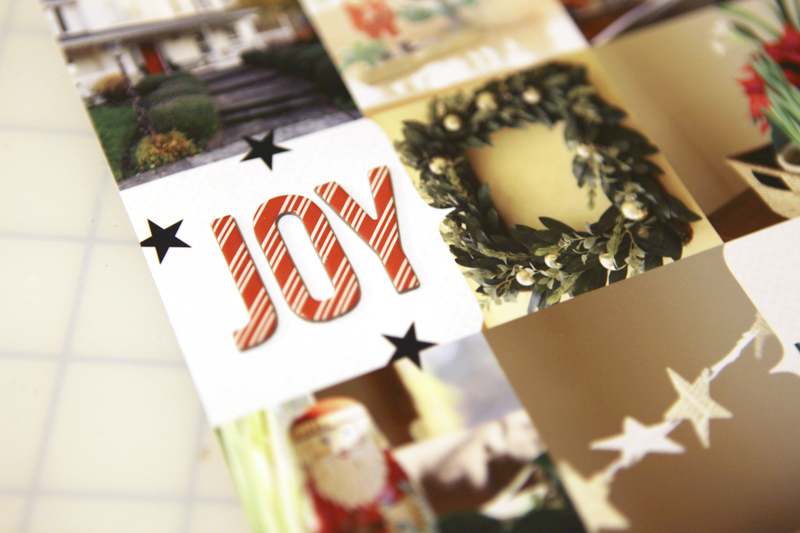
Welcome to December Daily™ 2011 | Day Five.
One of my favorite themes for December Daily™ is an "Around The House" spread with photos of decorations. It would be fun to see just this page compared with past years to see what's changed and what's remained the same.

For my story today I used one of the templates in my December Daily™ Layered Template 6x8.5 package paired with an enlarged photo and journaling on the second page.
(Sorry about the color quality of these images - it's challenging to get the colors correct when I photograph them in the evenings.)
Here's a look at the page created using one of the layered templates:
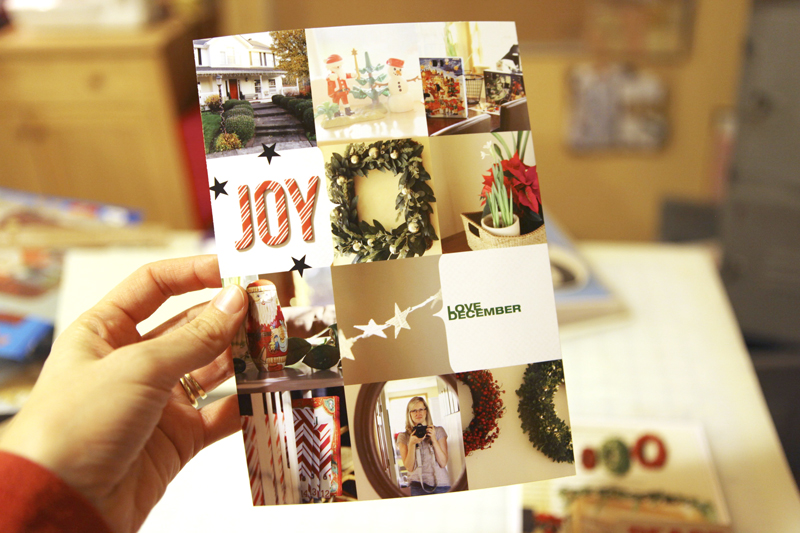
I put together a quick (12 minute) tutorial about my process for working with these layered templates (specifically this set but the information can be used for working with any layered templates).
December Daily™ Layered Template Tutorial 2011 from Ali Edwards on Vimeo.
Here's what the first page looked like before printing:
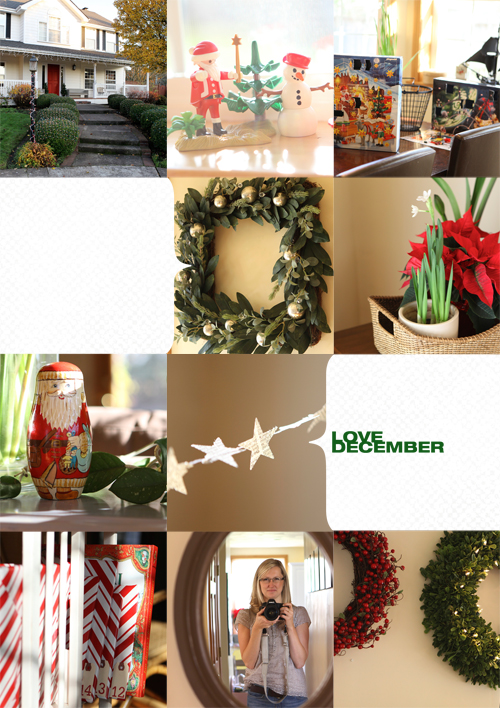
The white digital cardstock I used in the background is from this set: Michaela Solids.
After printing out the layered template I added the letters for JOY using American Crafts Hollyday Elf Thickers. The little black stars are some older Jenni Bowlin rub ons (came in a package that had arrows with words on the inside and the stars were between the arrow + word combos).
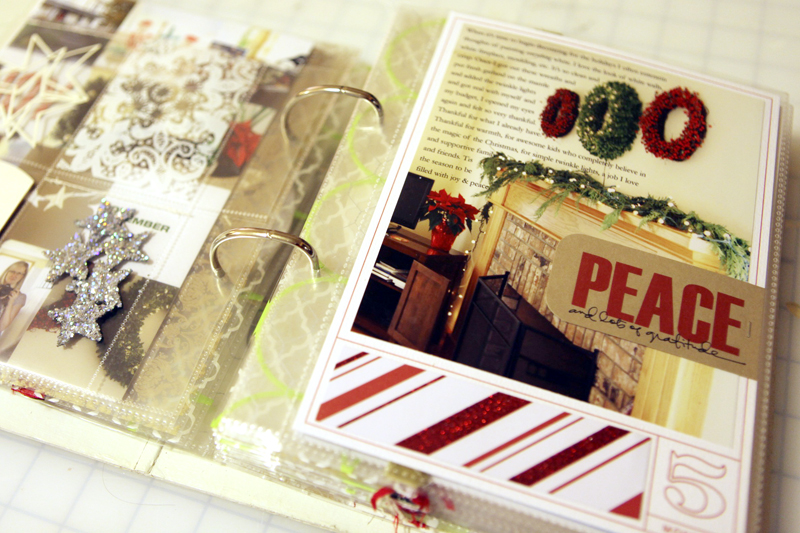
Here's a look at at the second page:
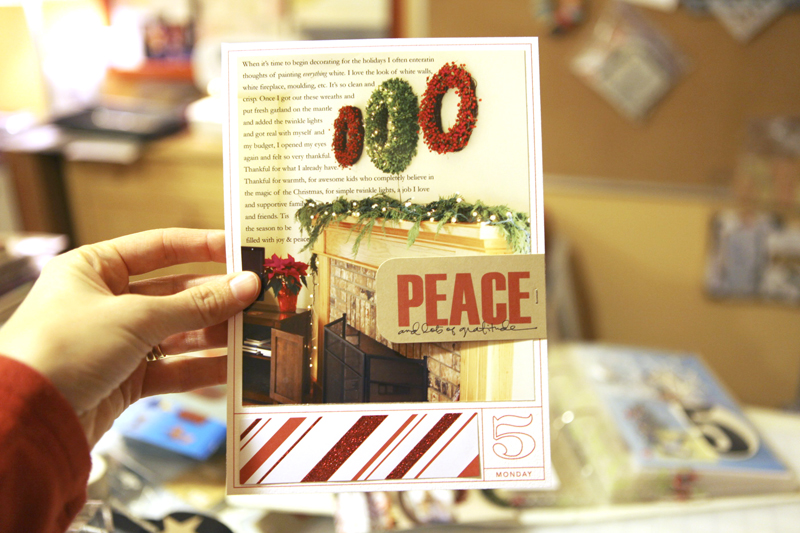
That "peace" tag was from my Christmas stash. I'm thinking it was from Ormolu?
Pattern paper strip along the bottom is American Crafts Hollyday Red Suit with Glitter Accents.
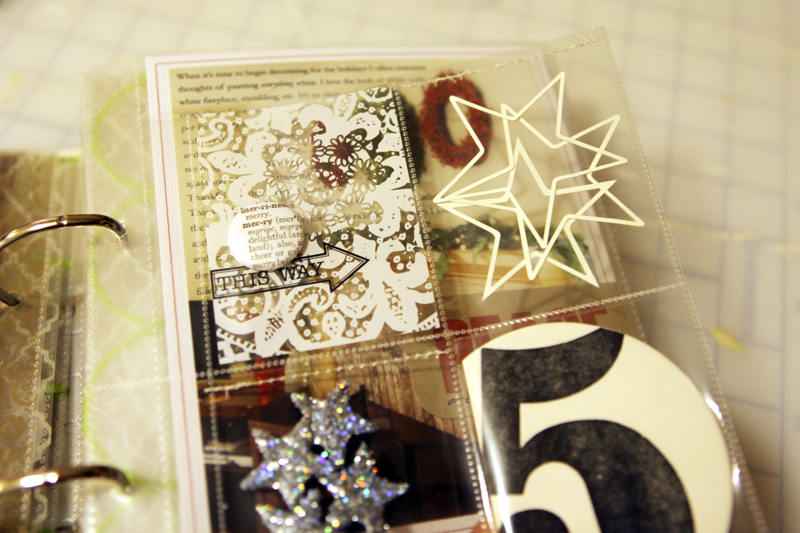
Between these two pages is a divided page protector insert.
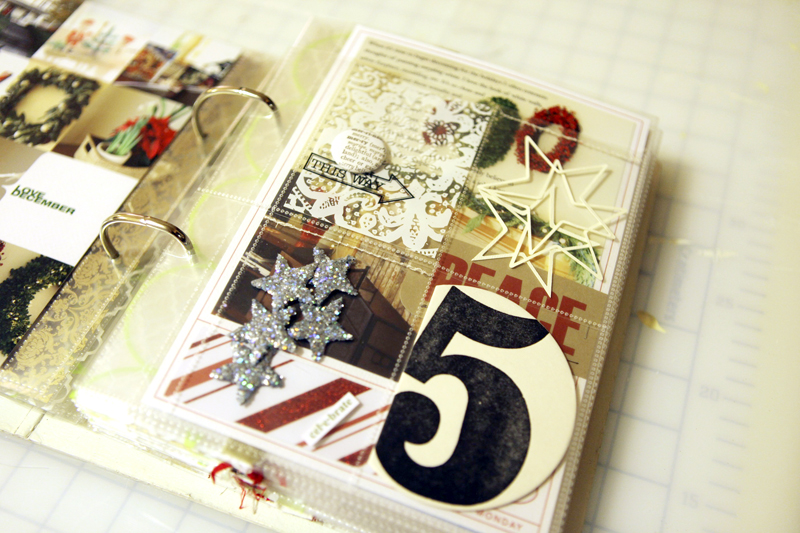
In the top two pockets I added a piece of transparency with a Jenni Bowlin arrow rub on and a button from Evalicious.
The outline stars (found in my Silhouette library - thinking they came with it?) were cut with the Silhouette.
I chose not to do anything on the back of the pieces in this divided page protector.
Here's a look at the pages inside the album:

SUPPLIES | DAY FIVE
Click on the images to link to the products.

TODAY'S POST SPONSORED BY |Hero Arts
The Hero Arts 2012 Catalog arrives in January, filled with clear, cling, and wood stamp designs, dies, embossing folders and more -- over 200 new products in all! Pre-release Catalog Debut Parties kick off at a store near you December 10th and run until the catalog is released on January 5th. Visit heroarts.com to join the Catalog Debut festivities with sneak peeks, videos, a blog hop, and more!
SHARE A LINK TO YOUR DAY FIVE
You’re invited to include a link to your DAY FIVE page here. Please link directly to your post vs. your general blog link.


Comments
Sign in or sign up to comment.
74 comments
Hi Ali,
Thanks for another great post!I like the idea of using the devided page protectors. And thanks so much for the tutorial! Very Helpful!
Replies
Sign in or sign up to reply.
Always love the around the house photos.
What font did you use in the layed template.
Replies
Helvetica Neue.
Sign in or sign up to reply.
Hi Ali,
Long time follower first time leaving a comment. As I don't have photoshop I wish I could pay you to do this for me send you my and you do the layputs..Love your work and I will admire from afar..Merry Christmas
Janine
Replies
so sorry about bad spelling and sentence structure....:( it should say 'send you my photos to then put in nice layouts as you have done;..x
Sign in or sign up to reply.
I love this layout! Thank you for the tutorial. I'm not really familiar with using these templates, so it's a big help. Every day has been just wonderful. :)
Replies
Sign in or sign up to reply.
You are simply AMAZING and I just LOVE you. Did I leave anything out? :)
Replies
Sign in or sign up to reply.
[...] used Ali’s template which can be purchased here. But make sure to see her post from today in which she has an amazing video tutorial. I removed the words from the template and wrote a [...]
Replies
Sign in or sign up to reply.
This is so happy! I'll be doing this for sure once everything is done.
Replies
Sign in or sign up to reply.
Just a little note to thank you for all your inspirational ideas and tutorials. I admire your business sense and enjoy how you roll out your ideas and products. I thank you for your giving spirit. Blessings to you and yours.
Replies
Sign in or sign up to reply.
Ali - I love all your pages - but especially your twinkle pages. I am struggling with my own dec daily - live in New Zealand and feel like I am lacking in subject material, and that whole 'twinkly, snowy' christmas inspiration. Any ideas ro suggestions. Thanks so much ...
Replies
Jayne, I live in New Jersey. I'm missing that crisp cold air, winter twinkle thing too. It's DECEMBER 7th, 2am. And it's over 60F outside. Not right!
Sign in or sign up to reply.
LOL! I have pulled together photos from the past five or so Christmases. I change things around normally, but last year was the first without a 6' wide by ~1' deep top shelf on our entertainment center! Darn those flat TVs. I was frustrated enough that I left almost all my Snowbabies in their boxes. A first. I'm still trying to figure out where to put them. sigh.
Replies
Sign in or sign up to reply.
love it!!
Replies
Sign in or sign up to reply.
Love your pages.
I bought the layered templates you created for my december daily. But for me it is challanging to choose the photos/ parts of photos that go together. Your combinations of photos always look good. But for my collages I mostly have the feeling that they are crowded or unbalanced.
Do you have any tips on how to make good collages?
And I also found out, that I need more photos that are not croped too tight with the camera, so that they still fill up the words like JOY or the space of the braket....
A lot to learn when working hybrid :-)
Thanks, Susanne
Replies
Sign in or sign up to reply.
Love this page in your December daily. You are so creative!
Replies
Sign in or sign up to reply.
question for you, i am trying to use the template, and i am new to this, i can not figure out how to get the photo to go behind to move the image in the box. i have a regular pc
i tried and it cuts off the design with the words.
i am not sure what i am doing wrong
Replies
You have to put the layer with the photo above the layer with the figure you want to fill in (just drag and drop it in the place you want to have it in the sidebar). Then go with the mouse inbetween these two layers and press the Alt+ key and klick.
Sign in or sign up to reply.
when i tried to do the option button its not placing the photo below the layer, not sure what i am doing wrong.
Replies
Sign in or sign up to reply.
thank you susanne, i appreciate the help
Replies
Sign in or sign up to reply.
[...] Ali Edwards isn’t known for using die-cut machines, but she just got a Silhouette Cameo and is putting it to good use! We showed her video the other day, but here’s an example of how she’s incorporating her Silhouette Cameo into her December Daily project: Image from Ali Edwards [...]
Replies
Sign in or sign up to reply.
love this pg, Ali!!! where did u get the square wreath?? such a unique twist on a classic!!
Replies
Sign in or sign up to reply.
Here is mine: http://enjoyinglifewith4kids.blogspot.com/2011/12/december-daily-2011-day-5.html
Replies
Sign in or sign up to reply.
[...] December 5 (includes a layered template tutorial) [...]
Replies
Sign in or sign up to reply.