December Daily™ 2011 | Day Five (+ Layered Template Video Tutorial)
Tags: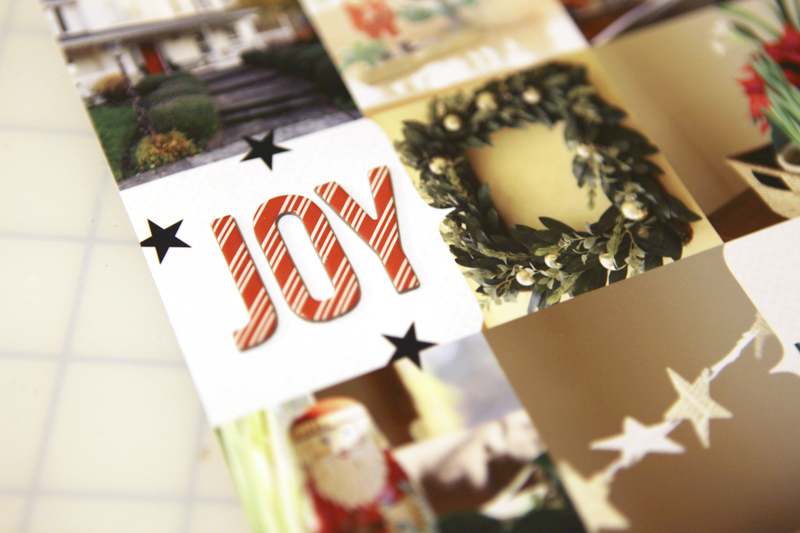
Welcome to December Daily™ 2011 | Day Five.
One of my favorite themes for December Daily™ is an "Around The House" spread with photos of decorations. It would be fun to see just this page compared with past years to see what's changed and what's remained the same.

For my story today I used one of the templates in my December Daily™ Layered Template 6x8.5 package paired with an enlarged photo and journaling on the second page.
(Sorry about the color quality of these images - it's challenging to get the colors correct when I photograph them in the evenings.)
Here's a look at the page created using one of the layered templates:
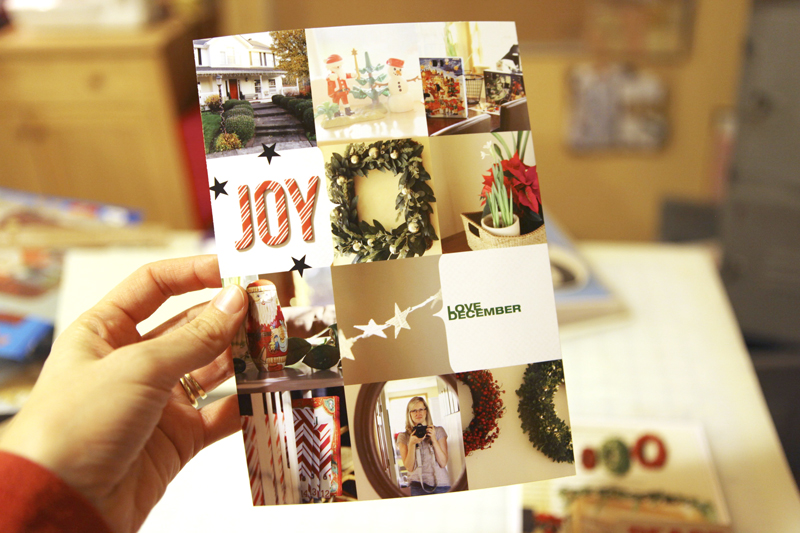
I put together a quick (12 minute) tutorial about my process for working with these layered templates (specifically this set but the information can be used for working with any layered templates).
December Daily™ Layered Template Tutorial 2011 from Ali Edwards on Vimeo.
Here's what the first page looked like before printing:
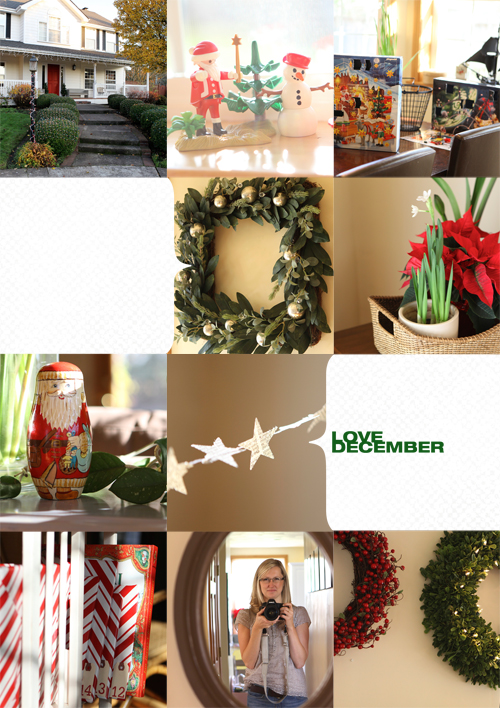
The white digital cardstock I used in the background is from this set: Michaela Solids.
After printing out the layered template I added the letters for JOY using American Crafts Hollyday Elf Thickers. The little black stars are some older Jenni Bowlin rub ons (came in a package that had arrows with words on the inside and the stars were between the arrow + word combos).
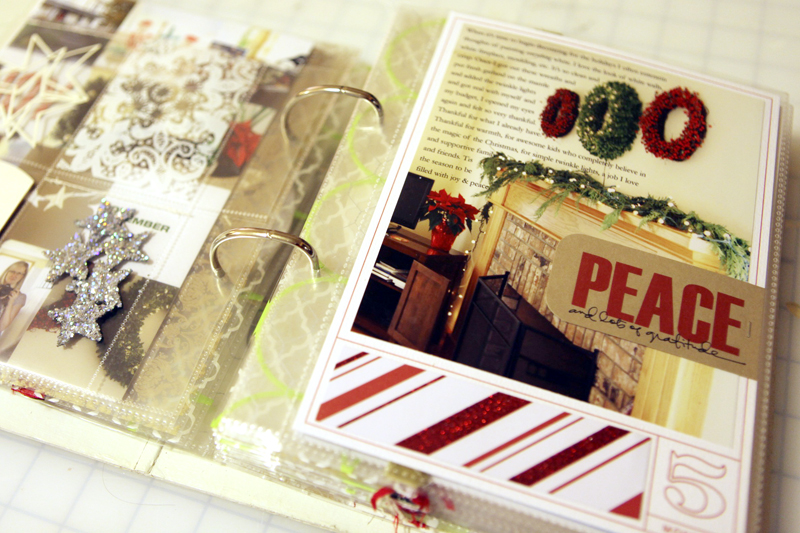
Here's a look at at the second page:
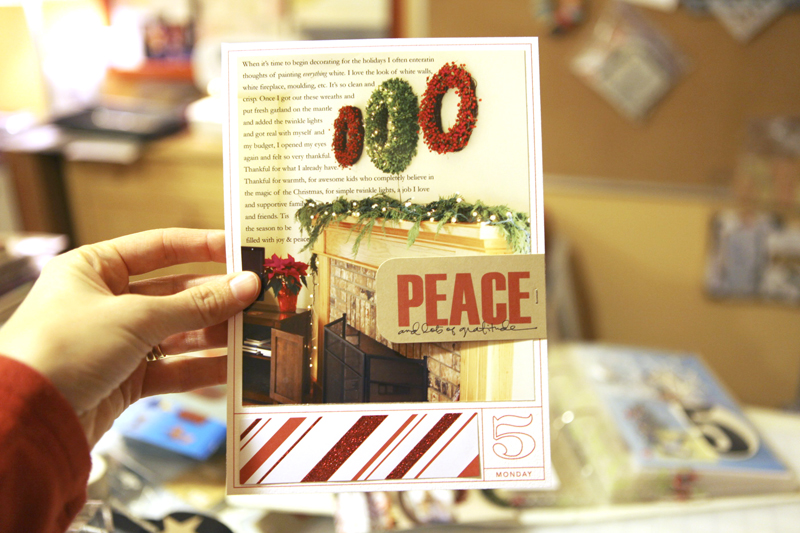
That "peace" tag was from my Christmas stash. I'm thinking it was from Ormolu?
Pattern paper strip along the bottom is American Crafts Hollyday Red Suit with Glitter Accents.
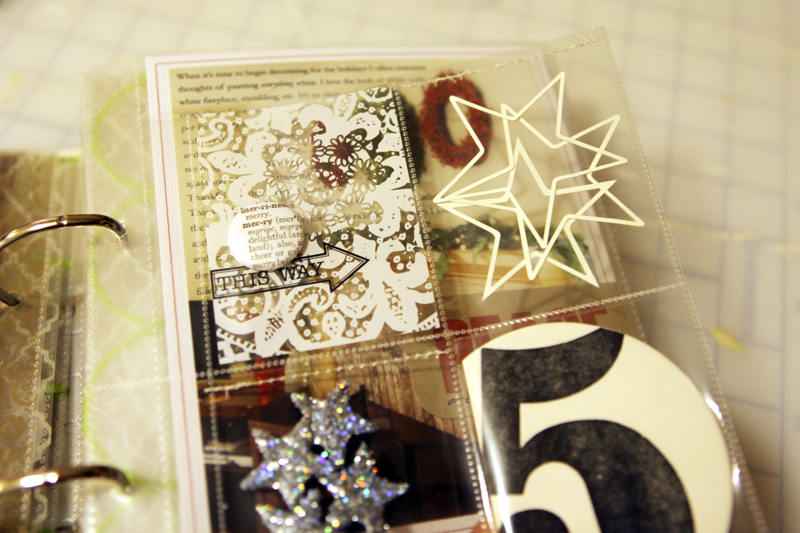
Between these two pages is a divided page protector insert.
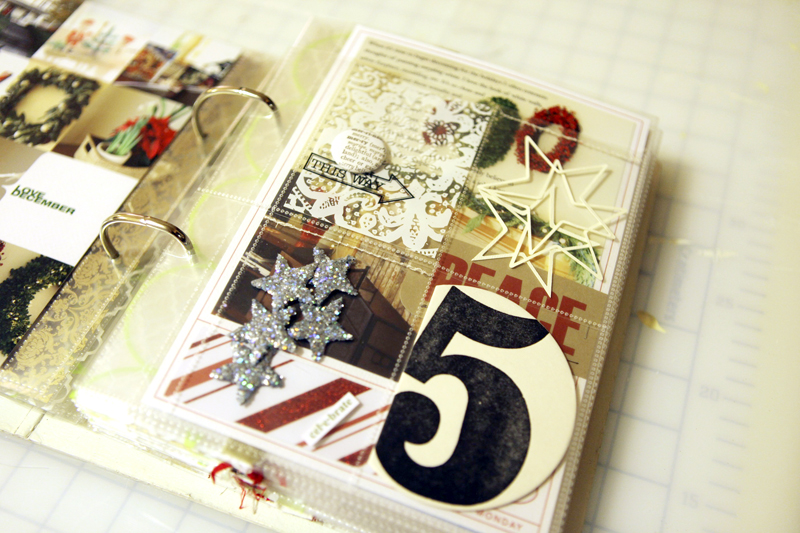
In the top two pockets I added a piece of transparency with a Jenni Bowlin arrow rub on and a button from Evalicious.
The outline stars (found in my Silhouette library - thinking they came with it?) were cut with the Silhouette.
I chose not to do anything on the back of the pieces in this divided page protector.
Here's a look at the pages inside the album:

SUPPLIES | DAY FIVE
Click on the images to link to the products.

TODAY'S POST SPONSORED BY |Hero Arts
The Hero Arts 2012 Catalog arrives in January, filled with clear, cling, and wood stamp designs, dies, embossing folders and more -- over 200 new products in all! Pre-release Catalog Debut Parties kick off at a store near you December 10th and run until the catalog is released on January 5th. Visit heroarts.com to join the Catalog Debut festivities with sneak peeks, videos, a blog hop, and more!
SHARE A LINK TO YOUR DAY FIVE
You’re invited to include a link to your DAY FIVE page here. Please link directly to your post vs. your general blog link.


Comments
Sign in or sign up to comment.
74 comments
My favorite! Super, wonderfull! i like it!!!!
Replies
Sign in or sign up to reply.
I used this idea last year (for the first time, inspired from your last year one) and I loved taking the photos around the house. One little photo i used was of the cd i was lsitening to at the very time i was taking the photos, and thought the cd was not chrsitmas related, it was still apart of THAT DAY!
The other photo i loved in my collage (like yours) was a short vase with candy canes sitting inside. I always have candy canes, and always deplay that way, so it was a little tribute to a tradition started years before even realsing it and documenting it :) Love your lay ouyt, as always!
Replies
Sign in or sign up to reply.
Ali- I love each day better than the last in your dailies! I would so love to sit down with a cup of coffee and just look through all your albums.
Replies
Sign in or sign up to reply.
I am so enjoying every post, and every photo. A treat for the soul and the eyes.
What size page protector are you using for your 6 x 8.5 pages? I am using that size and am confused as to what page protectors to use. Thanks for any help. I apologize for missing your info., as I am sure you have told us, and I just have missed reading it. Thanks so much.
Replies
Janel,
We R Memory Keepers makes a 5.5x8.5 page protector. That is what I'm using this year.
Jennifer
Thanks Ali, I appreciate your response. Loving every post!
Hi Janel - I'm using 6 x 8.5 page protectors that were sold through Studio Calico (and made specifically for a December Daily kit by American Crafts). Unfortunately they are now out of stock.
Sign in or sign up to reply.
Love it!
Replies
Sign in or sign up to reply.
so, so pretty!
Replies
Sign in or sign up to reply.
great -- love it
Replies
Sign in or sign up to reply.
So inspired by the idea of cutting out the stars with the silhouette. I've been looking for more stars and things that work well in double sided situations and this is a perfect inexpensive fit (that gets me to hook up my old SD again). Thanks!
Replies
Sign in or sign up to reply.
My "Around the House" page will have to come later as I haven't even put up a tree yet...
Replies
Sign in or sign up to reply.
Ali, I love this idea and these pages. So fun to see our favorites that come out every year and then the one or two new items we find each year. Thanks for the tutorial as well.
Replies
Sign in or sign up to reply.
Ali, I look forward to your posts every day. Thank you for making the holidays even brighter! Wonderfully creative ideas ~
Replies
Sign in or sign up to reply.
HELP!! This is my first time doing DD. I am loving it so far.
I am sending my completed pics to Walgreens for printing. If I
am using the 6x8.5 templates, would I have my pics printed out
on a 8x10 photo?? And how do I keep them the 6x8.5 size? I hope
this is making sense.
Replies
Hi Mary - I recommend putting yout 6 x 8.5 image onto an 8x10 canvas (File/New - 8x10 at 300dpi for the resolution), saving as a JPG and then uploading to a developer. Once it's printed you will cut off the excess.
Sign in or sign up to reply.
Thank you for taking the time to show us the way. I have made my whole process more simple this year with one 7x7 photo and some storytelling journaling. Happy!
Replies
Sign in or sign up to reply.
Loving your designs today and I NEED to use my die-cutting machines a bit more!
Replies
Sign in or sign up to reply.
This is so cute, I love the collage look! Gonna have to do that with mine but in 8x8 of course. ;)
Replies
Sign in or sign up to reply.
Great idea. Think I need to add this to mine.
Replies
Sign in or sign up to reply.
Thanks for the tutorial Ali! It helps so much. I've had Photoshop for a few years now but only know how to do basic basic things. I can make collages for my scrapbooks! :) I'm def going to purchase those templates in the new year. I've set a goal for myself in 2012. In addition to participating in Project Life, I want to learn more things in photoshop and do more hybrid scrapbooking. The picture is a bit blurry, so can you tell me which tabs/palettes are open in your elements. I did something, and now when I open it there's nothing on the screen, I have to go looking through the toolbar, and I have no idea how to fix it. :/
Would greatly appreciate your help, and as always, great page today!
Replies
Hi Mallory - you can select which windows you want to view by going to the "Window" menu and picking which ones you want. To me the important ones are usually Layers and Tools.
Sign in or sign up to reply.
Wonderful...gorgeous love it Ali!!!
Replies
Sign in or sign up to reply.
Love it! It is unique to see through the years what Christmas things decorate the house and what things stay for only that year. Love the star garland! Did you make it?
Replies
Hi Amy - I didn't make it but bought it from an etsy seller: http://www.etsy.com/shop/thePathLessTraveled?ref=seller_info
Sign in or sign up to reply.
that tutorial was SO helpful--thank you! Thanks for inspiring the December Daily, my kids had my two previous years out and were enjoying them! :)
Replies
Sign in or sign up to reply.