December Daily™ 2011 | Day Three
Tags: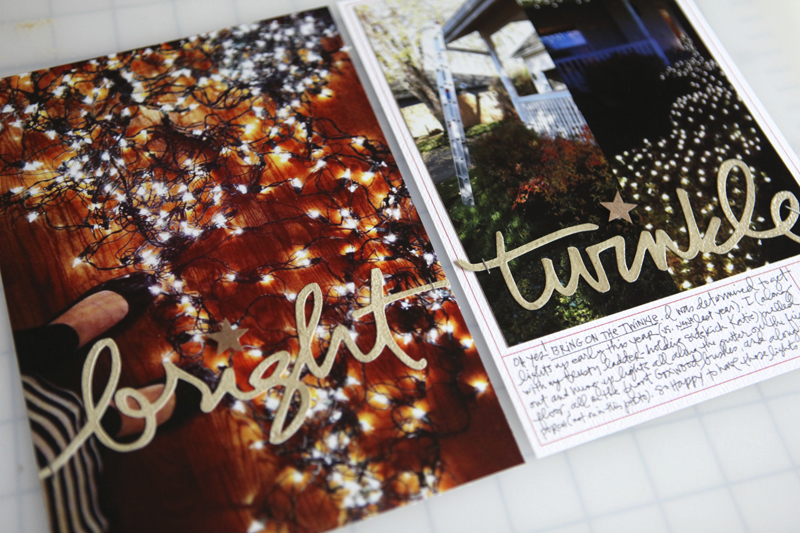
Welcome to December Daily™ 2011 | Day Three.
Remember back on my Hello December post I suggested not getting hung up on exactly what day something happened? Here's an example of that for me today. These photos are from the last couple of days. That's good enough for me!
Today it's all about the twinkle.
Let's take a closer look:
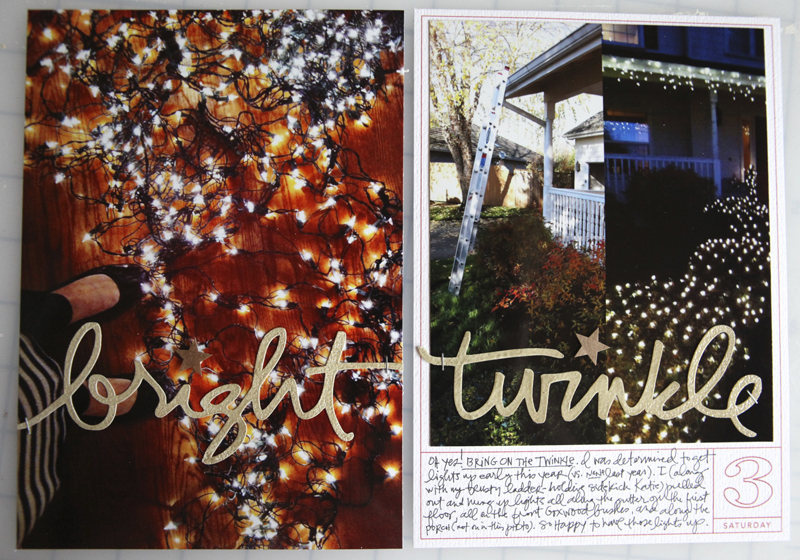
My Day Three ended up being a full page photo on the left and a photo and journaling on the right. All the photos I used to tell today's story were taken with my iPhone.
One of the biggest things I did for this spread was play with my Silhouette Cameo. Both the words above (bright and twinkle) were cut out using the Cameo which is an electronic die-cutting machine. It hooks up with your computer, you open some software, open a design (that you either create on your own or from their store or from a digital product), load some paper, and then click a button (essentially) that tells the machine to cut your design from cardstock (and other materials like vinyl).
That's a rough explanation, but you get the idea.
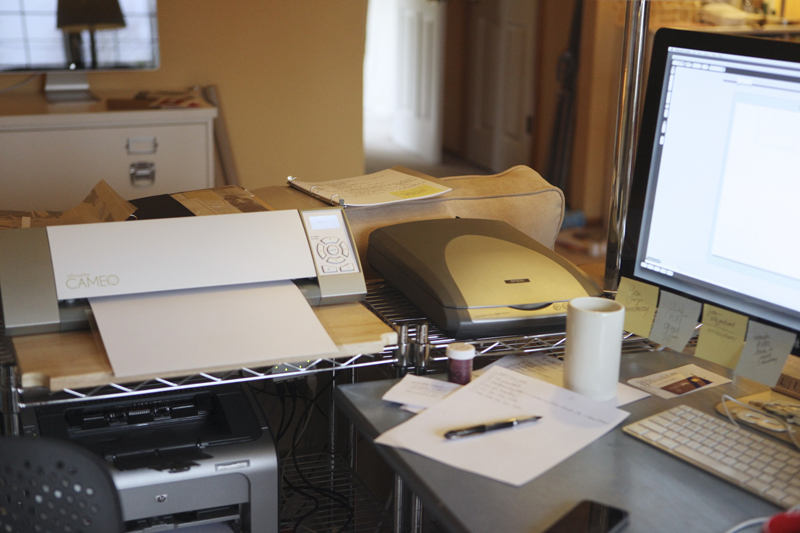
I've been wanting to play around with this more and I had some time to devote to it today and was super happy with how things turned out.
I ended up recording a video that shows how I opened up one of my digital word art files (from my new Christmas Preparations set) in the Silhouette software, traced it (so easy - click a button), and was then able to cut it out to use on my page.
My cut settings were this:
Media: Cardstock (I was using White Bazzil Orange Peel)
Speed: 3
Thickness: 33
Double Cut
NOTE : When I opened and traced the word "twinkle" I did need to clean it up a bit by removing two little areas. To do that I selected the word, went to Object/Release Compound Path. That allowed me to delete a couple extra shapes that appeared after the trace. When I was done deleting those two little areas I selected the word again and went to Object/Make Compound Path to connect it all together again.
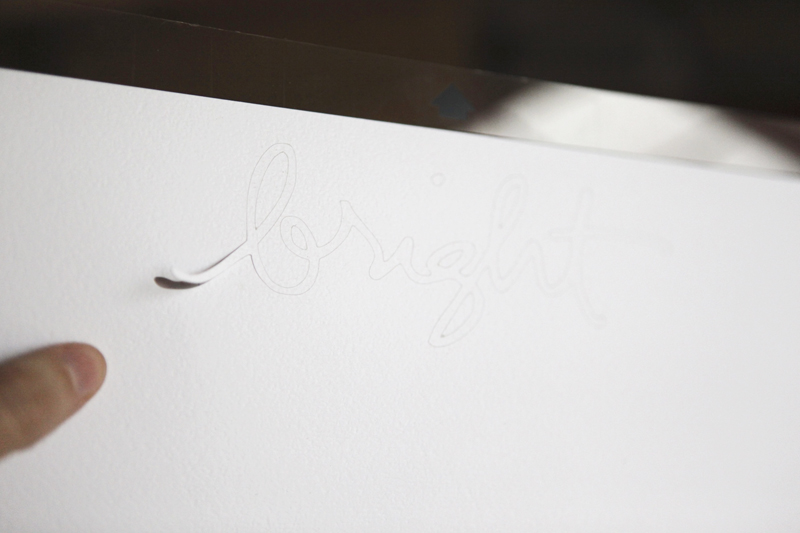
When it comes out of the machine it looks like this. You can see where I started to peel up the word.
And here's what it looks like when it was completely removed from the backing:
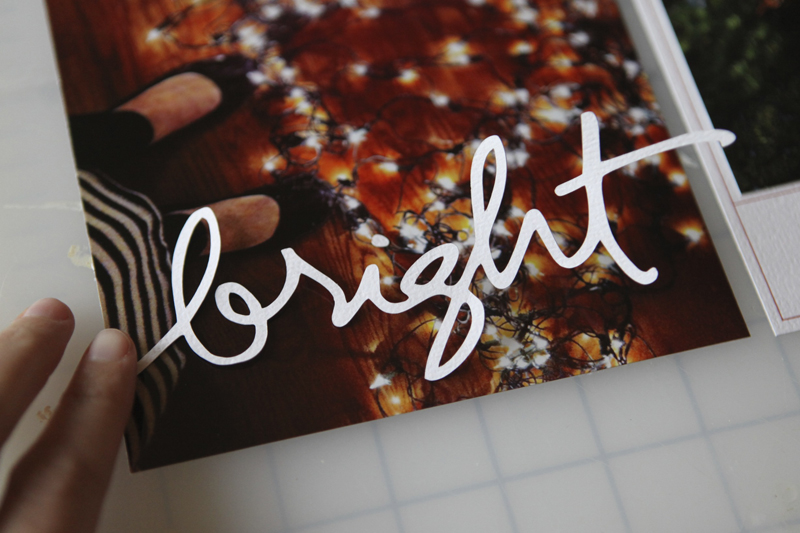
I was really excited at this point.
I decided to do another word (twinkle) to add to the other image.

I could have easily just left these two words alone and stuck them down but I decided to play a bit more.
I laid each word down on a craft sheet, added Versamark embossing ink, poured on some Zing Brown Sugar embossing powder and then set it with a heat gun.
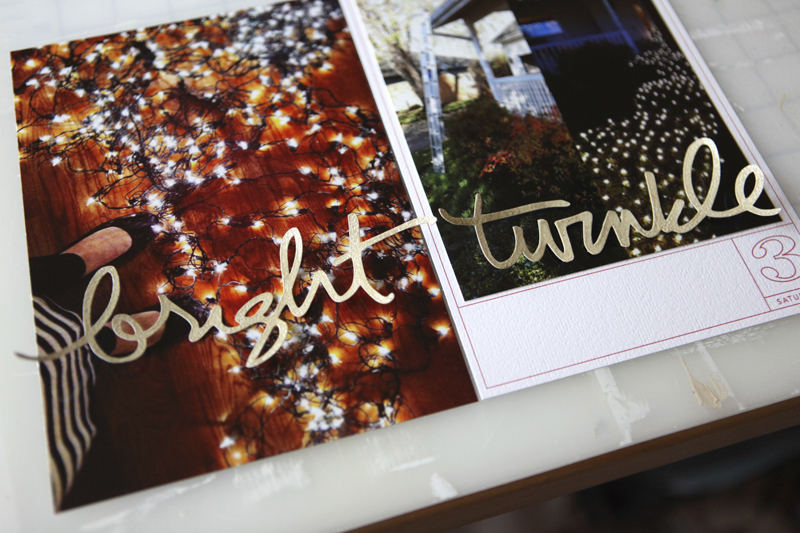
Awesome.
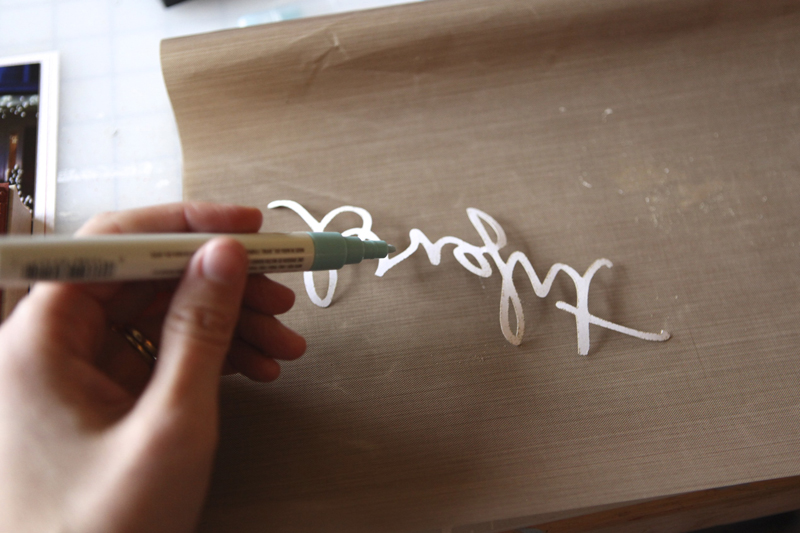
To adhere the words onto my photo I used a Martha Stewart Glue Pen.
You could also use a Xyron to add adhesive to the back (the Creatopia would be great for larger words). After I stuck the word down I put something a bit heavier, like a block stamp, on top to hold it down. And nope, I'm not left-handed - just wanted to show a photo holding the glue pen and was holding the camera in my right hand.
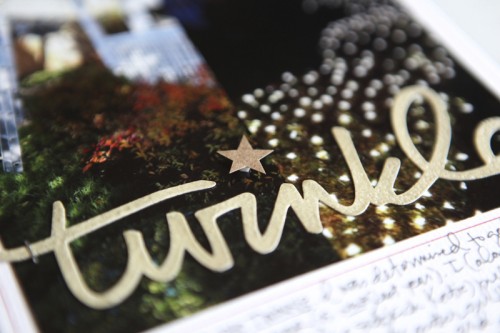
One thing I didn't want to deal with embossing was the dot for each of the "i" letters. Actually I tried and it just wasn't happening.
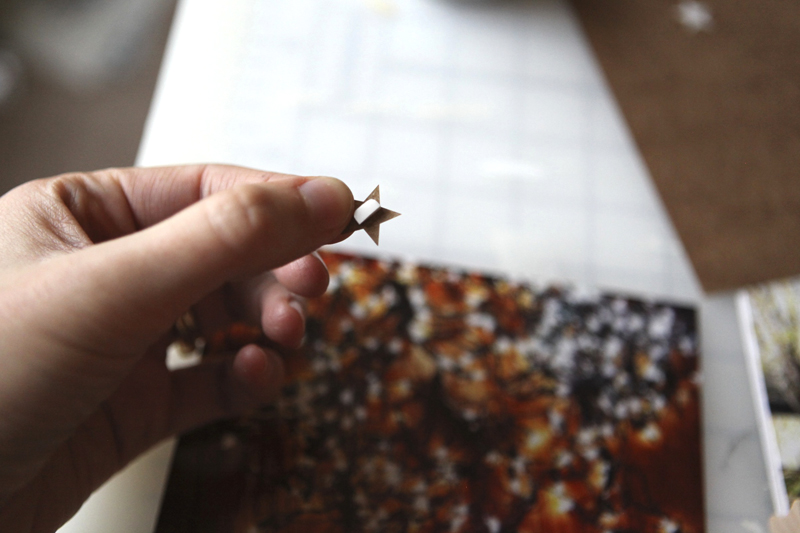
Instead I used two Studio Calico Crafty Cardstock Stickers. They are self-adhesive but I decided to pop them up a bit with 1/2 of a foam tab.
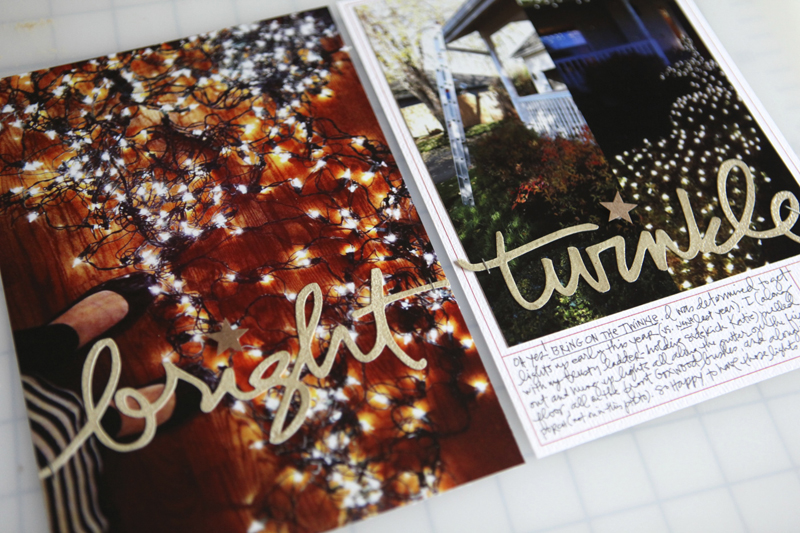
I added my journaling in the box below the image on the second page (writing directly onto the cardstock). That second page image is two photos that I brought together in photoshop that shows a before and after shot of the lights.
Here's a look at it in the album:
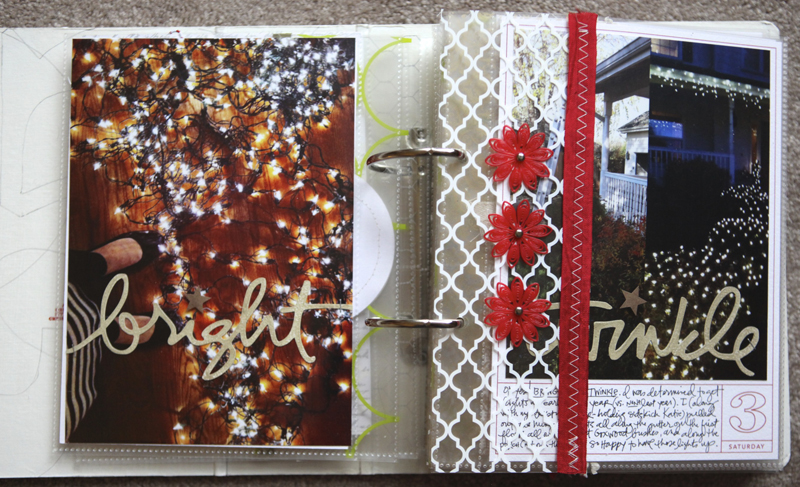
Bring on the twinkle!
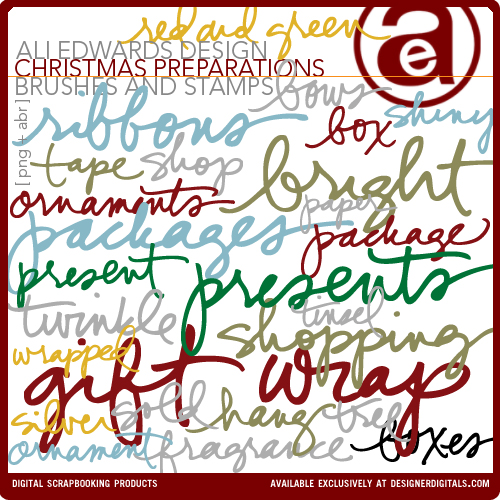
I also wanted to let you know that I have four new products available at Designer Digitals this weekend (two are shown above): Outline Christmas, Christmas Preparations, Faithful Christmas, and Celebration Of Life (which was created to help people honor and tell stories of those who have passed). All new products are always on sale the weekend they debut.
Don't forget that Designer Digitals is also doing a Days Of December sale where a selection of a couple hundred random products are on sale each day. Check out what's on sale here.
SUPPLIES | DAY THREE
Click on the images to link to the products.

TODAY'S POST SPONSORED BY |Online Card Classes
Join Kristina Werner and Jennifer McGuire for stamping and cardmaking technique classes at onlinecardclasses.com. Each class includes lifetime access to materials including numerous how-to videos and PDF downloads. Get the most out of product you already have on hand by adding new techniques to your crafting arsenal!
SHARE A LINK TO YOUR DAY THREE
You’re invited to include a link to your DAY THREE page here. Please link directly to your post vs. your general blog link.


Comments
Sign in or sign up to comment.
84 comments
That is so cool! I've always wanted one of those die cutting machines that does your own images (rather than cartridges) but they used to (???) not work with Macs. Maybe someday! You make it look so easy!
Replies
Silhouettes now work with Mac!!!! The Silhouette SD and the Silhouette Cameo both work with Macs, the original is the only one that doesn't!
Sign in or sign up to reply.
Really beautiful pages,thank you for sharing them.
Replies
Sign in or sign up to reply.
I love the simplicity of this beautiful design!
Replies
Sign in or sign up to reply.
Love the idea of using cut words on the photos. Thanks for the inspiration to try something new. I have a Cricut so this is something I'd like to use in my DD. I have a Gypsy which enables you to weld letters together but I think using the Design Studio with the Cricut enables the user to use PNG files. Would love to hear feedback from other Cricut users.
Replies
Sign in or sign up to reply.
Great ideas !!!
Replies
Sign in or sign up to reply.
Good Morning Ali!
I love the photos of all the twinkle lights. Can you share your camera settings when you took these? Particularly the ones on the hardwood.
I don't have the best lighting in my house and I always have a hard time getting a good shot of the lights.
Thanks-
Replies
Hi Mandee - these were taken with my iphone - so no special setting just pointed down on the ground and clicked.
Sign in or sign up to reply.
Hi Ali, Any tips for creating your spread above without a Silouette? Do you think you could cut the words out with a craft knife?
Replies
Hi Kristen - it's totally possible to cut them by hand. I think it will be a challenge but definitely possible.
Sign in or sign up to reply.
Awesome - thanks for the tips!
Replies
Sign in or sign up to reply.
Love these layouts...they're beautiful! What resolution do you use to print your iphone photos? Mine are never very clear and I find the color is off if taken indoors.
Replies
Hi Helen - When I opened them in Photoshop I went to Image size and changed the size to 6.5×8 (for the big photo) at 300 dpi. Just make sure that you are using your iphone camera at the highest resolution. I have an iphone 4 – when I had an iphone 3 the quality of the pictures were less overall (my opinion).
Also if you saw these up close they are grainy - less crisp and clear than my dslr photos but still capture the essence of what I want to communicate.
Sign in or sign up to reply.
Ali-This page looks amazing! Love the photos taking up the whole page and the die cuts!
Replies
Sign in or sign up to reply.
Very nice ali. I've seen words made with the silhouette around and I confess they are very attractive to me -- but so far the only cutting machine I have is the big shot.
Replies
Sign in or sign up to reply.
Really beautiful photos....Love the 'twinkle' TFS and for all of the inspiration!
Replies
Sign in or sign up to reply.
Love the twinkle theme!
Replies
Sign in or sign up to reply.
Beautiful pictures of your lights and I loved the Cameo words. I am loving the DD progress more and more each day, it really makes me veiw the Holidays in a special way.
Replies
Sign in or sign up to reply.
The Cameo is very cool. Are you running OS Lion on your Mac? Any compatibility issues with using the Cameo program? Been waiting so long for something to work well with Macs! Thanks!
Replies
Hi Deborah - I'm up to date with software (running 10.7.2) and haven't had any issues.
Sign in or sign up to reply.
Ali, I've not used my Silhouette as much as I shoulda/coulda!!! Your presentation gives me courage!!! Thanks for the lovely inspiration, as always.
Replies
Sign in or sign up to reply.
I love me some twinkle.. perfect photo's.. and so glad it was from another day.. my photo's for my 4th day is from last Sunday when we went to see Santa.. I am going to add other photo's from other days as well in my album,, seeing that this year I am alot busier with projects it will not be so stressful to grab a photo each day. thanks for sharing.
Replies
Sign in or sign up to reply.
I am also participating and hope to eventually link something! but in the meantime, I am enjoying seeing December through everyone else's eyes! Thanks all....enjoy!
Replies
Sign in or sign up to reply.
LOVE these two pages!! I cannot tell you how badly I want a Cameo. I have a Cricut and a Vagabond and a Big Shot...I think if I asked Santa for another cutter he would have a fit!!!!
I don't know, though...seeing your words makes me want to get out there and order one!
Thanks for sharing.
Replies
Sign in or sign up to reply.
I love the look of the large photos with the large words, while I don't have a Cameo (I do however have almost everything else!! LOL!) I think I could still use this idea on a future page. Thanks for sharing xx
Replies
Sign in or sign up to reply.