Project Life 2012 | Week One + Video Tutorial For Working With The 6x12 Layered Templates
Tags: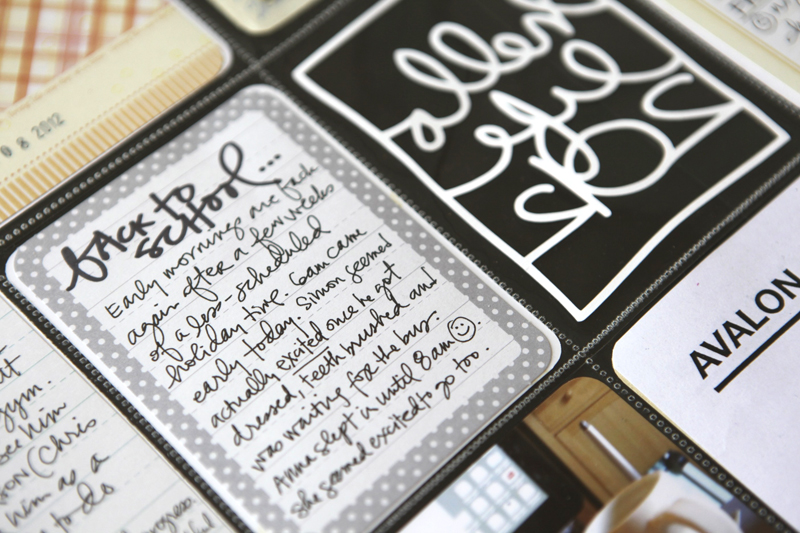
Welcome to Project Life 2012 | Week One.
In the comments of another post yesterday someone asked if I was using planning sheets for Project Life. I don't use any planning sheets but it did remind me of the Daily Sheets I made for Week In The Life last year and wanted to include that as a link today as something fun to add to Project Life from time to time. You can download those for free here.
HUGE NOTE | I don't treat Project Life the same as Week In The Life. Week In The Life is super detailed and intense in terms of documenting our life with photos and words for seven days in a row. I have no intention of bringing that sort of intensity to Project Life (and I didn't last year) - it's just not sustainable. SMALLER NOTE | I'm working on setting a date for Week In The Life 2012 (thinking late spring).
For me Project Life is an overview and a week-at-a-glance and a long-haul project (meaning it's necessary to pace myself). It's not a place for all the photos I take each week or for me to record every single detail of our lives. It is a place for me to jot down little bits of life, stick things in pockets, and tell stories. Some weeks those stories are super, super short and other weeks I'll add longer stories like you'll see included today.
Check out Monica's post about her perspective on Project Life. It's real and beautiful and encouraging.
Here's a look at our Week One:
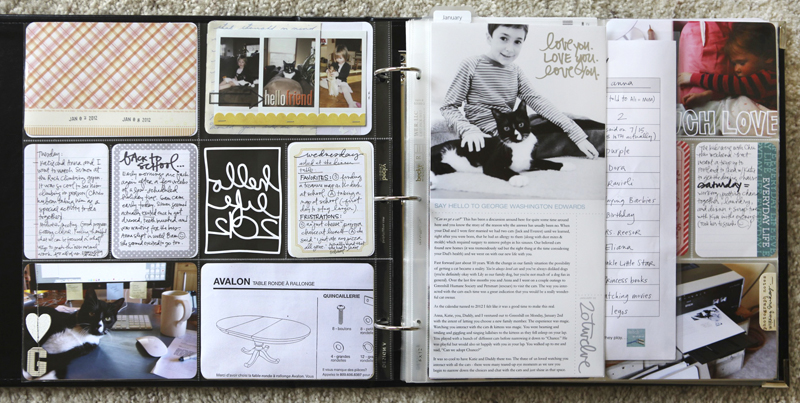
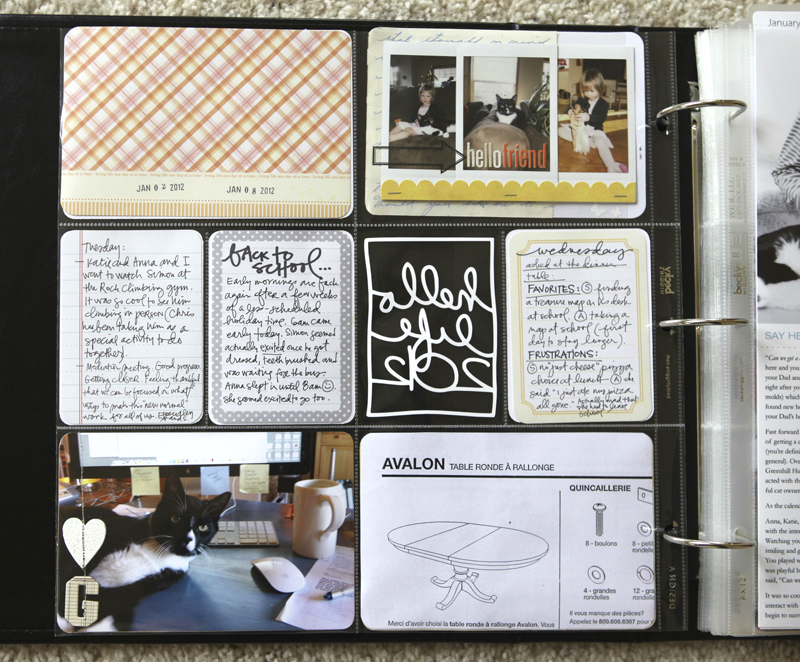
I have to say that I love that the journaling cards are just a bit bigger in this collection vs. the ones I used last year. Super happy with the Clementine design.
This week I've included both a 6x12 and an 8.5x11 page protector as inserts.

Word art on the first page of the 6x12 comes from my Twenty Twelve and Your Love digital packages. The 6x12 Words And Photos Layered Template package is available here. I designed this set because last year I really liked including longer stories from time to time in my album. Most often those stories originated in posts from my blog. By creating a template I'm simplifying the process for myself and can simply copy and paste the text into the template and add a photo.
Here's a how-to video that will walk you through the steps of working with the 6x12 Words And Photos Layered Templates in Photoshop Elements:
6x12 Layered Template Tutorial from Ali Edwards on Vimeo.
The tutorial is about 27-mins long. It goes through all the steps and I spend a bit of time at the end talking about how I set up the files for printing.
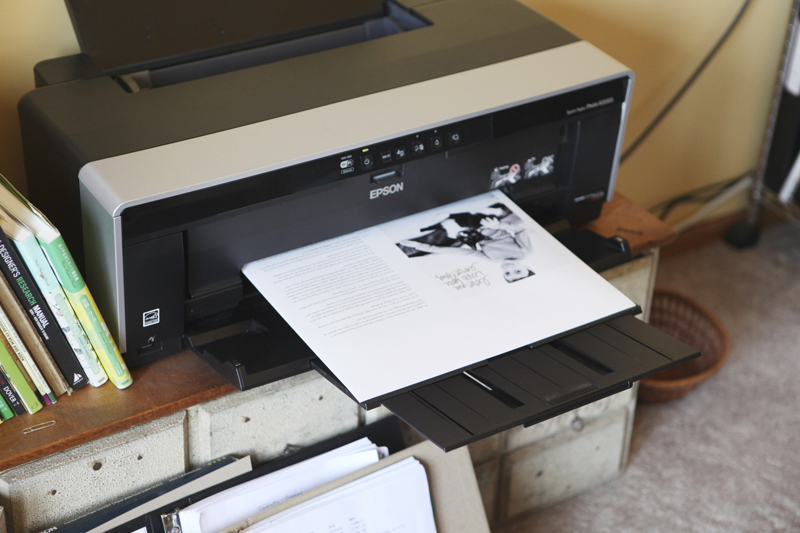
The paper you see running through my printer is Epson 13x19 Ultra Premium Photo Paper. I put the two 6x12 pages onto one 12x12 canvas before printing (I show how to do this in the video tutorial above).
You can also set this up as a 12x12 JPG file and upload to a printer such as Persnickety Prints or Color Inc if you don't have an oversized printer at home.
Another great tip if you don't have an over-sized printer - you can run larger sizes through your regular-sized photo printer. You could get 11x14 photo paper and cut it down to 8.5x14 and run it through your printer (select Legal Size paper). I used to do that when printing larger sizes of journaling to put on 12x12 layouts before I got an over-sized printer.
Here you can see both 6x12's on the one page:
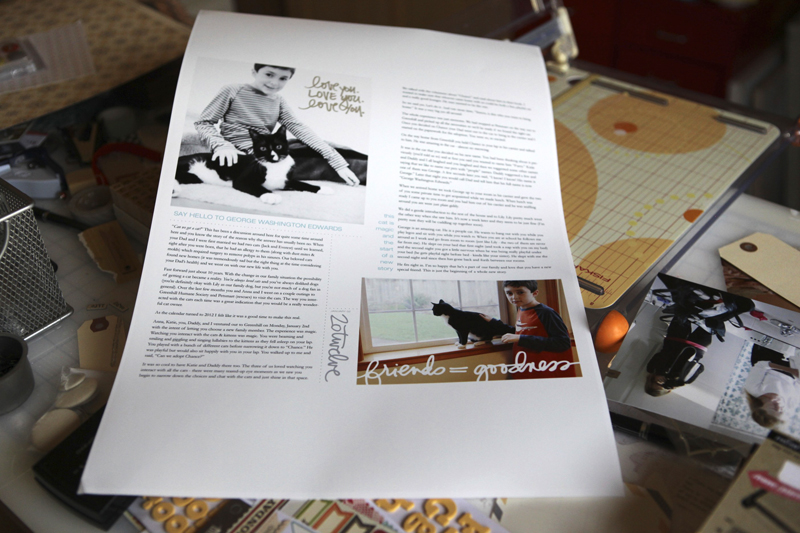

I trimmed them down to size and stuck them in the page protector. Loved including that longer story.
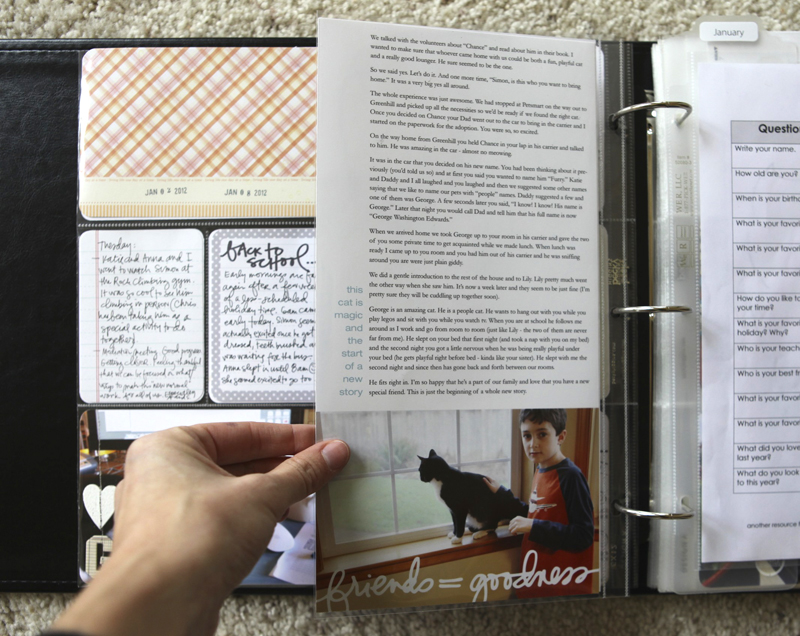
Digital word art on the back is from my Thank You Friend package.

The second insert this week is something I tweeted about right before New Year's. It's a great little interview sheet from teachmama.com and can be downloaded here.
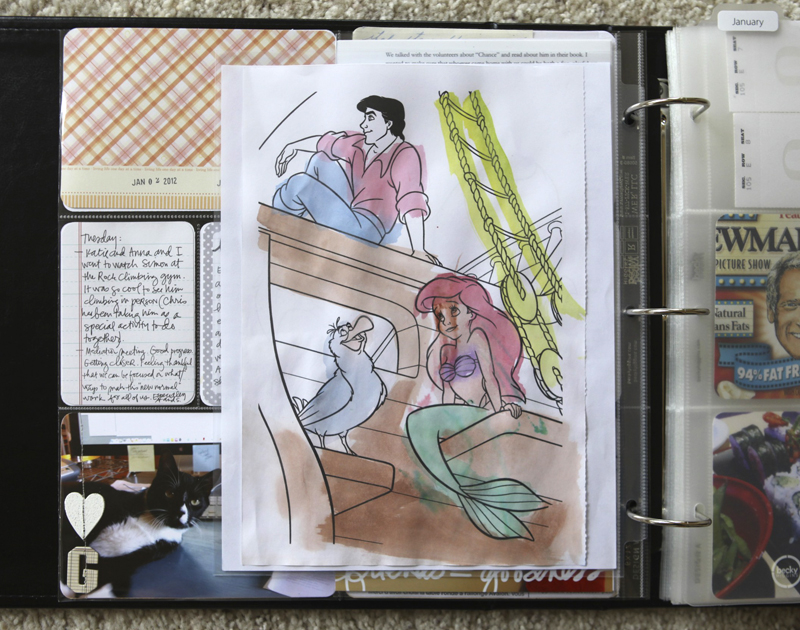
I stuck this one in and the more I look at it the more I think Katie probably painted it and not Anna.

I'm using the monthly tab dividers (should be available in February). Love their simplicity.
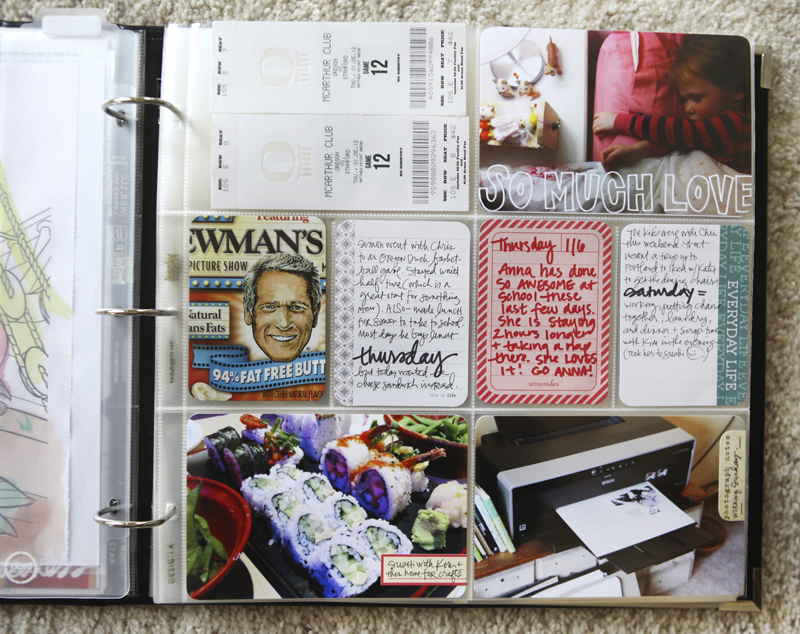

Word art used on the photo above is from my Outline Love digital set.
SUPPLIES | 2012 | WEEK 1
Click on the images to link to the products.
Project Life is a product and a system created by Becky Higgins. It can be anything you want it to be. The pieces used in my album are available here. If you live outside the US check Becky’s site for more information on sources. View all my posts about Project Life (including all the spreads from my completed 2011 album) here.


Comments
Sign in or sign up to comment.
92 comments
Thank you for sharing your perspective on what project life is for you. I was beginning to feel a bit overwhelmed with all the wonderful ideas out there and really needed confirmation that it is ok for it not to be all encompassing. Thank you also for the tutorial :)
Replies
Sign in or sign up to reply.
ali - i've been looking forward to following along again this year - it's so fun to see your first week:) also - i'm wondering if your mom would ever share any of her pages?! i'd love to see them, but don't want to put any pressure on, since this is her first experience with PL...just a thought.
mary
Replies
Sign in or sign up to reply.
Ali, I've been following you on and off for years. Last year was my first DD and this year is my first PL! Thanks for much for doing what you do! So admire and appreciate your design and style vibe. :)
Do you just use an old-fashioned date stamper for the weekly dates? I didn't see one listed in your supplies list.
So excited to do PL this year!
Replies
Sign in or sign up to reply.
[...] Most of you know that Ali Edwards creates some of the best digital templates and many of them go so perfectly as an add-on to Project Life. She recently added templates specific for the 6×12 Page Protector (currently sold out but available again in a few weeks) and also shared a video tutorial for working with the layered templates. You’ll find all of that HERE. [...]
Replies
Sign in or sign up to reply.
Did you mean for the Newmans label to be folded to say Fat Free Butt? It's a secret new year wish, isn't it? I'd love my butt to be fat free! Sorry, it made me chuckle and I just couldn't resist!
Replies
OMG that is hilarious. No I didn't mean that LOL -
YES! I was hoping someone else noticed and asked! I love the serendipity of the label text spacing relative to the pocket size!
Sign in or sign up to reply.
I love your PL posts, Ali. You were one of the big reasons for my deciding to do it this year (and my OLW is DECIDE, btw). Thank you for highlighting this project throughout 2011 :)
Replies
Sign in or sign up to reply.
Fantastic tutorial!!
Thanks Ali :)
Replies
Sign in or sign up to reply.
Thanks for sharing! Was wondering what your favorite journaling pens are- brand and size. LOVE your handwriting and the way you pair fine/thicker tips together.
Replies
Sign in or sign up to reply.
Ali-Thank you so much for sharing your life with us. You may not feel comfortable with sharing this but if you do (and maybe not this week) I couldn't quite tell how you did the instax photos with Anna and George-could you either explain or blow up that part of the page? I love my instax and am trying to find ways to use it in PL.
Thanks.
Replies
Sure - I actually just layered them. Two behind + one on top and then I layered the piece of ribbon along the bottom.
Thanks-love that little camera and the instagram app on my phone-those two things got me back into picture taking again!
Sign in or sign up to reply.
Love love love your pages! Such a great start to this new year. I have the clementine set as well and it rocks! Thank you for the tutorial; I have an oversized printer and wouldn't have thought of using it so this is great (you keep moving me out of my comfort zone...lol!).
Replies
Sign in or sign up to reply.
Ali - what program are you using to create your videos? I'd like to do something similar & have no clue where to start - I googled a bit & there seem to be about 15 different Mac OS options out there.
Replies
I use Screenflow. Totally happy with it.
Sign in or sign up to reply.
ali... I went with the Design D protectors and I am having such problems with it since the cards arent designed for those protectors.... Do have any many I can get any inspiration from you? I just dont know what to do and with the others being out it is hard! :(
Replies
Sign in or sign up to reply.
is there a way to see the video full screen?
Replies
Hi Susan - click through to view it on Vimeo (http://vimeo.com/34869135) and there's a full-screen option there.
Sign in or sign up to reply.
Love this. i want to do a very simple monthy overlook to Project life this year but want design a page protectors. Any idea when they might be back in stock at amazon? I did order a core kit though so I'm super excited to get that. I can save up stuff for a while till i can get pages.
Replies
Sign in or sign up to reply.
Your kitty is beautiful! What a stately name!
Replies
Sign in or sign up to reply.
Love your first week! After looking through the information on yours and Becky H.'s blogs I decided to go for it and buy my first PL supplies a couple weeks ago. I finished my first week and I love how it gives me a place to journal about the day-to-day. I feel like I have found a way to "keep a journal" which frees me up to do other mixed-media projects and more "crafty" scrapbook projects without that awful dread of "not being caught up." Thanks for always being willing to share...it is much appreciated!
Replies
Sign in or sign up to reply.
How does the 'hello life 2012' look from the front now with pages behind it? Love it, but wondering if it's maybe a bit distracting now?
Replies
I actually love it because it gives a "peek" into the album - I'll try to remember to include a photo of that next week.
Sign in or sign up to reply.
Hello Week one! Beautiful page, love the inserts and all the pink! I have two boys, and I'm wondering how I could still make the Clementine kit work one year (just a rethorical question).
Replies
That's why I went with the turquoise this year for my first PL. I'm the only girl around here (well, and one of my dogs is a girl). But next year I def want to try the Cobalt kit. :)
Sign in or sign up to reply.
Thanks so much for posting your project life layouts! Continues to be such a wonderful inspiration to me. I am just starting out with Photoshop and am LOVING all your products on Designer Digitals. The how-to video was very much appreciated. Thank You!
Replies
Sign in or sign up to reply.
I love the pages. And big thanks for the tutorial. I am working on a mini album right now and this is very helpful.
Replies
Sign in or sign up to reply.