Project Life 2012 | Week Two + Free Download
Tags: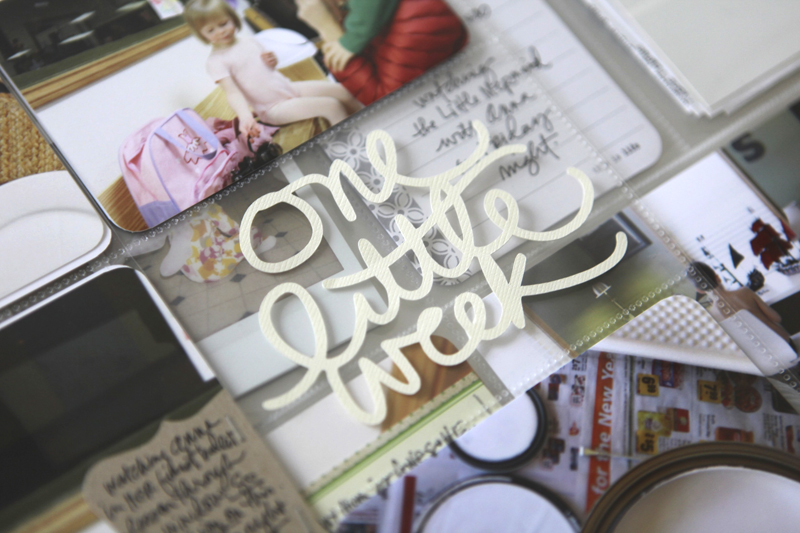
Welcome to Project Life 2012 | Week Two.
I've got a free "one little week" download for you today that includes both a PNG and a Silhouette file (both are included in a zip file - for more on downloading go here).
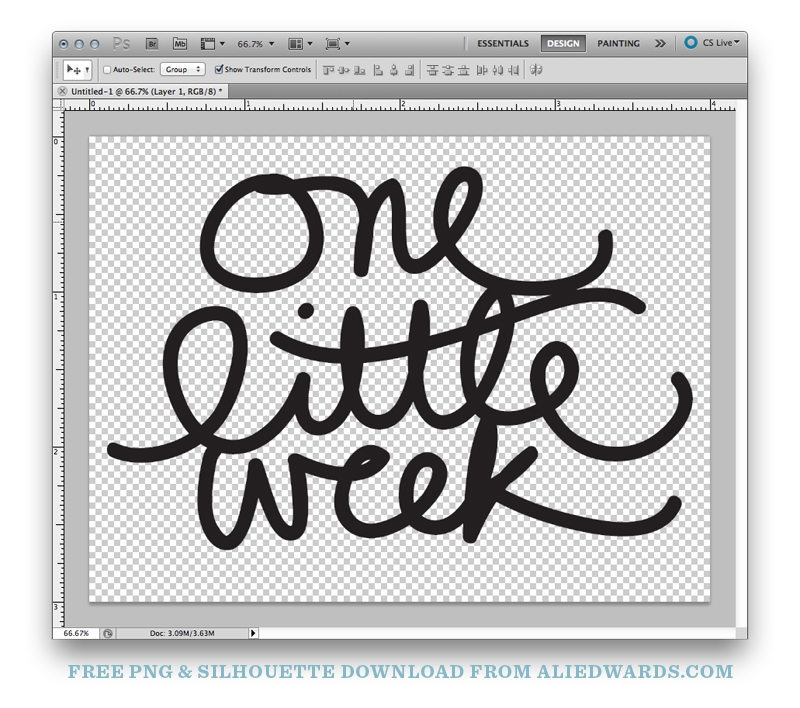
Click here to download One Little Week.
Enjoy!
Here's a look at Week Two:
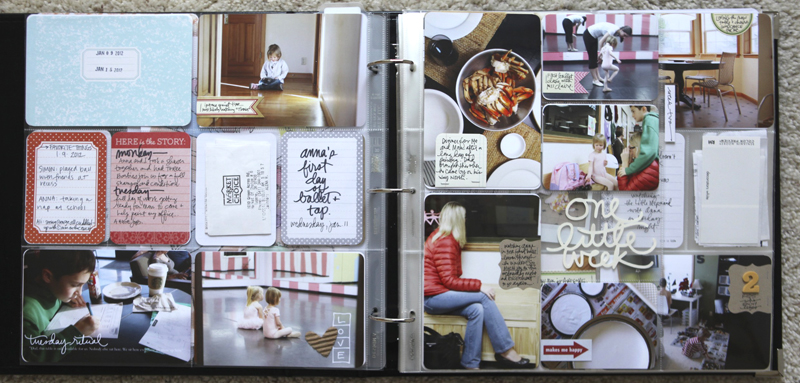
Lots and lots of photos this week.
Sometimes it leans heavier one way or the other (more or less photos) and I tend to just go with it. My Mom was here with us from Tuesday through yesterday helping me paint my office. It was a big job and I'm so thankful she was here to help.
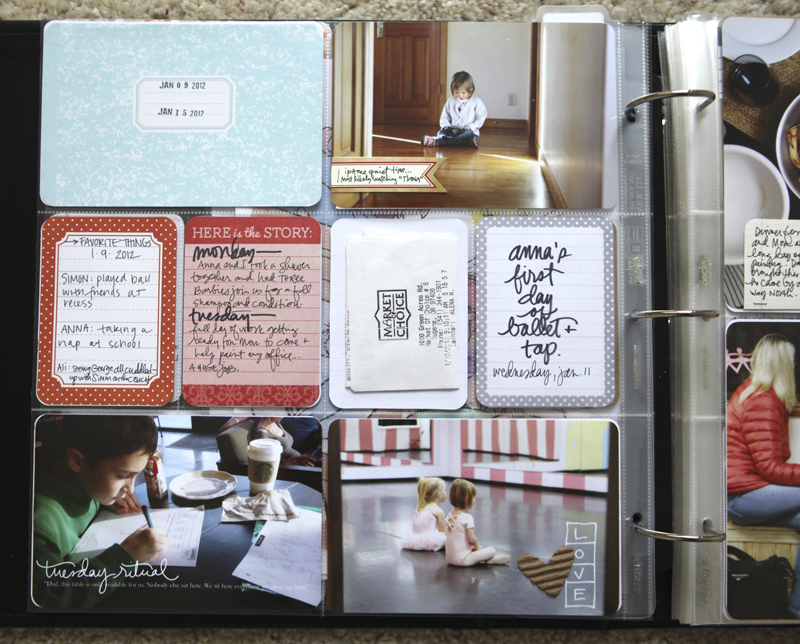
I used my new Rituals & Routines word art set ("Tuesday Ritual") on the bottom left photo. A Jillibean Soup Corrugated Heart is on top of some word art from my For The Love Of Love word art package. The little flag on the top photo is from Elles Studio.
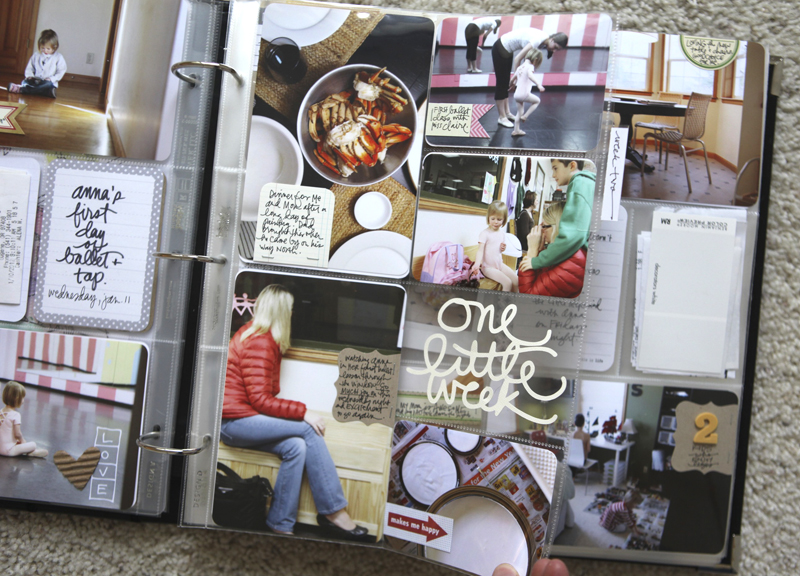
For the insert this week I used a Design D page protector and cut off the outside pockets (I like when the inserts are smaller than the main pages for the week).
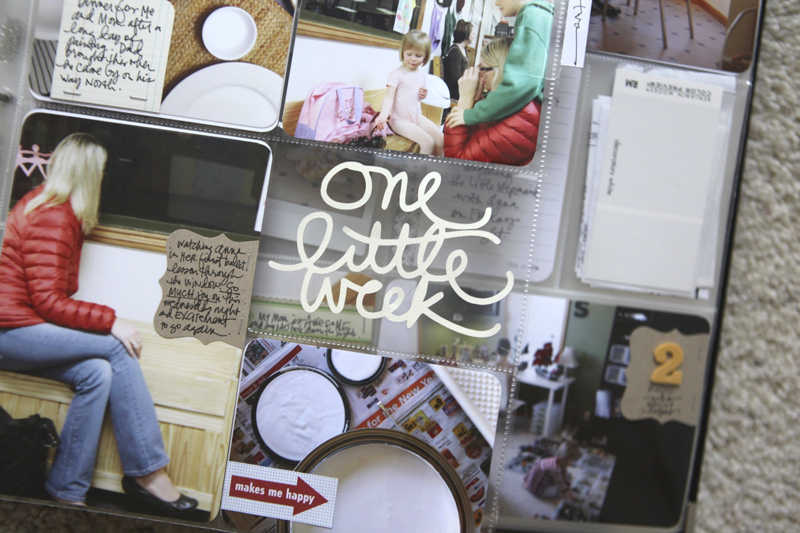
I loved doing the little 4x3 photos (tutorial available here) and including a couple vertical photos. I almost never take vertical shots (just not how I look through the lens) but since my Mom was here she shot a few with my camera. The photo of the crab I took with my iphone.
I really want to include a few more "peek through" elements like the one I did on my title page for 2012 throughout the year. The Silhouette works great for that - I was able to cut out this word element and stick it right in the pocket (download it for free at the beginning of this post).
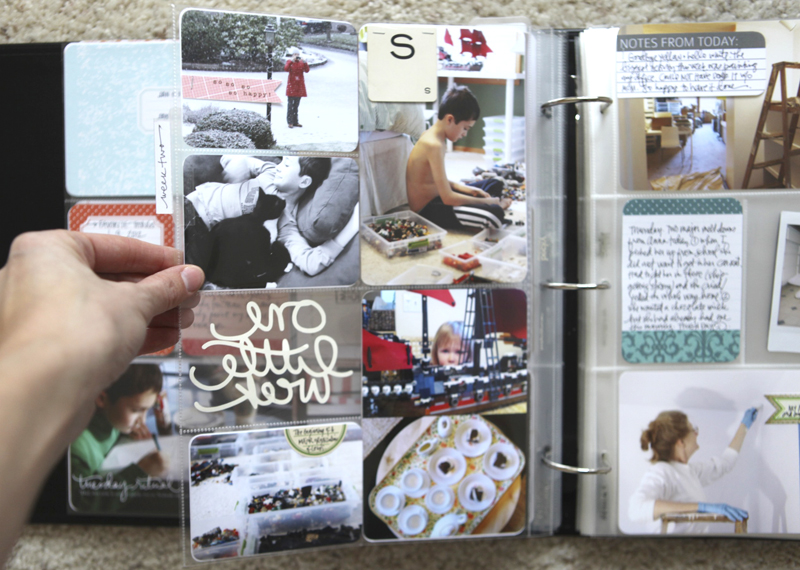
The fact that you can't read it from the back doesn't bother me at all.
You might also notice that I placed two, 4x3 photos on one 4x6 canvas and added that into one of the vertical pockets vs. cutting them all out (and a good option for someone like me who takes more horizontal than vertical photos).
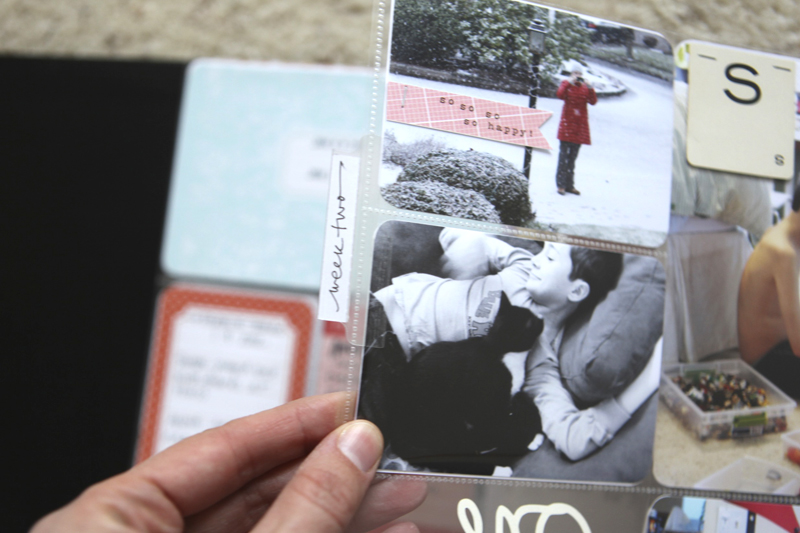
An Avery Self-Adhesive index tab along the edge of the insert. I don't add these every time I include an insert, but a lot of the time.
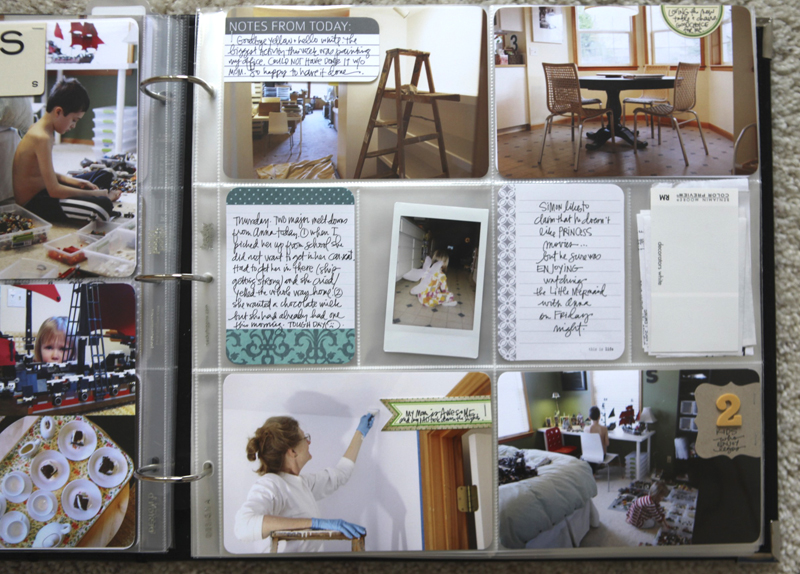
Notes From Today tag is from Elles Studio.
SUPPLIES | 2012 | WEEK 2
Click on the images to link to the products.


Comments
Sign in or sign up to comment.
84 comments
thanks for the download! I love your layouts and I am going to use your tutorial on the 3x4 photos (I have a feeling it may be more efficient than how I am currently approaching it).
I must also say Ali that I love the simplicity with which you approach this project. I know you have a lot of elements going on but your stylistic approach has remained the same and I truly appreciate this. The more viral PL goes (and it is such a GREAT concept), the more uber creative people are becoming and I think this is why so many people are feeling overwhelmed at the thought of starting, staying with or understanding the beauty that is PL. I really appreciate your realistic approach to PL and how you convey participating in it in such a low key and doable manner. Thanks!
Replies
I agree with you Cynthia - about the creative part and I feel a bit of that pressure too. I know as I was working on my week last night I kept repeating words to myself about getting the words down and the photos in :). I love that there are so many different ways it can be done and that it can be a creative outlet and it can take as much or as little time as you want. The key is to make it be what you want/need it to be vs. trying to make it look like other people's stuff.
Sign in or sign up to reply.
I have not embarked on a PL yet, but your style is so inspiring. I think I will absorb you this year and maybe take a chance on PL for 2013. I will also be signing up for your storyology class soon as it sounds amazing!!!!
Replies
Sign in or sign up to reply.
I just watched your tutorial again...I know how to get the pics on the canvas, but when I print borderless, my printer cuts off part of the image I have read a technical explanation of why this happens, but I don't know how to fix it! Any suggestions?
Love your Project Life and thanks for the freebie!
Replies
Hi Helen - do you have the option to print borderless without "auto expand"? Mine has two options - auto expand and something along the line of "retain actual size" - these are options when I choose which paper type for printing. You might want to check that out.
I had a similar issue using PS and printing either 2 3x4 or a single photo from a 4x6 layout - the image was slightly cut off even with borderless printing. This was particularly obvious as I am adding a rounded corners white border to my photos.
For my Canon MP560, going into PS Page Setup > Scale > 97% resolved the issue. It will likely be different for your printer, but at least something to look at.
Ali mentioned laying out 2 landscape photos in one portrait 4x6 - I do that a lot as no Design A pockets available right now. I users many as 3 photos, cropped and scaled differently, especially for those events with several moments documented.
Sign in or sign up to reply.
Thank you so much for the freebie. I love it!!!
Replies
Sign in or sign up to reply.
thank you Ali! I'm trying out PL this year, using a small 8x8 photo album. Figured out how to use your overlays on photos - lovely!
Replies
Sign in or sign up to reply.
Thank you for the freebie Ali - your week looks really good. I was wondering in one of the pictures simon is playing with his legos in clear plastic bins that look sort of flat, there is also another smaller close up of those details. what type of storage bins are those and if you don't mind where did you pick them up? thanks!
Replies
Sign in or sign up to reply.
Cool freebie!!! Thanks so much, love it! And your PL too of course LOL!
Replies
Sign in or sign up to reply.
Thank you for the freebie. I can't wait to use it!
Replies
Sign in or sign up to reply.
Thanks so much for the download - I am totally going to use this, printing as a 5x7 and inserting it all by itself.
Replies
Sign in or sign up to reply.
LOVE the download!! Thanks :) LOVE this week's layout, makes me want to DO mine instead of think about it!! thanks-
Replies
Sign in or sign up to reply.
Thank you for the download, Ali. Your pages are very inspiring, as always.
Sandra:)
Replies
Sign in or sign up to reply.
The image of S writing; the light casting its shadows. Lovely.
Replies
Sign in or sign up to reply.
Ali, if i wanted to successfully use products like your digi ones and do hybrid scrapbooking am I better to buy full Photoshop rather than elements? i am about to buy our first Mac and need to get software at the same time. Any advice appreciated! regards Alison
Replies
Elements will be perfect for using my products and for hybrid scrapbooking - you will be happy!
Sign in or sign up to reply.
Thank you for the freebie - love your pages
Replies
Sign in or sign up to reply.
Oh my word! Love your ideas, and thankyou so much for the freebie!!
Replies
Sign in or sign up to reply.
Love the idea of cutting up a D page. I have lots of those and this idea is perfect.
Pinning this! :)
Replies
Sign in or sign up to reply.
Thanks, Ali, for the download. I'm really enjoying your take on Project Life, simple yet combining some digi & hands on creative bits here and there. :>
Replies
Sign in or sign up to reply.
Thanks for the little freebie! I'll probably cut out quite a few at one time and keep them in my stash of PL goodies. Gotta keep it easy, you know? :)
Replies
Sign in or sign up to reply.
thanks for the freebie! i don't have PS or a fancy cutter so i printed it off onto regular 4x6 photo paper...hmm...i am thinking i could cut around the letters with a craft knife or print it out on printed paper...or leave it as it is...
Replies
Sign in or sign up to reply.
Thank you for the download! And it is all your fault that I HAD to buy the Cameo in order to actually use it...at least, that is the excuse I gave my sister when I sent her an email about my purchase! Don't want her thinking it was due to my compulsive spending habit! ;o) So looking forward to all the neat things I will be able to add to both my PL and my OLW projects, as well as my regular scrapbooking!
Replies
Sign in or sign up to reply.