Project Life 2012 | Week Two + Free Download
Tags: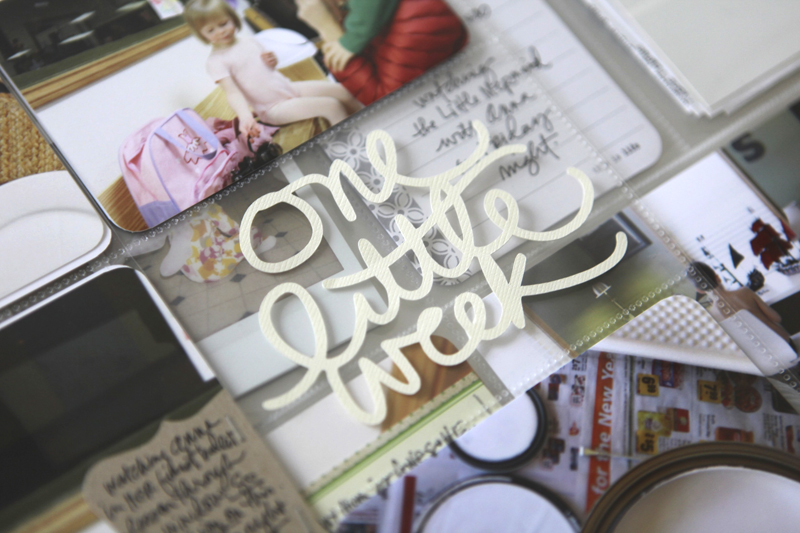
Welcome to Project Life 2012 | Week Two.
I've got a free "one little week" download for you today that includes both a PNG and a Silhouette file (both are included in a zip file - for more on downloading go here).
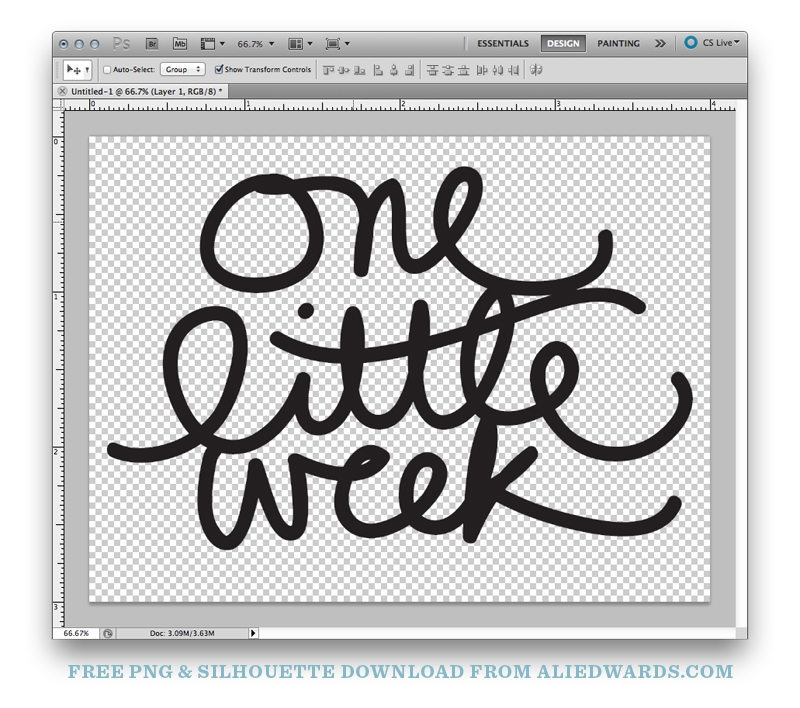
Click here to download One Little Week.
Enjoy!
Here's a look at Week Two:
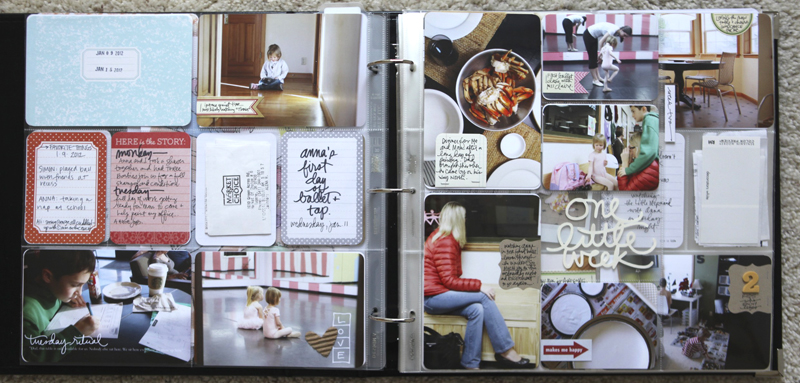
Lots and lots of photos this week.
Sometimes it leans heavier one way or the other (more or less photos) and I tend to just go with it. My Mom was here with us from Tuesday through yesterday helping me paint my office. It was a big job and I'm so thankful she was here to help.
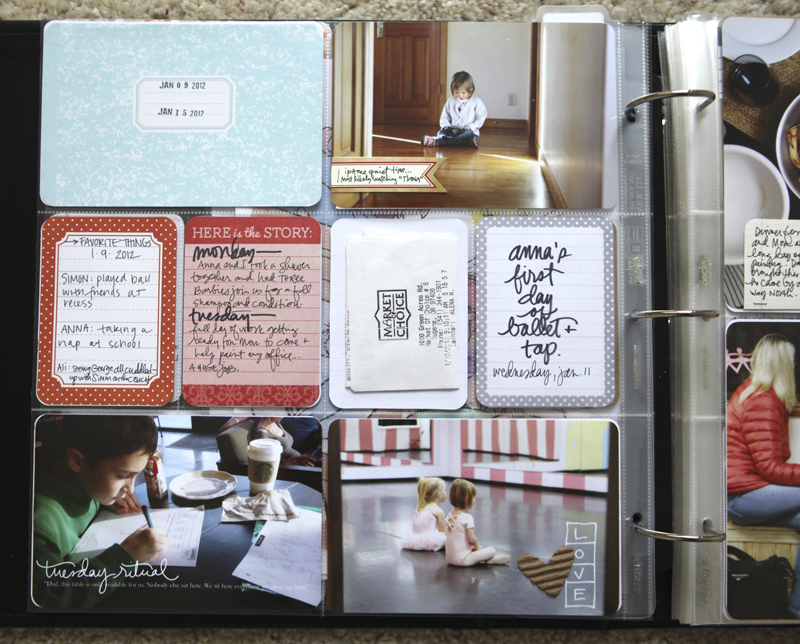
I used my new Rituals & Routines word art set ("Tuesday Ritual") on the bottom left photo. A Jillibean Soup Corrugated Heart is on top of some word art from my For The Love Of Love word art package. The little flag on the top photo is from Elles Studio.
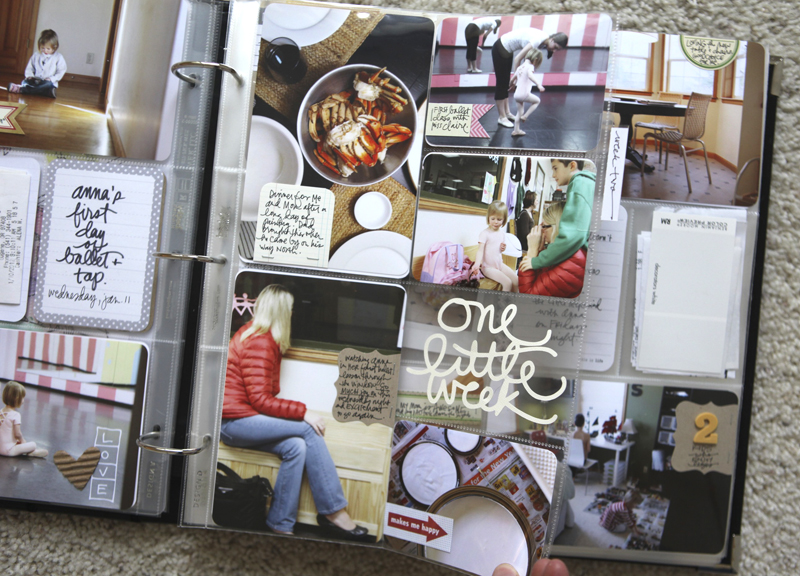
For the insert this week I used a Design D page protector and cut off the outside pockets (I like when the inserts are smaller than the main pages for the week).
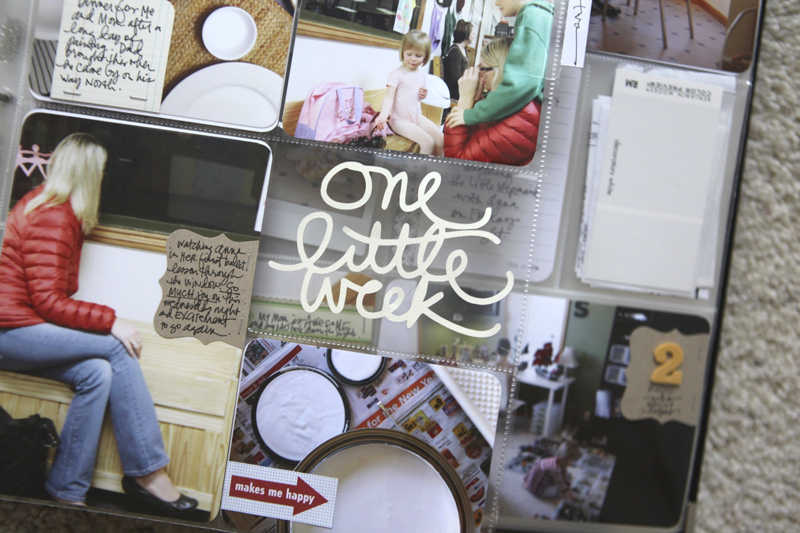
I loved doing the little 4x3 photos (tutorial available here) and including a couple vertical photos. I almost never take vertical shots (just not how I look through the lens) but since my Mom was here she shot a few with my camera. The photo of the crab I took with my iphone.
I really want to include a few more "peek through" elements like the one I did on my title page for 2012 throughout the year. The Silhouette works great for that - I was able to cut out this word element and stick it right in the pocket (download it for free at the beginning of this post).
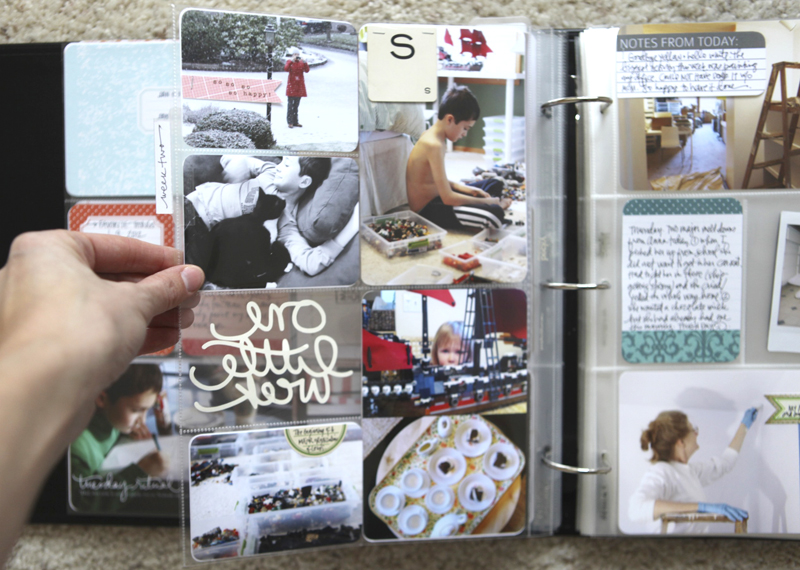
The fact that you can't read it from the back doesn't bother me at all.
You might also notice that I placed two, 4x3 photos on one 4x6 canvas and added that into one of the vertical pockets vs. cutting them all out (and a good option for someone like me who takes more horizontal than vertical photos).
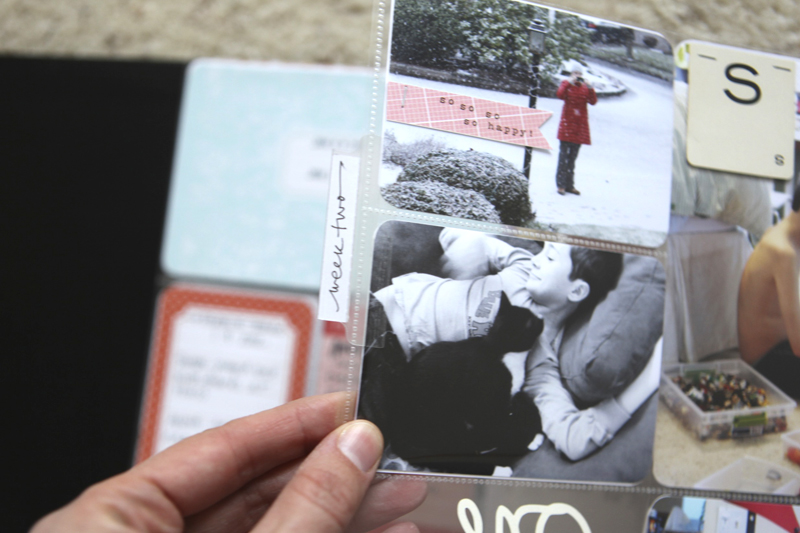
An Avery Self-Adhesive index tab along the edge of the insert. I don't add these every time I include an insert, but a lot of the time.
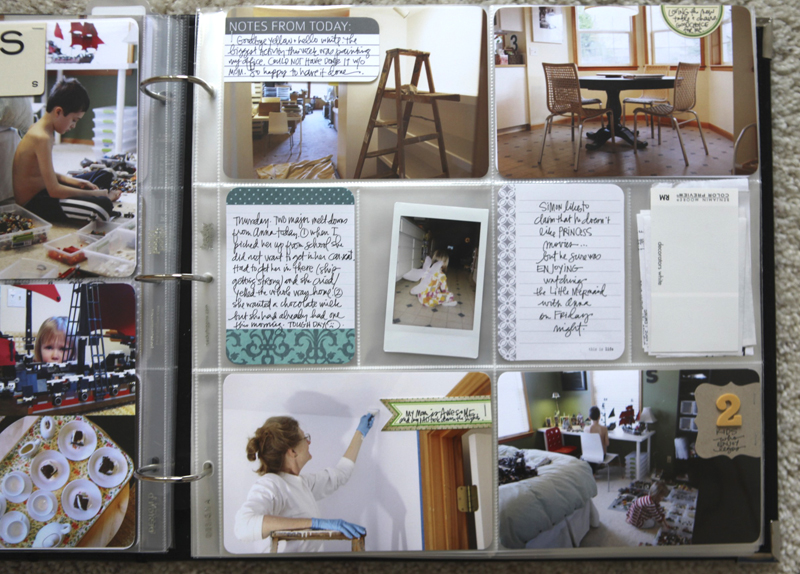
Notes From Today tag is from Elles Studio.
SUPPLIES | 2012 | WEEK 2
Click on the images to link to the products.


Comments
Sign in or sign up to comment.
84 comments
Question... i am using a Mac with Photoshop Elements. When I used a P.C., I had no problems putting some of your digital word art onto one of my photos for printing. After I import a photo into P.E and import one of your digital word arts into P.E., I will use the move tool to drag it onto my photo. Now when I drag it onto my photo, nothing happens. It's like it has vanished behind the photo. Can you give me any suggestions?
Replies
Hi Libbi - is it on a layer behind the photo? Look in the layers palette and see if there is a new layer under the photo?
guess what? i figured it out. so very happy it was a simple solution.
Sign in or sign up to reply.
Can't wait to have those page protectors to become available. I've been collecting memorabillia, writting notes in a blog to remember what happened during that day and still have pics in my camera that I didn't print yet until I get the page protectors. Every single time I see your pages I get more and more inspired with this
wonderful project. Thanks for the inspiration Ali!!! :D
Replies
Sign in or sign up to reply.
Thank you so much for the freebie, Ali. I am planning on using it this week on my Project Life.
Replies
Sign in or sign up to reply.
really love that photo of you watching anna--- and i think it's so cool your mom took that photo. such sweetness on each side of the lens... and a really neat perspective of motherhood.
Replies
Sign in or sign up to reply.
Great week Ali! I especially love the photo of you watching Anna at ballet class. She looks so darn cute! Thanks so much for the freebie. :)
Quick question: Do your page protectors stick to your photos and look smudgy? I constantly have to lift it off the photo when I want to photograph my work.
Replies
They don't stick Mallory - I know what you are talking about. Do you print your photos at home? Might be that they are still wet? I've had that happen in the past with different printers -
I do print them at home and I thought that maybe why, but I've left photos overnight before sticking them in the page protector, and they still stick. :( Must be my photo paper? Or printer. It's an older HP model. Hp photosmart 7960
Sign in or sign up to reply.
Hi Ali, once again your pages are just beautiful, love that George Washington Edwards has settled in and simon looks so happy in the photo, pets are just so wonderful, this is my first year doing project life and lm absolutely lovin it, l dont think l will ever do a 12x12 again, just maybe do a few 8 1/2 x11 and keep it simple, thanks for always sharing
Replies
Sign in or sign up to reply.
Wonderful page Ali. You are inspiring as always. Thanks for the free download. I am sure I will be using it at some point!
Replies
Sign in or sign up to reply.
Thank you for the free download!
I´m very excited to start project life...as soon as it arrived!
Replies
Sign in or sign up to reply.
Hi Ali..thanks for the download..I'm loving PL!
I need some sports brushes..wish you would make some with sports sayings ..and I can't find anything for cheerleading? Got lots of sports pictures for PL, and would love to have some brushes or overlays or something for them...my kids play baseball, softball, basketball, cheer, football..so maybe one with all types of sayings or something? that would ROCK@ :)
Replies
Ok, Ali..will work on that :)
Hi Heather - thanks for the suggestion (I'm always open). If you'd be willing to email me a list of words you'd like to see related to sports - just a big brainstorm is fine - I'd love to add those to my list of upcoming digital products.
Sign in or sign up to reply.
Ali, What do you do with the cut off piece of page protector? I suppose I am too cheap to "waste" something like that without knowing what to do with that piece. Maybe not creative enough...Just curious. It is a great idea though.
Replies
Hi Sandra - this one I just threw away. Sometimes I save them thinking I will add them to a layout (like stitching them on for some pockets) but I haven't made that happen just yet.
Sign in or sign up to reply.
Lovely week in pictures + words Ali! Thanks so much for the free download! :)
Replies
Sign in or sign up to reply.
Loving your PL! Are you using a new/different date stamp this year? I like it. Also your "S" card, did you make that or did I miss the resource?
Also, thank you for the free download!
Replies
Sign in or sign up to reply.
thank you for the download Ali! you are so cool : )
I've sprinting to a well-documented 2012 using the Project Life concept. I love visiting your blog to see your progress. So very INSPIRED by your process. I started week one and two
http://thisismeangib.typepad.com/my_weblog/2012/01/project-life-2012-off-the-ground-and-running.html
I'M SO ENJOYING the process!
Replies
Sign in or sign up to reply.
I just wanted to post my thanks for mentioning the 13x19 Epson paper! I have a big format printer and I don't know why it didn't occur to me to buy the big paper, but once I realized I could print out 9 4x6 pictures, or 8 4x6 and 2 3x4s = One Week of Project Life, I ordered right away! Also I noticed that you can get the paper at B&H Photo Video a big cheaper than Amazon with free shipping. Thanks again! Oh and thanks for the download today, now I need a Silhouette too! lol
Replies
Sign in or sign up to reply.
Thank you for the freebie, Ali! I love seeing your PL pages every week. :)
Replies
Sign in or sign up to reply.
thanks for the freebie! i love your brushes! especially the thick ones that i can cut with my silhouette. you keep designing them and i'll keep buying them! hope your 2012 is off to a great start! =)
Replies
Sign in or sign up to reply.
thank you for the freebie
Replies
Sign in or sign up to reply.
Love your project life! I have made my own version in previous years, but got a kit this year & love how easy it is! Just wondering if you have any more classes in the works (at big pictures) i loved yesterday & today, my favourite class ever!
Replies
Sign in or sign up to reply.
Thank you.
Replies
Sign in or sign up to reply.
Hi Ali,
You are so darn toottin' inspirational to me, just sayin' :)
I have a cricut and the software Making the Cut, I was wondering if PNG files work with that? I haven't tried as yet. I have used your products in PS Elements 8 and love them.
Thanks.
Replies
Sign in or sign up to reply.