Day In The Life 2013 | January (+ Video Tutorial For Working With Layered Templates)
Tags: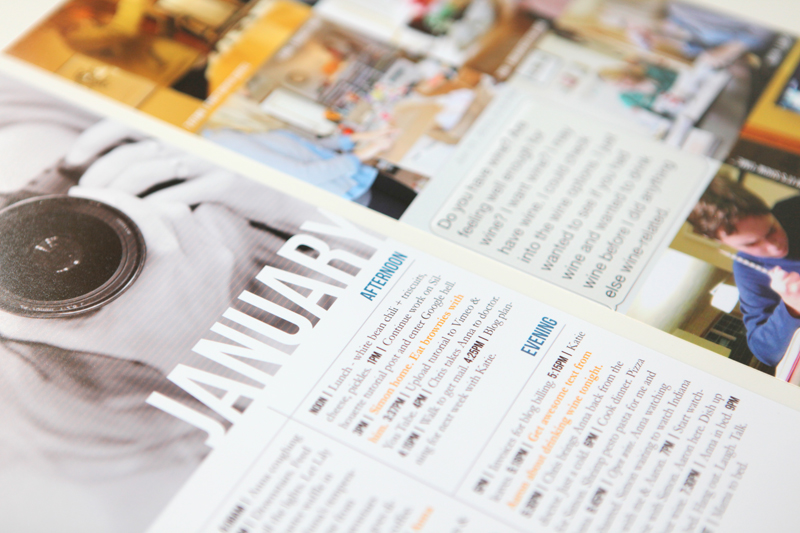
Last week I embarked on a new project for 2013. I'm planning to do a Day In The Life the last day (or so) of each month and add the content to Project Life. You can check out that original post here.
Documenting a single day is a pretty cool process. I've done Week In The Life for a number of years now where I do seven days of documentation just like I did last Thursday. It's a consuming but super rewarding project that I'll repeat again this year in the fall. I like seeing how I go about my day - it adds another level of awareness to how I'm living life right now.
A couple reflections from my experience this time:
I always, always, always have more documentation in the morning vs. the evening.
I didn't take enough photos. Well, I took enough to use for the template (and really, that's enough) - I guess what I had hoped for were a couple "money" shots that became automatic favorites. My goal for February Day In The Life is to take more photos. I took about 15 photos.
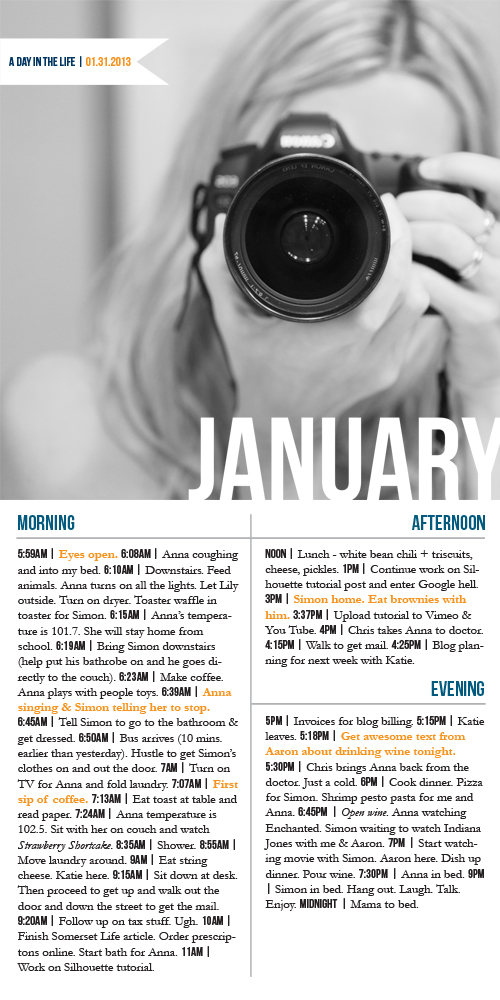
Here's a look at how I brought the photos and the words together using the Day In The Life 6x12 Layered Template Set and Day In The Life 6x12 Photo Collage Layered Templates:
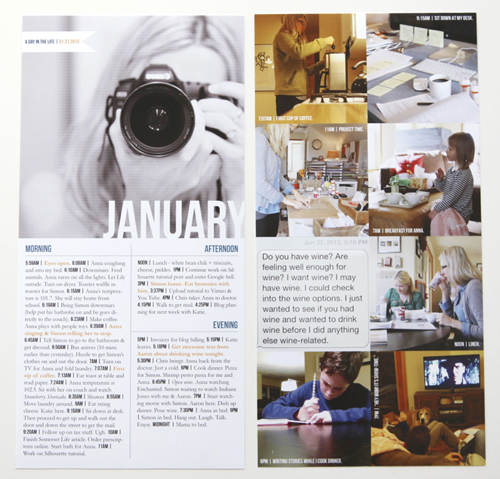
Pardon the lines on the printed pages. It's time to refill an ink cartridge but I wanted to get this up today. I'll be re-printing it again.
Here's a video tutorial showing how I worked with these two layered template sets in Photoshop Elements.
AE | Day In The Life Layered Template Tutorial from Ali Edwards on Vimeo.

After setting these pages up in Photoshop I printed them here in my home office using an Epson R2000 printer on 13x19 photo paper.
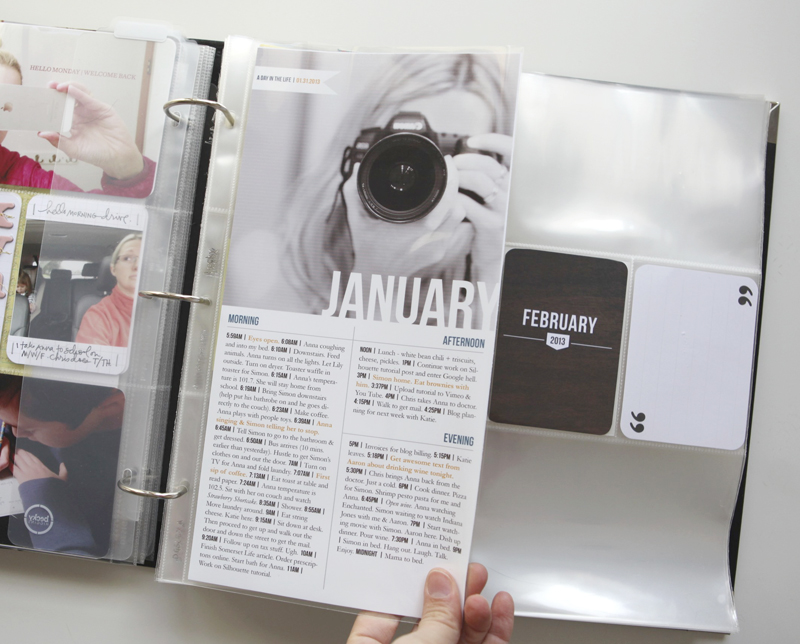
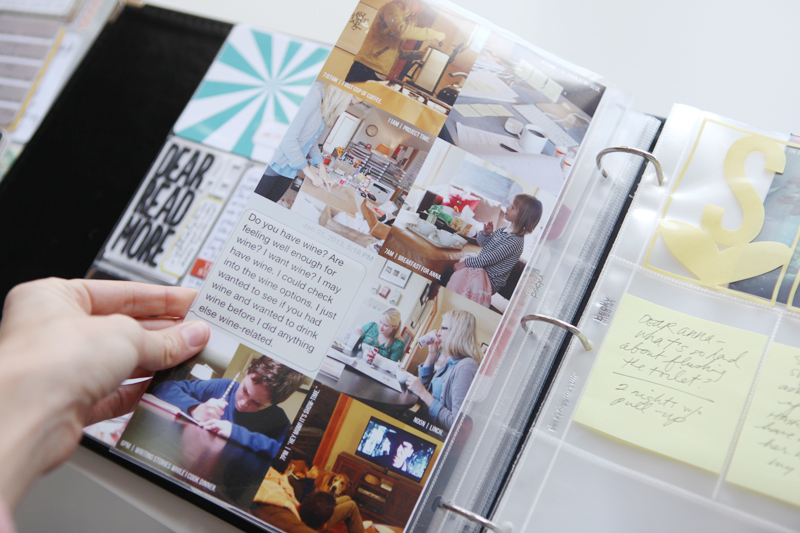
This insert is going into my Project Life album (Week Five - I'll be sharing that soon as it's not quite done yet) using a 6x12 page protector.
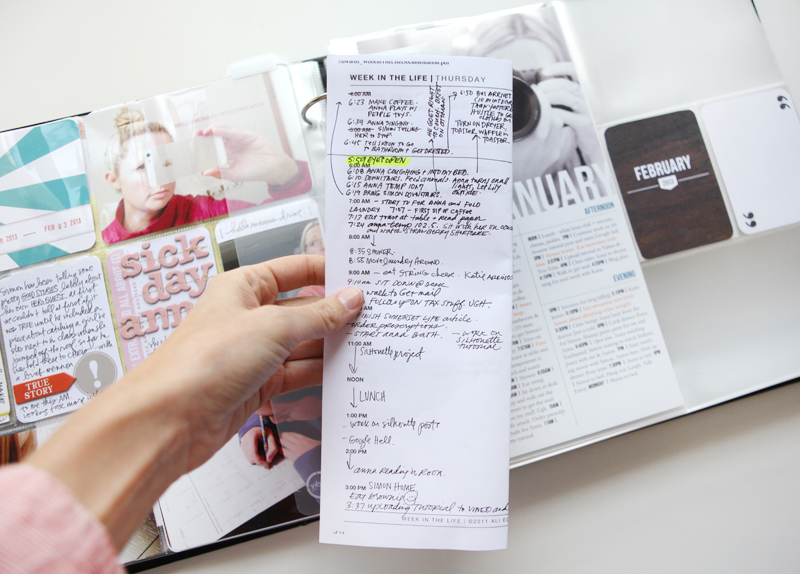
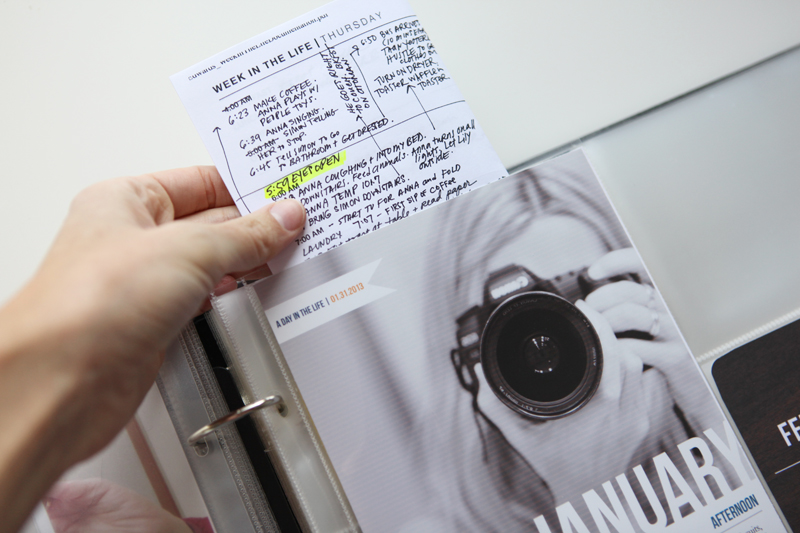
I also took the Daily Sheet I used for writing down the happenings and folded it in half and slipped it in between the printed pages in the 6x12 page protector.
A couple other ideas to consider:
Cut the template in half and use it as two, 6x6 pages. These could also be added to Project Life or could be used in a smaller album.
Bring the 2, 6x12 pages together for a single 12x12 layout. This could be done in Photoshop by adjusting the canvas size or you could print them out and adhere them to a sheet of 12x12 cardstock.
Here's a closer look at each page:

NEXT MONTH | I'll be doing February on the 27th or 28th and will post a reminder a week before.
SUPPLIES | DAY IN THE LIFE 2013 | JANUARY
Click on the images to link to the products.
SHARE A LINK TO YOUR DAY IN THE LIFE 2013 | JANUARY
You’re invited to include a link to your January Day In The Life page here. Please link directly to your post vs. your general blog link.


Comments
Sign in or sign up to comment.
44 comments
Ali,
HELP! Love this idea and I'm going to incorporate it into my project life book this year. But, one thing I need help on. The divider you used between your time and the description I can't figure out how to replicate that. I need to write more than what you have prompts for and I'm stuck because I don't know how you did that. Please help!
Thanks.
Replies
Not Ali, but that symbol on my keyboard is above the enter button on the right side, same as the \ symbol. I love using it as a divider!
Sign in or sign up to reply.
Thank you so much!!!
Replies
Sign in or sign up to reply.
[...] week includes my Day In The Life content from the last week of [...]
Replies
Sign in or sign up to reply.
Hi Ali,
Love this and will be including it in my digital project life! Do you have a video tutorial on creating a single 12x12 layout from the 2, 6x12 pages? Thanks!
Replies
I don't have a specific one but all you really need to do is to change the canvas size of one of the 6x12's to 12x12. Most likely you'd do that by going to Image/Canvas Size and inputting 12 inches wide x 12 inches tall. You could then move over your other 6x12 with the move tool (merge layers first and then move).
Sign in or sign up to reply.
[...] You can find a video tutorial showing how I worked with these two layered template sets in Photoshop Elements here. [...]
Replies
Sign in or sign up to reply.
[...] In The Life layered template set and 6×12 Day In The Life Photo Collage set and check out my free video tutorial on how to work with those templates in Photoshop [...]
Replies
Sign in or sign up to reply.
[...] January [...]
Replies
Sign in or sign up to reply.
Love this.....REALLY love this!!
Replies
Sign in or sign up to reply.
[...] January [...]
Replies
Sign in or sign up to reply.
[...] also participated in Ali Edwards’ Day in the Life this week and included an insert to hold the photos and text from that day. I would love to do [...]
Replies
Sign in or sign up to reply.
I blog often and I seriously appreciate your content.
This great article has truly peaked my interest. I will bookmark your blog and keep
checking for new information about once a week.
I subscribed to your Feed as well.
Replies
Sign in or sign up to reply.
Having read this I believed it was really enlightening.
I appreciate you spending some time and energy to put this article together.
I once again find myself spending a lot of time both reading and leaving comments.
But so what, it was still worthwhile!
Replies
Sign in or sign up to reply.