Weekend Creative | Valentine Initial Bags (+ Silhouette Video Tutorial)
Tags: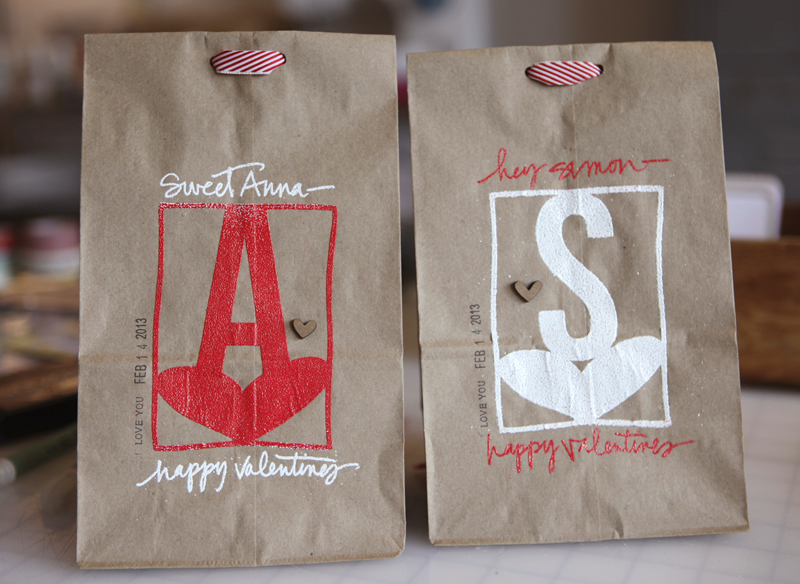
To go along with the Silhouette Portrait™ Giveaway over on my blog today I put together a fun little project and tutorial that walks you through the process of creating Valentine bags using Silhouette's Double-Sided Adhesive. I made one for Simon and one for Anna and will be adding some treats and goodies and giving them to them on the 14th.
SPECIAL PROMOTION |When you use the code "EDWARDS" between February 1st-February 14th you will be able to get 1 Silhouette Portrait™ and 1 double-sided adhesive starter kit for $179.99.
To begin I wanted to share a video tutorial on how to trace and weld shapes together using the Silhouette Studio software.
AE Tutorial | Tracing And Welding With The Silhouette from Ali Edwards on Vimeo.
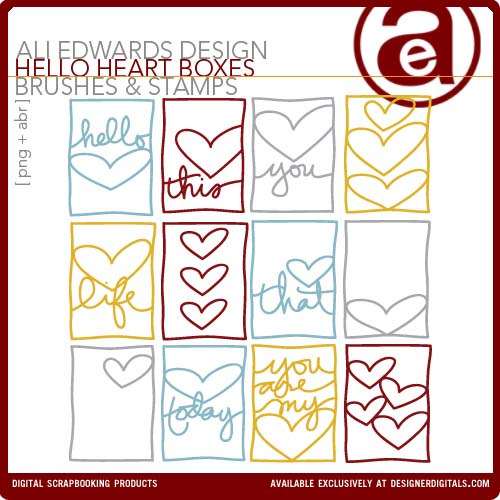
For this project I used my Hello Heart 3x4 Boxes and the font Bebas Neue.
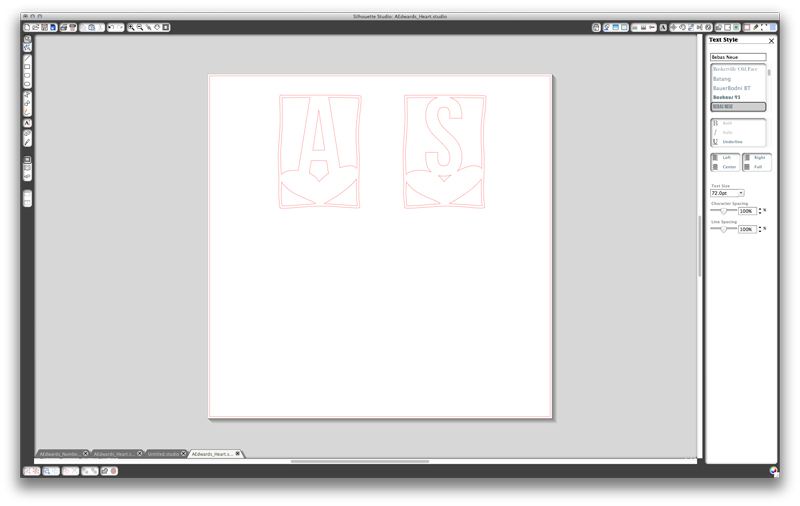
For the cut settings I just chose Double-Sided Adhesive and changed my blade setting to 6 (following what it said on the screen).

That's what it looked like when it came out of the Silhouette.

Make sure you are peeling all pieces of the adhesive back paper from the mat.
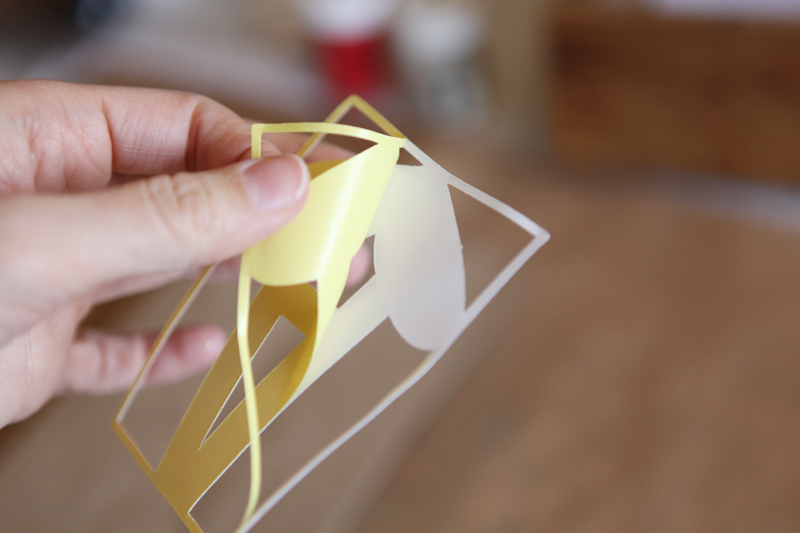
Next pull off the yellow backing so you have one sticky side. Make sure that the sticky part stays on the piece you want to adhere.
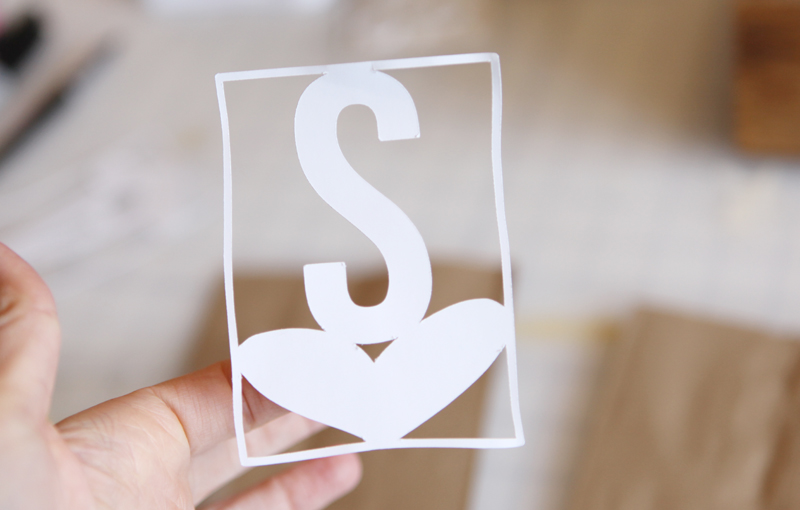

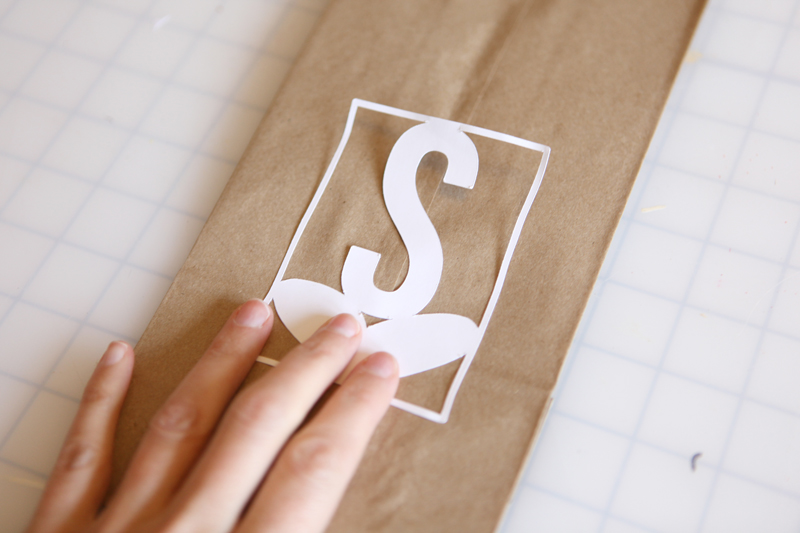
Adhere your design to the lunch bag.
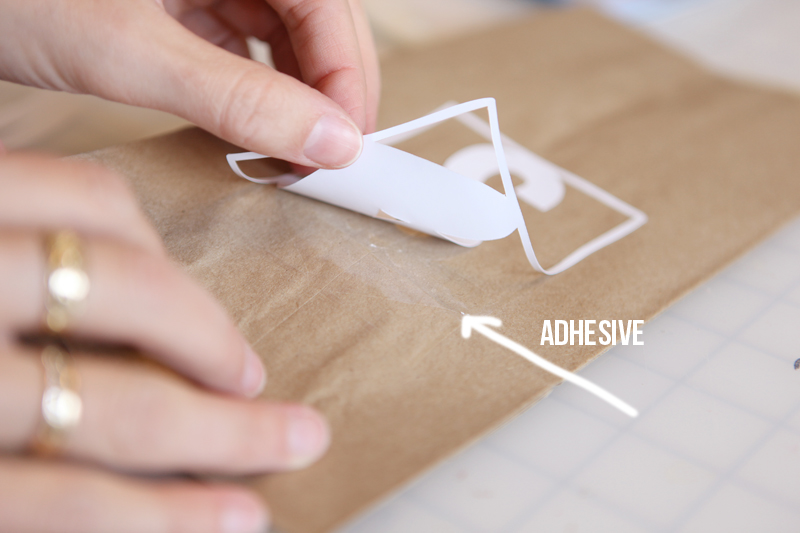
Gently lift the paper up off the adhesive. It's hard to see in the shot above but there's adhesive left on the bag - this is what the glitter or flocking or embossing powder is going to stick to.
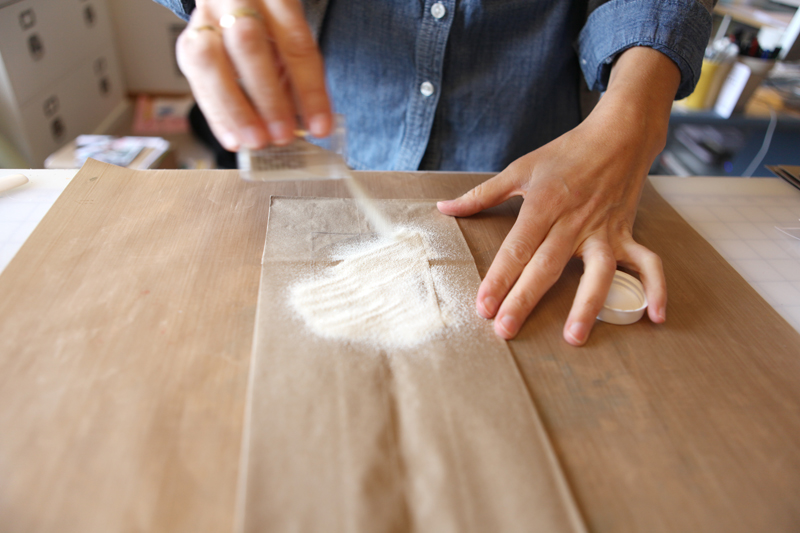
I decided to emboss because it's what I love. I embossed one with White Zing Opaque.

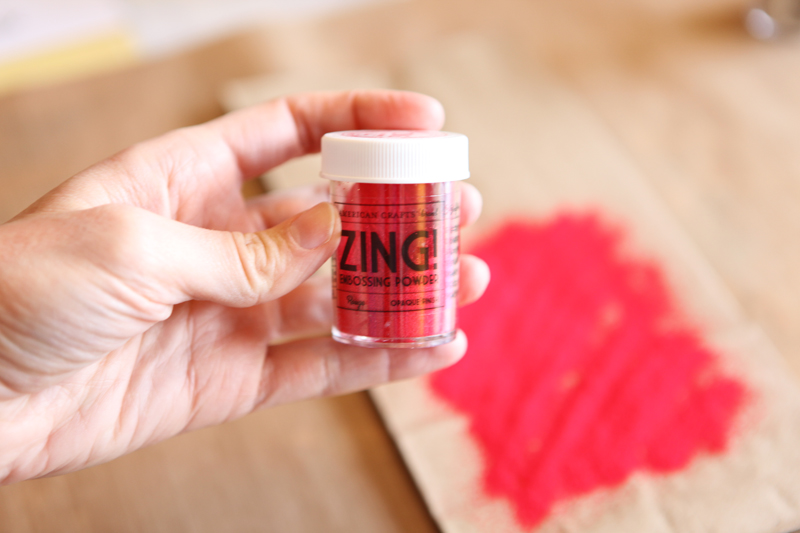
And the other with Rouge Zing Opaque.
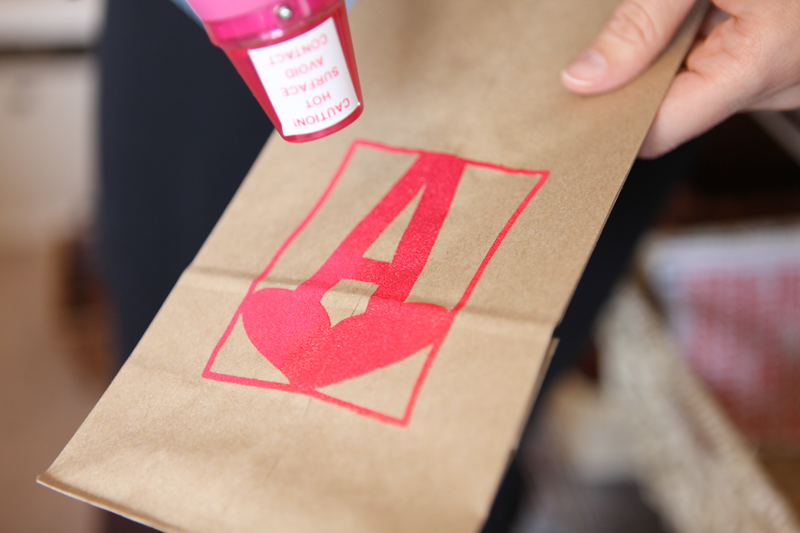
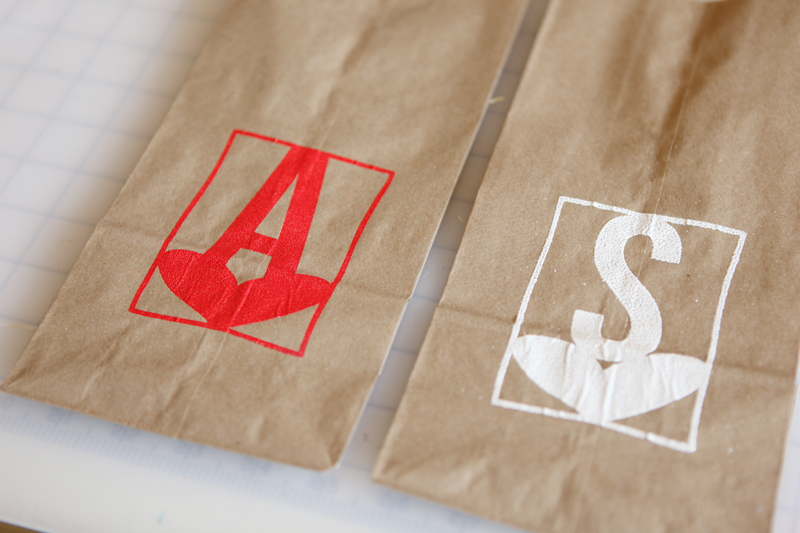
That's both of them after they've been hit with the heat gun.

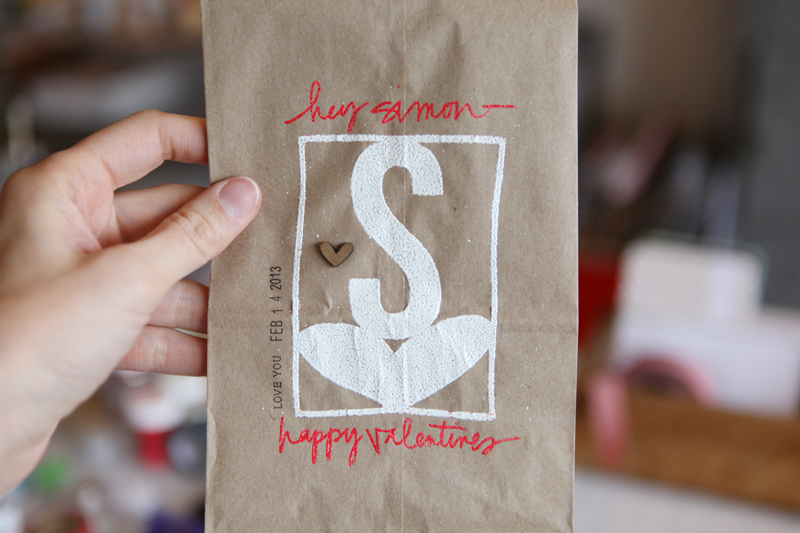
From there I used a Zig Emboss Writer to add a little something to each bag above and below the "S" and the "A." This pen is an awesome tool for being able to write and then heat emboss.
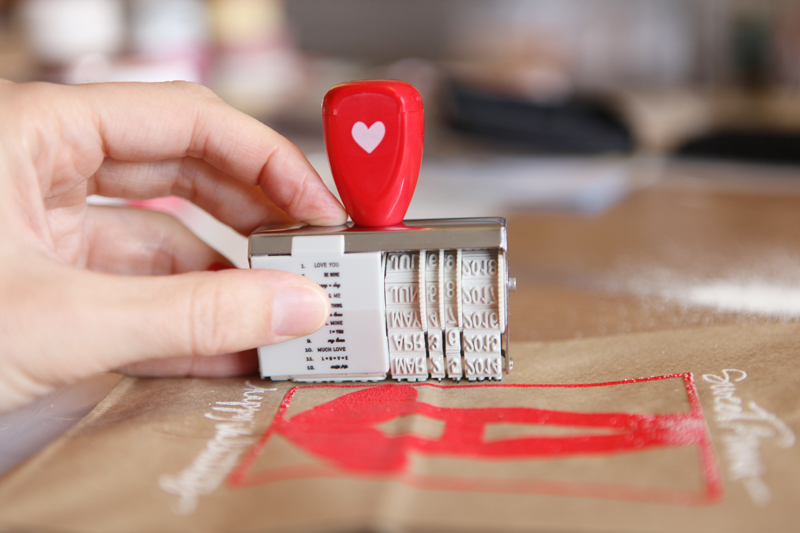
This adorable little love-themed date stamp is from American Crafts and is available at Target. Big thanks to Janice who brought this to me at CHA.
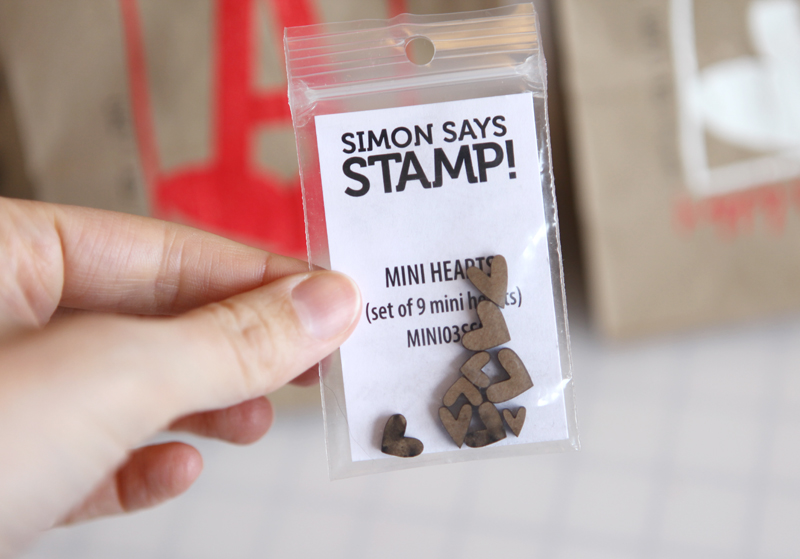
These cute little wood mini hearts are from Simon Says February Card Kit called Style Of Love. I adhered one to each bag using Glossy Accents.
Ribbon used on the top is a Red White Twill from Paper Source that I cut in half the long way to create two long pieces of ribbon.
SUPPLIES | VALENTINE BAGS
Click on the images to link to the products.


Comments
Sign in or sign up to comment.
59 comments
the most fun thing I've seen in a long time. And I just bought some red zing!
Replies
It's so awesome.
Sign in or sign up to reply.
wow! This is really awesome!
Replies
Sign in or sign up to reply.
I am loving the silhouette. But can anyone tell me the difference in a silhouette portrait and silhouette cameo.
Replies
The portrait is 8.5x11 and the Cameo is 12x12.
Sign in or sign up to reply.
Hi Ali! I just ordered a Silhouette and it comes in tomorrow - YAY! Your video was really helpful and I'm excited to dive in. Would any of your Designer Digital elements work with the Silhouette or would you recommend specific products? Thank you! :)
Replies
Hi! Most of my PNG products would work - the word art, hand-drawn pieces, etc. If you had specific ones you were interested in I'd be happy to tell you if it's one I've cut before. Some of my very early hand-drawn words were done with a pretty thin line but anything from the last couple of years should work well.
Sign in or sign up to reply.
Hi Ali!
This is so unrelated to this post (other than, I believe all you do is right next beyond wonderful)! I wanted to post about how wonderful I feel because I FINISHED DECEMBER DAILY today! *woot*woot* I wish I was more tech saavy and knew how to post pics or even how to respond in the right spot on this blog....but alas, it eludes me. I wanted to thank you for your creative spirit and wonderful sharing soul! This is my second December Daily (the first was 2009), then I dropped the ball, and found the ball again this year. God Bless and Many Many Thanks!!!!
Replies
So awesome!
Sign in or sign up to reply.
Awesome! Now I have to try it so I can remember how to do it. Thanks!
Replies
Sign in or sign up to reply.
Very nice! Thank you.
Replies
Sign in or sign up to reply.
Super cute! What a nice surprise for your kids :)
Replies
Sign in or sign up to reply.
nice idea!!
Replies
Sign in or sign up to reply.
Fun project and great tutorial!
Replies
Sign in or sign up to reply.
Love it, thx
Replies
Sign in or sign up to reply.
Would love to win. Tks for the chance.
Replies
Sign in or sign up to reply.
I love all the ideas you share--
and I'd love a silhouette! I have a fairly old Cricut and would like to update.
Replies
Sign in or sign up to reply.
Hi Ali! Thanks so much for your reply above. I tried using some of your older products and they worked really well! I was wondering if they might be a little thin so I added a 2px stroke and that was perfect. I'm so happy to see your Higher Ed brushes! I'm a Ph.D student and these will be perfect for my Project Life pages! AND I just found out that it's Quarterly Sale time so yay! :)
Replies
So great Monica! Thanks for the feedback!
Sign in or sign up to reply.
Well I don't have a silhouette but I loved watching the whole process on the video and through the pictures. I didn't exactly catch the font name you used for the initials names of your children, was it "bibesnew" ?
I do have a craft robo, wonder if I can use it and have the same result. Thank you for sharing awesome tips and ideas !
Replies
Sign in or sign up to reply.
looking great ~ thanks for the idea.
and for sharing.
Replies
Sign in or sign up to reply.
Can you buy the double sided adhesive by itself somewhere? Also I have a Cameo on its way to my house right now and I don't know anything about digital anything! I am wondering if your DD products can be cut without upgrading the software to the designer edition. Thanks so much!
Replies
Sign in or sign up to reply.
Oh found the link of the font on your post, thank you !
Replies
Sign in or sign up to reply.
[...] Tracing and welding PNG files with the Silhouette Studio® Software [...]
Replies
Sign in or sign up to reply.
[...] Click here for a tutorial that shows you how to trace my digital PNG files with the Silhouette. [...]
Replies
Sign in or sign up to reply.