Project Life 2013 | Week Thirteen (Includes March Day In The Life)
Tags: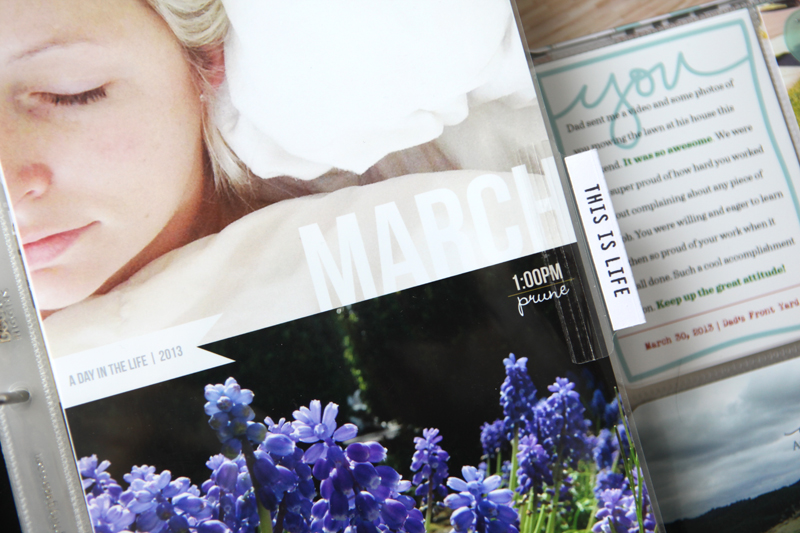
Welcome to Project Life 2013 | Week Thirteen (March 25 - March 31).
This was Spring Break week here and my kids spent the week with my parents while the office floors were re-done and Katie and I worked from my kitchen table. Lots of self-portraits. Lots of photos about the office re-do.
This week also includes my March Day In The Life documentation.
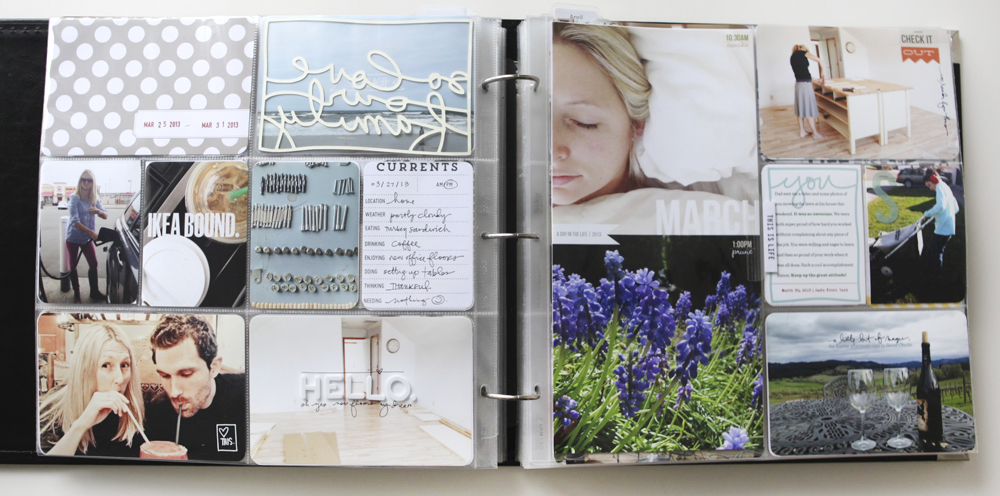
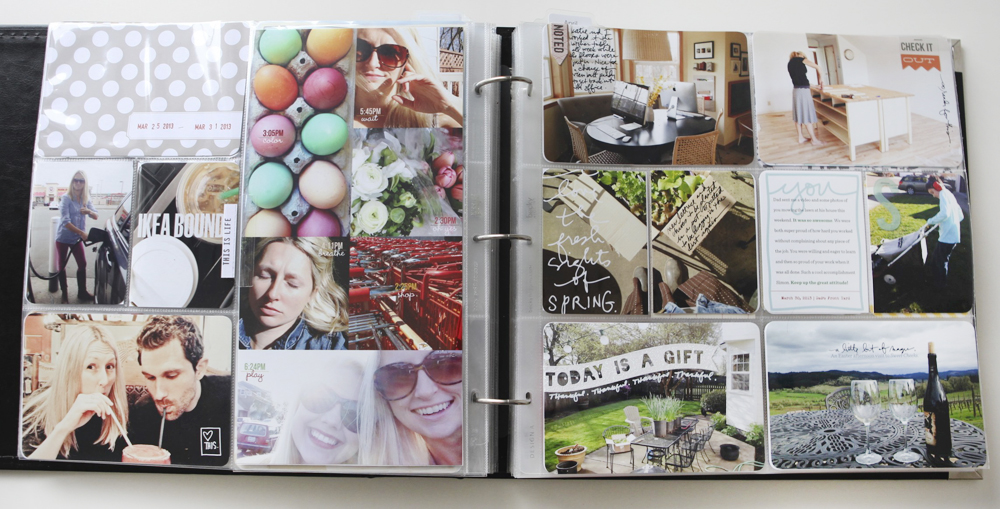
Here's a closer look:
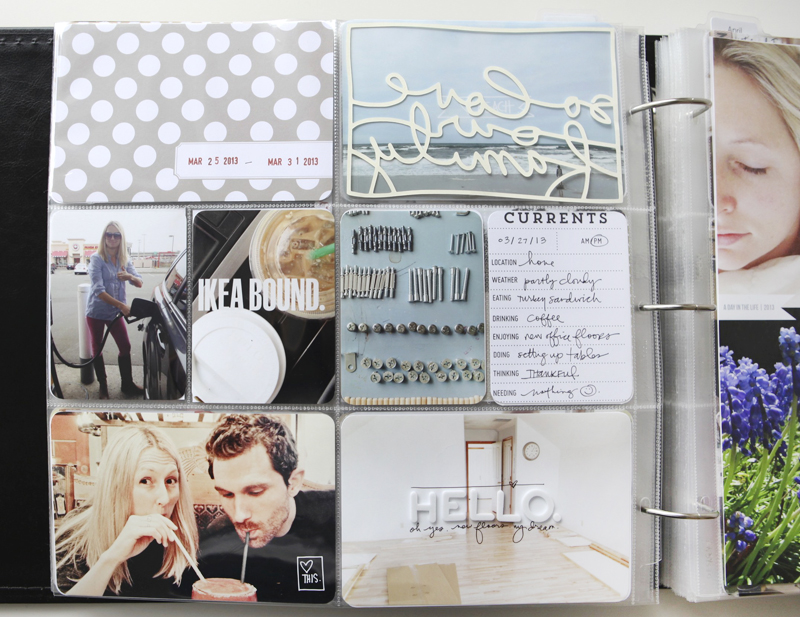
The Currents journaling card is a printable journal card available from Studio Calico.
That great little "heart this" box is from this set of digital word art: Love Boxes Vol. 2.
"Hello" foam letter stickers added right to the middle of the photo are from American Crafts: Dear Lizzy White Fantastic.
You can check out my post that just includes my March Day In The Life images and reflections on the process here.
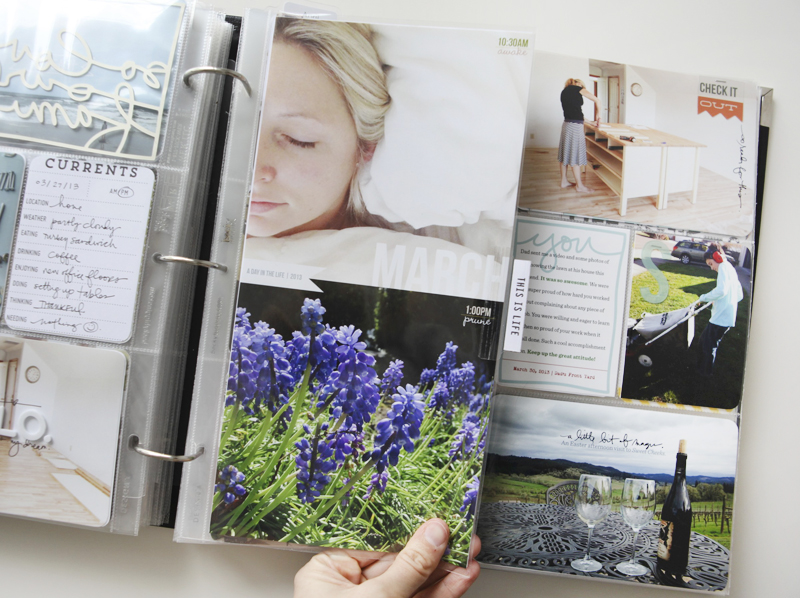
Avery Index Tabs + Just Awesome stamps on the 6x12 page protector insert. Again.
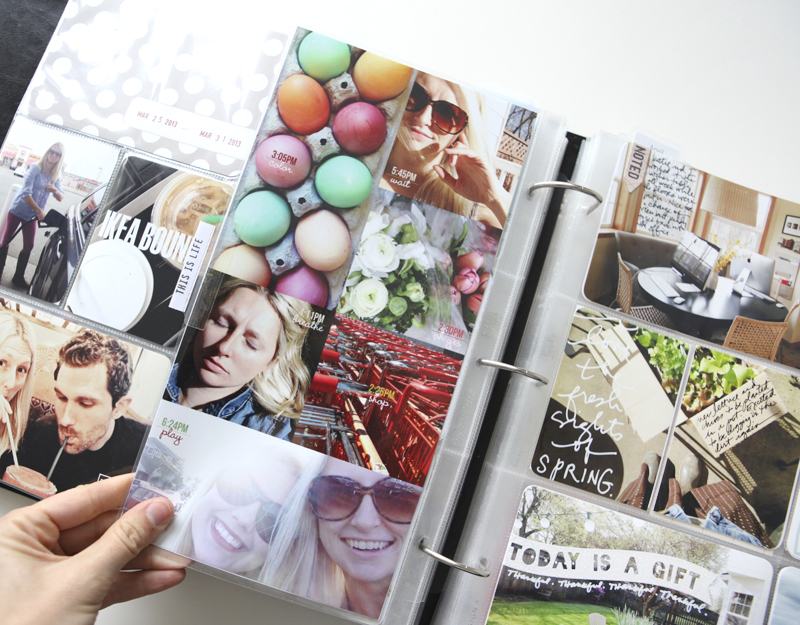
Here's a look at both 6x12 pages removed from the page protector:
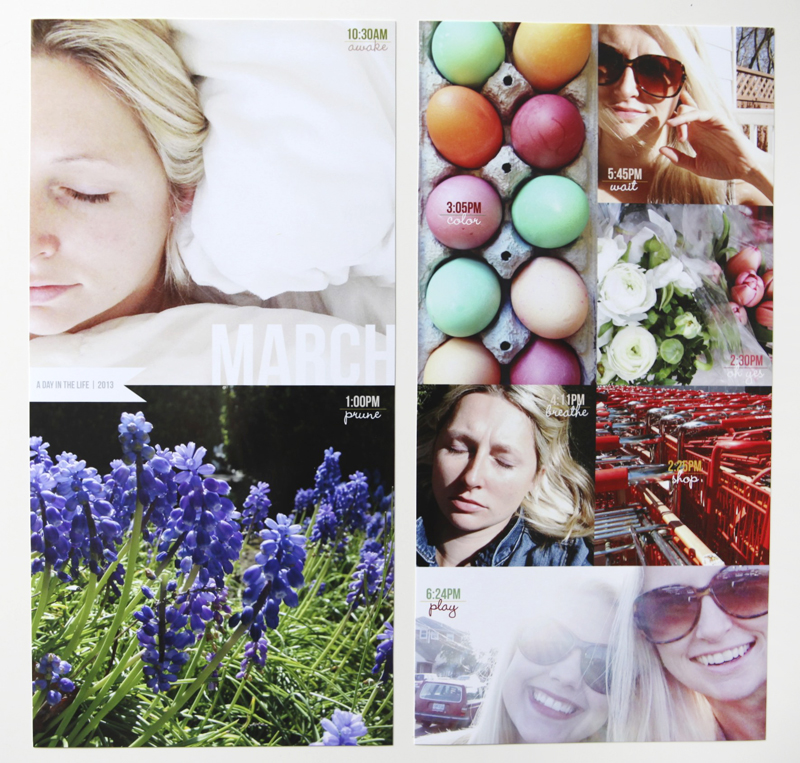
For my Day In The Life insert this month I decided to go with a single word for each photo. It felt right this time. The fonts include Bebas and Wendy Medium.
To accommodate the lack of words I adjusted the layered template to remove the section for text on the bottom of the first page and placed a large photo there instead.
SALE HAPPENING NOW |This layered template set is on sale this week as part of the Paper Pack and Layered Template sale at Designer Digitals. It's a great time to pick it up - it's not dated so it can be used any year.
These pages were printed on an Epson R2000 onto 13x19 photo paper.
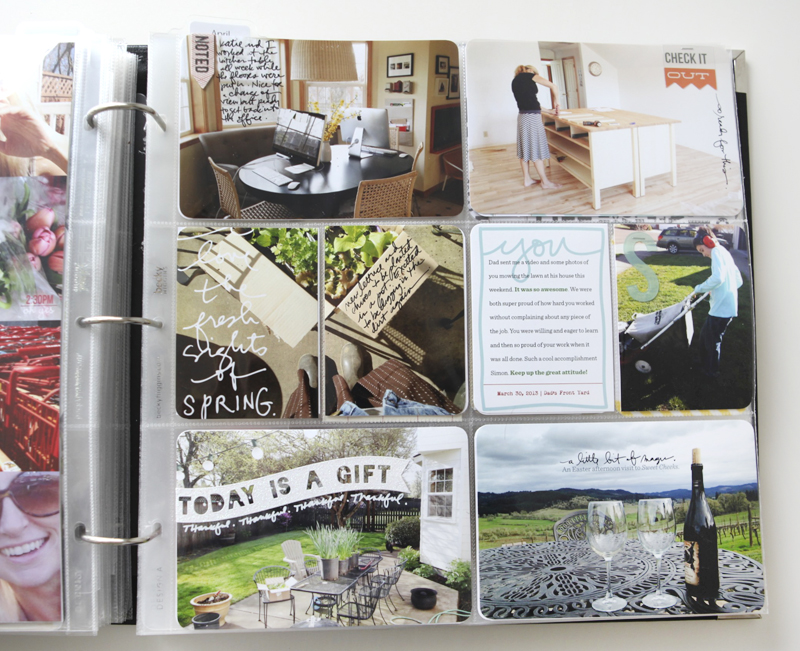
"Today is a gift" is a great sparkly sticker from a set of banners made by KI Memories.
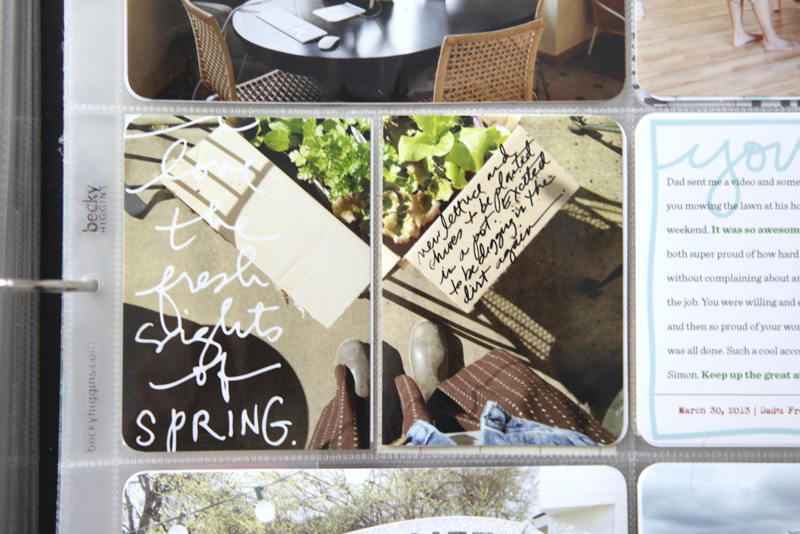
Here's another example of printing a 4x6 photo and splitting it in half before placing it in the page protector. On top of this photo I added some digital spring word art (this is also available as a traditional stamp here) and then used a Slick Writer to hand-write on the box.
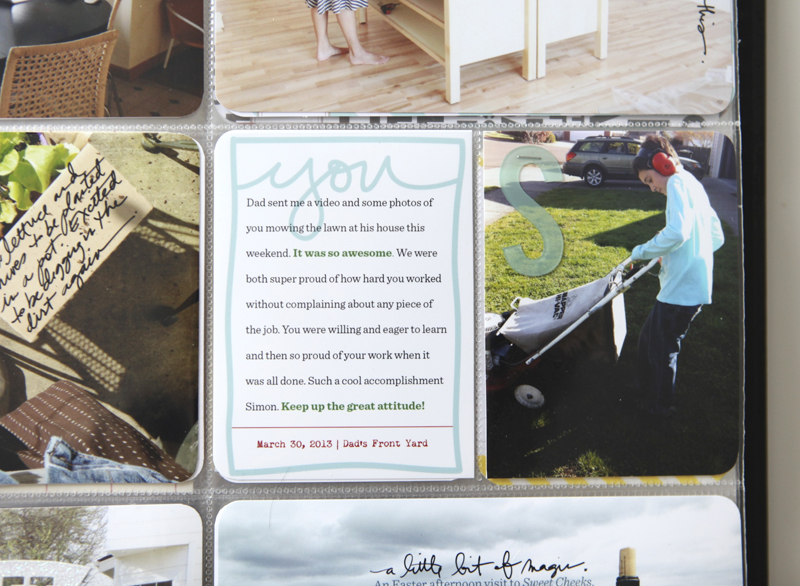
Chris sent me over this photo of Simon mowing the lawn at his house for the first time so I definitely wanted to include it here.
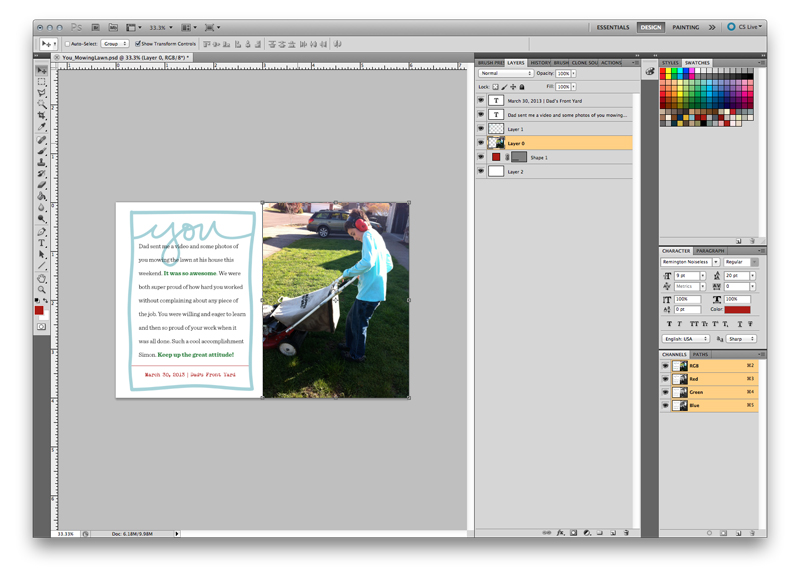
I created this word + photo set in Photoshop on a 4x6 canvas using the "you" overlay from the Hello Life Boxes Vol. 3.
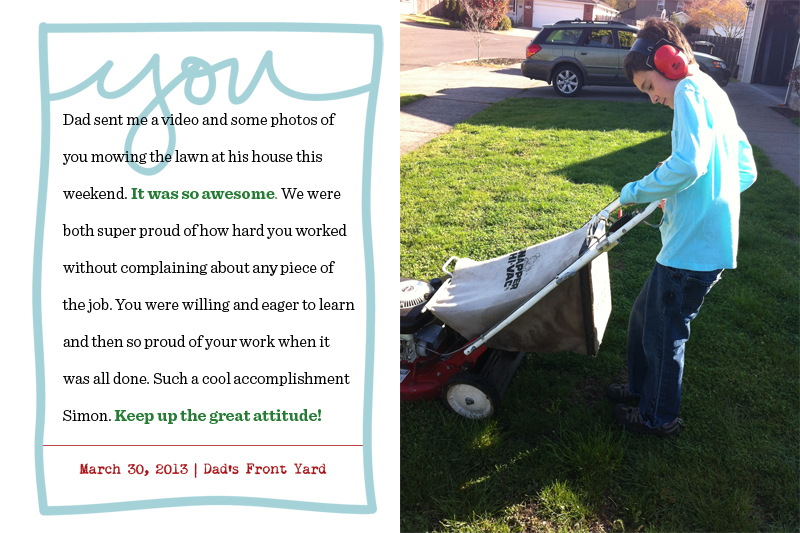
Love how these boxes can be added to a photo, used as a journal card or cut with the Silhouette. Fonts used here include Sentinel and Mom's Typewriter.
He's such an awesome kid.
SUPPLIES | 2013 | WEEK THIRTEEN
Click on the images to link to the products.


Comments
Sign in or sign up to comment.
25 comments
I love the one word per pic for day in the life. Hadn't thought of that. Very cool.
Replies
Ditto!
Sign in or sign up to reply.
Thanks for sharing, Ali! So inspiring !!!
Replies
Sign in or sign up to reply.
WOW! Tell Simon we are all proud of him. Another step on the way to Manhood.
Replies
Sign in or sign up to reply.
Love that writing on the vegatable box.
Replies
Sign in or sign up to reply.
Ali, I don't comment very often but I do visit your site regularly. I just wanted to say how great it is seeing you smiling and happy. It warms my heart.
Replies
Sign in or sign up to reply.
I use the same Epson printer you do and have that large 13x19 paper. I'm not the greatest with PSE but I figured there had to be some way I could print all my PL photos at once on the large paper. Do you happen to have a tutorial that would address this process? Love your work!
Replies
Sign in or sign up to reply.
That's great that Simon learned to mow the lawn! That's quite a rite of passage in a young man's life! I love that Chris knows how important it is to you to document these things, and shared photos with you.
Replies
Sign in or sign up to reply.
As always, another great week. Love how you kept things simple.
Also, you should come link up on The Mom Creative for Project Life Tuesday. xo
Replies
Sign in or sign up to reply.
...and you are in love again:)))
Replies
Just having fun and enjoying his company.
Sign in or sign up to reply.
Love it! So glad to see you happy.
Replies
Sign in or sign up to reply.
i am curious Ali, where did you get the Wendy Medium font! I love it!
thanks for all your inspiration!
Replies
You should be able to google it for a source. Here's the first one that came up for me: http://www.fontpalace.com/font-download/Wendy+Medium/
thanks Ali! already downloaded it!
Sign in or sign up to reply.
I really like the way you use the Just Awesome stamps with index tabs. I just received that stamp set and I can tell it's going to become one of my most used 'word' stamp sets because it's so very versatile. Love it! :)
Replies
Sign in or sign up to reply.
Love this spread! Especially the photo of the wine... Reminds me of so many fun vineyard tours! Looks like it was a busy and fun week! Go Simon, how awesome that he learnt how to mow the lawn! I really like how you sized the photos for the week in the life template. I'm going to buy these tonight!
Replies
I forgot to ask... What do you use to round your photo corners? I'm in the market for a good corner rounder!
Sign in or sign up to reply.
I love your 6X6 photos on your insert. Such a great idea.
Replies
Sign in or sign up to reply.
This is probably a silly question, but how do you do the waking up in the morning self-portraits? Where do you set the camera up, or are you using your phone in hand?
Replies
Cool -- thanks, Ali. :) I had never thought to get a sleeping photo (of myself) for Project Life/Day in the Life -- might have to give that a go. :)
I'm using my phone so it's pretty easy. I just held the camera over my head and took the shot. I cropped it so you just see half my face.
Sign in or sign up to reply.
[...] I incorporated them into my completed Project Life spreads: January (Week 5) | February (Week 9) | March (Week 13) | April | May | June | July | August | September | October | November | [...]
Replies
Sign in or sign up to reply.
Ali,
What font is the cursive one?
Replies
Sign in or sign up to reply.
[…] 9. AVERY INDEX TABS | On just about every single insert (page protector) I add to a week I include one of these 2-inch Index tabs. They make it super easy to identify why I’ve included an insert (like “beach weekend”) or to simply add another senetiment (“remember this”). I often pair these tabs with this stamp set: Just Awesome. Check out an example of how I use these here: 2014 | Week 8 or 2013 | Week 13. […]
Replies
Sign in or sign up to reply.