Week In The Life : Collage Layered Template Video Tutorial
Tags:Week In The Life : Collage Layered Template Tutorial from Ali Edwards on Vimeo. Don't forget that you can click on the link to view larger.
Yesterday I put together a video tutorial (10 mins +) that will show you my process for working with the digital collage pages in my Week In The Life 8.5x11 layered template album. I hope this is helpful for those of you who are choosing to use the templates either as part of a hybrid or digital album.
Look for a new post tomorrow that talks about my process with the words.
Click
here for a complete list of Week In The Life posts.

DESIGNER
DIGITALS SALE
In honor of National Scrapbook Day Designer Digitals is marking down
the store 20% from now through Sunday morning at 6am.
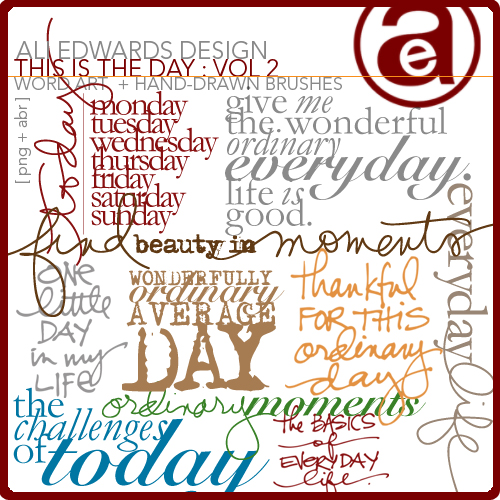
Here's a few of my newest products you might want to consider for your next project (or to add to your Week In The Life album):



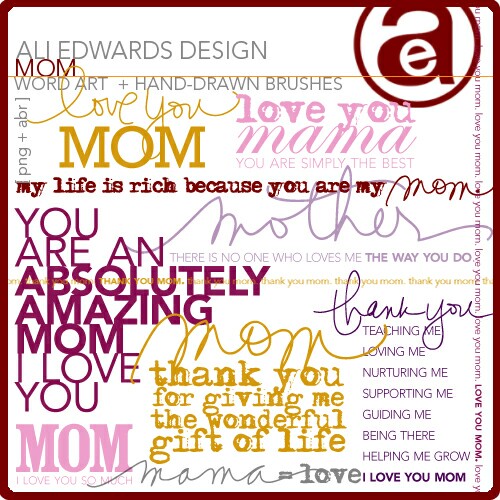
And since Mother's Day is coming up, you might consider a set of Mom Word Art.


Comments
Sign in or sign up to comment.
32 comments
Hi Ali,
I'm still thinking about ordering your Week in the Life 8.5x11 layered template album.
I just wonder if it will be handy for me here in The Netherlands where I cannot upload my pictures to print out in 8.5x11.
Darn centimeters...
I can print them in 20x30cm (a bit too small) or 30x40cm (too big). Using the 30x40cm would mean I have to make a larger canvas in Elements, I think and put the total collage on there and crop it down when I get it.
Strangely enough, you cannot upload your pictures here to a website that will print them on the A4 format, which would be very close to 8.5x11.
Another option would be to buy a A4 photoprinter (which was already high on my wishlist anyway) and print the collages myself. I am sure that would cost me quite more in printerink (the printers themselves aren't too expensive anymore), but then I would be able to get what I want design-wise.
I was hoping maybe you or some of your other readers have an idea how to best tackle this problem. If so, love to hear about it!
Replies
Sign in or sign up to reply.
Hi Nancy,
I am in Australia and will have the same problem. A few days ago, Ali mentioned that she ordered from a particular company - Scrapbookpictures.com (hope I got that right - correct me if I'm wrong Ali) and I emailed them to find out if there was a similar company here in Australia or if they would ship them to me here. The reply was quite exciting. They do ship overseas, which would mean everything would be printed in inches rather than cm like here. All I have to do now is finish my week (I'm just on day 4) and buy Ali's week in the life template and order. I suggest you also email them and ask. They were very kind and I was amazed to learn that over 1000 other Aussies get their photos printed by them and shipped to Australia. Crazy huh!!
Good luck!
Replies
Sign in or sign up to reply.
Love this project...I am in the process of putting together my pages. I generally do traditional scrapbooks but am thinking about going digital next time. I really like the mixed media approach. I don't have photoshop at this time but am looking into buying it. It seems there are a few versions out there. Which would you reccommend?
Replies
Sign in or sign up to reply.
Thanks for the tutorial Ali! I really like the fact that I would be able to rotate your templates to get 3 more "layouts" out of each template. Off to check out the sale!
Cheers,
Grace Hester Designs
Silhouette- and typography- based artwork and prints
Shop my designs at http://gracehesterdesigns.etsy.com
Experience my blog at http://gracehester.typepad.com
Twitter at http://www.twitter.com/gracehester
Replies
Sign in or sign up to reply.
Ali, as always your projects are so much fun and inspiring. My three year old son even got into it. So much that while walking into the grocery store the other day he asked if he was going to get to take pictures again (I gave him my camera from time to time while out and he took some GREAT shots). Anyway I'm almost done except journaling. This seems to always be my hang up in getting pages done. I'm not sure why since I'm a big talker and love telling stories. Maybe it's that I have a lot to say, too much. My point. I'm curious how you go about choosing which parts of your day to write down in words (besides illustrate in pictures). Clearly you can't write all that happened throughout each day in just those 2.5x3.5 cards (I have about 6 open spaces each day). So how do you chose what is important to tell and what can be left out? Can you do a tutorial or blog post about this? It'd be helpful. Thanks! Rachel
Replies
Sign in or sign up to reply.
I haven't worked with photoshop in years and I haven't retained any of it! So when I sat down yesterday and bought all the cool templates and got my pictures organized, I was lost! Spent all day trying to find instructions on the internet and calling friends... Thanks for putting the tutorials together!!!! It's going to make this so much easier for us out-of-practice people!
Replies
Sign in or sign up to reply.
Hi Stephanie - I think Photoshop Elements is the best place to begin. You can download a free trial at Adobe.com.
Replies
Sign in or sign up to reply.
Check back tomorrow Rachel - full post coming on this topic :).
Replies
Sign in or sign up to reply.
Ali -- I finished my last day yesterday, using your templates and one of Cathy's as my cover page. I can't tell you how happy I am that I did this! I'm so proud of the effort. THANK YOU for all you've given us these past few weeks in your time, tutorials, etc. You've made this Texas mom giddy!
Replies
Sign in or sign up to reply.
HI ali
I am loving this project! pictures have been taken and photos are processed and picked. I want to do it digitally but am a little confused about which elements besides the 8.5x11 template and the journaling cards that I need?
Replies
Sign in or sign up to reply.
Hi Jennie - if you want to do it all digitally (no cutting + gluing) then you really only need the template package (either 12x12 of 8.5x11). It includes journaling cards, tabs, etc.
Replies
Sign in or sign up to reply.
Ali, These tutorials are soooo helpful. Thanks for doing them. I am now off to purchase your kit from DD!
Replies
Sign in or sign up to reply.
You are welcome!
Replies
Sign in or sign up to reply.
This was a wonderful and helpful tutorial! I can't wait to get home and find some time to play with this. Thank you!
Replies
Sign in or sign up to reply.
ARRRGGG! I just ordered a bunch of your goodies...YESTERDAY!!! Love em, but that 20% off would have made me love em even more, LOL. The templates are soooo easy to use, I only spent an hour last night setting up my two main photo pages for each day last night. In Oct 2008, I spent HOURS resizing, cropping, printing and cutting photos for my week project. Thanks for giving us a way to make this all about the photos and STORY instead of tedious photo work!
Replies
Sign in or sign up to reply.
Ali, I think I know the answer because I just attempted this, but I was wondering if the videos can be saved on a hard drive. I will have some laptop time this wkend for pictures & planning, but no internet access. Just thought there may be a chance. Thanks. . .and either way thanks a ton for the videos and all of your educating of the masses :)
Replies
Sign in or sign up to reply.
Hi Ali! I loved doing the week in pictures project along with you! Question for you, do the templates work with any scrapbooking program, or do you have to have Adobe Photoshop or Elements? I have never done digital, but would like to try. Thanks!!
Replies
Sign in or sign up to reply.
I am new to Photoshop Elements and found your video tutorial to be AWESOME. Thanks for taking the time to demonstrate it.
Replies
Sign in or sign up to reply.
Ali - ditto to the others. Thanks so much for sharing your info (free too!!). I consider myself semi computer literate but have never jumped into digital stuff (and really only hybrid in a very simple way). I decided w/ this album I was going to "get brave" and buy your templates at DD & give it a go -- still hybrid but more digital than I've ever attempted before. Taking time to learn something new & play around. Last night I finished the "openers" for Mon, Tues & Weds thanks to your tutorial and your templates from DD. THANK YOU!!! I'm on my way :) and in the mean time I'm proud of myself to boot :) Heidi
Replies
Sign in or sign up to reply.
I use DS Colour Labs http://www.dscolourlabs.co.uk/digital_photo_printing.cfm
who are in the UK, they will print A4 or 12x12 and I have done both, either put an 8.5x11 print onto a 12x12 sheet, or resized the template to A4. They are on the UK but deliver to Europe.
Replies
Sign in or sign up to reply.