Week in the Life : Album Creation Part One
Tags: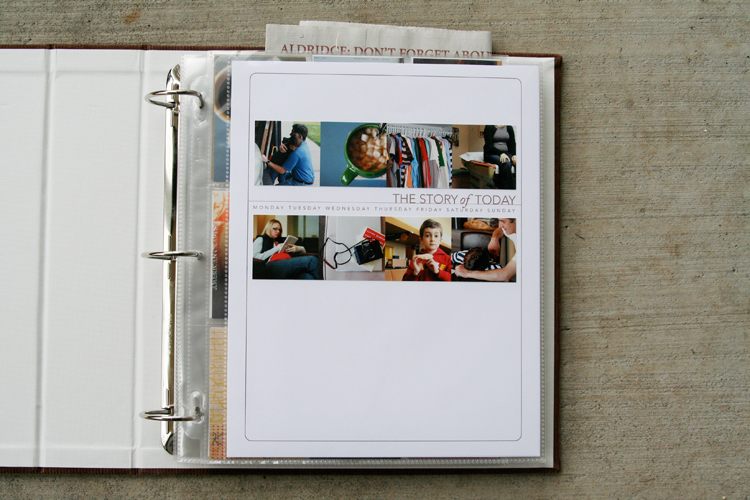
I definitely felt like something was missing yesterday. Having a camera attached for seven full days and then taking it away definitely made for a different sort of day.
One of the things I hoped for in doing this project again was to get back into the groove of taking daily photos. It has been awhile since I felt that desire or excitement related to using my camera daily. It definitely renewed my spark and appreciation for the everyday.
This past week I took 247 photos. That is quite a few less than when I have done this project in the past. Monday had the most photos with 83 and Sunday had the least with 14.
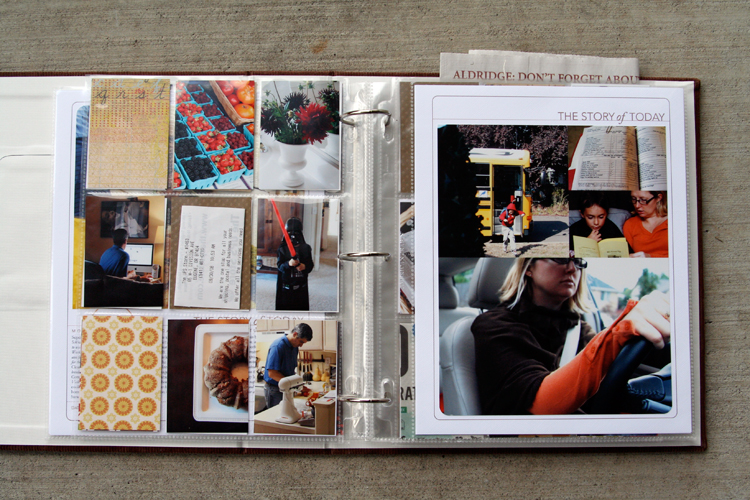
I spent most of my working day yesterday figuring out my formula for this album. Here's what I ended up with: two 8.5x11's (also called a spread) with one baseball card divided page protector sheet sandwiched in between. So far I have just completed the basics and plan to do a bit more embellishing (especially on the patterned paper rectangles as the week goes along) - process details to follow below:
NOTE: A lot of information follows. Take a deep breath, read through, and adopt the pieces (if you want) that make sense for how you want to put your album together. This is my album and the way I approach the process is what makes sense to me :) - everyone will be different.
Also, I work fast. Once I get going and decide on a formula I just go for it and don't spend a lot of time wondering if this is the "right" way or if I should be adding this or that. I want to get it done :). This approach is not hard, there are just steps to go through along the way.
MONDAY
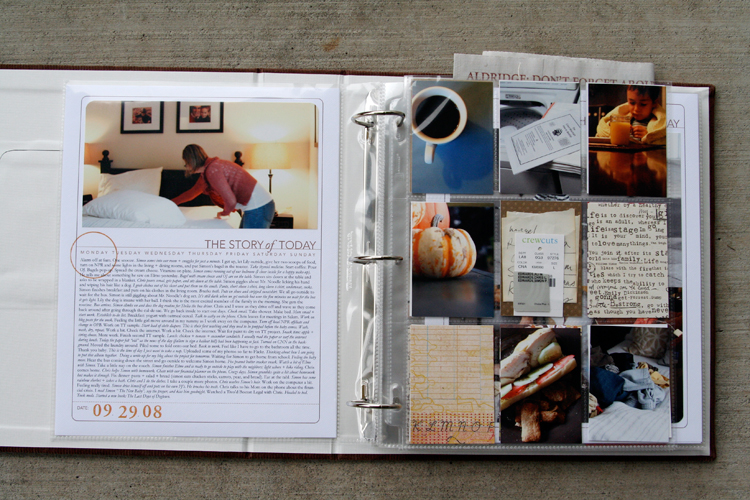
[ album: Corduroy American Crafts 8.5x11 (ended up with chestnut); page protectors: Avery Baseball Card Protectors; cardstock: Bazzill Lily White ]
TUESDAY
THE PROCESS
When attacking a project like this I prefer to do "like" things all at the same time. It's basically working in production-mode: doing things that are the same from one spread to the next all at the same time rather than finding yourself jumping back and forth.
Here's my process:
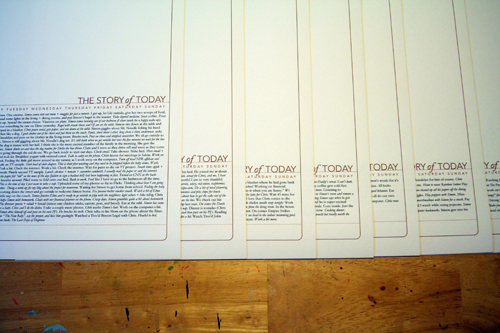
1. Print out all the daily templates (I am using the 8.5x11 Story of Today templates. A 12x12 version - that could be adjusted to 8x8 for printing at home - is also available). I added my journaling to my templates before printing them out. I simply copied and pasted from my Word document and adjusted the font/spacing/etc.
ADJUSTING THE TITLE TO MAKE ROOM FOR JOURNALING
As you will see, some pages have much more words than others. For these pages I adjusted the height of the title on the Story of Today template to make room for the journaling (this means my photos on these pages will be smaller).
Here's a look at how to change the height of the title to adjust for your journaling (images are from Photoshop CS3):
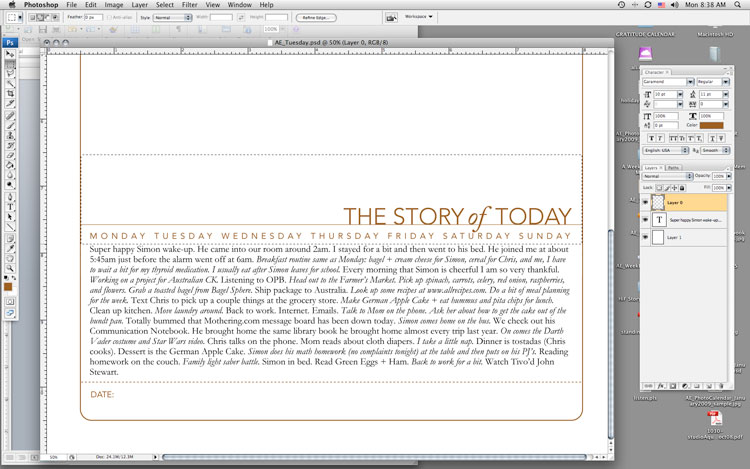
1. Type or copy and paste your journaling on a new layer (on top of the template).
2. Select/activate the template layer. Using the rectangular marquee tool, draw a box around the title, line, and days of the week. Be careful not to cut into the border as you are selecting this area.
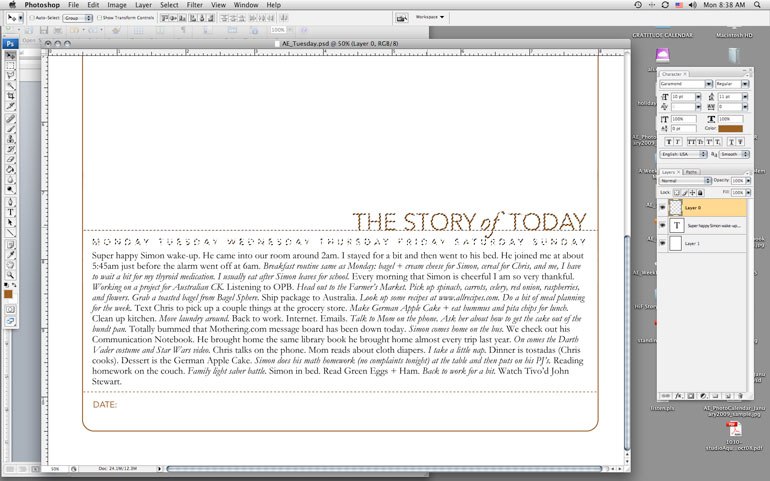
3. Switch to the Move Tool (the black arrow) and the selected area should just include the title, line, and days of the week. Use the up arrow key to move the entire piece farther up the page to accommodate your journaling.
4. Print.
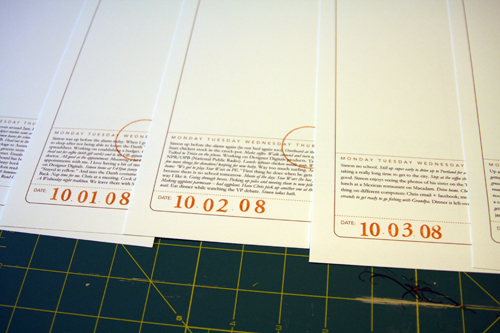
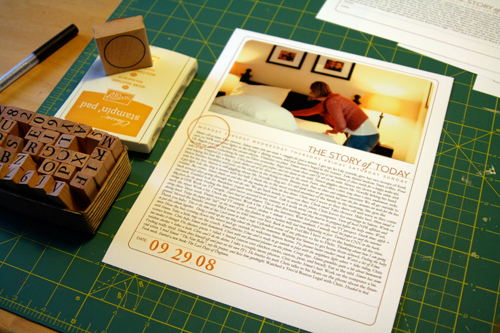
2. Add a stamped date and circle the day of the week on each of the
first page templates. Circle stamp from savvy stamps. Letter stamps are
unknown. Ink is from Stampin Up.
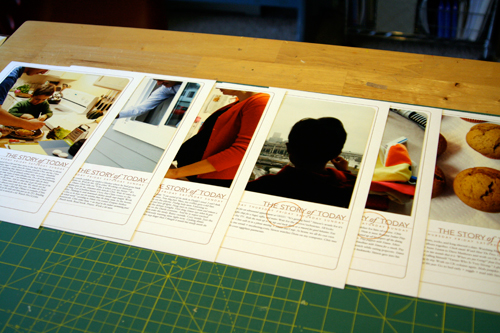
3. Order photos or print out at home. I ended up printing all mine at home today once I established my design formula. I printed photos for the opening page of each day. If you are using the 8.5x11 templates the width of my photos were 7.25 inches (the height varied by the amount of journaling - Monday had the most).
Before adhering I rounded the corners of the photos on the top to mimic the frame from the template.
There's seven pages finished (six are shown - the seventh is in the album already).
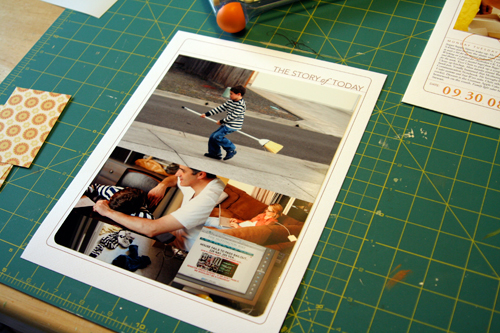
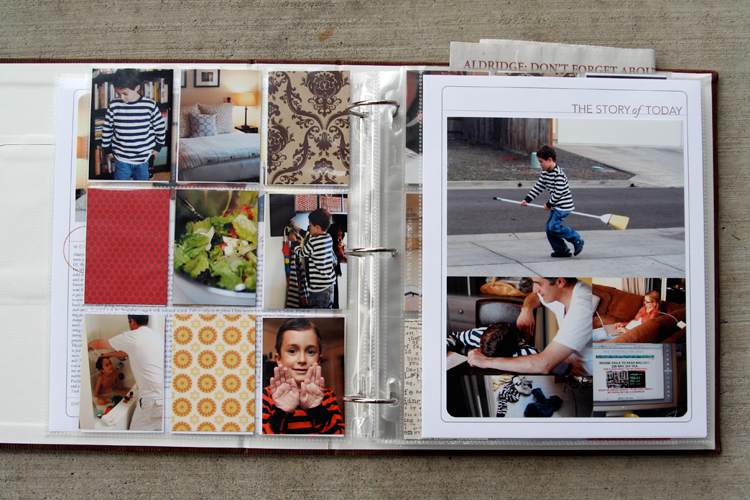
4. For the other full-page part of my spread I decided to do a gathering of photos that would fit into the same Story of Today template frame as the first page. Again, I followed the steps above to move the title to the top of the page (I removed the line and date at the bottom and the days of the week). I printed out seven of those onto white cardstock.
My photo gathering (created in Photoshop but could be easily done by cropping and arranging printed photos) is 7.25 inches wide by almost 9 inches tall. I varied the placement of the photos (large vs. small, etc) from one day to the next depending on the number of photos. Print, trim, corner round the bottom edge, and adhere to the white cardstock.
14 pages done and in page protectors (even though I plan to go back in and add a few embellishments - most likely word stickers, felt pieces, etc).
DIVIDED PAGE PROTECTOR PAGES
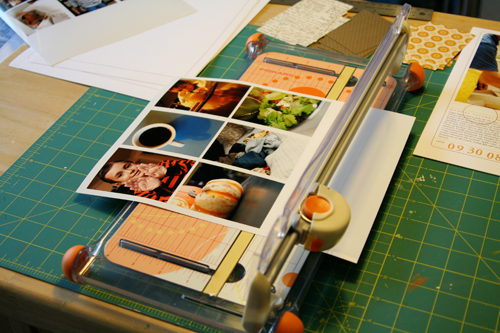
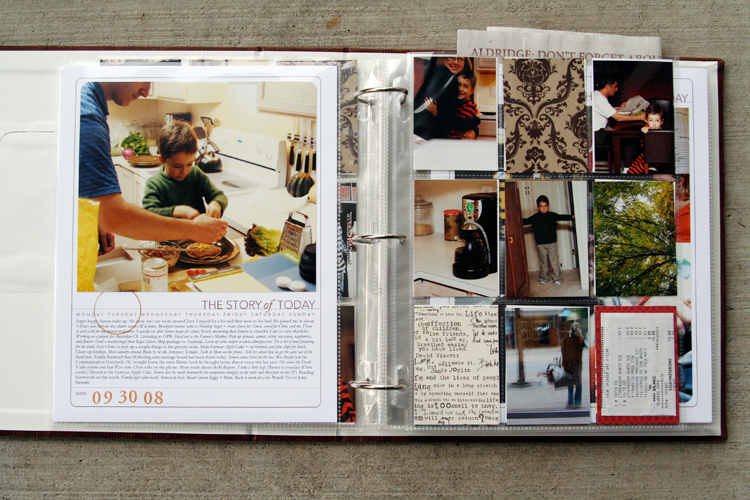
1. Print photos 2.5 inches wide x 3.5 inches tall. I chose to go with twelve of these size photos for each day - six for the front of the page protector and six for the back. The other pockets are filled with patterned paper (see below) or pieces of stuff cut to 2.5 inches x 3.5 inches.
Here's a look at the canvas of photos in Photoshop:
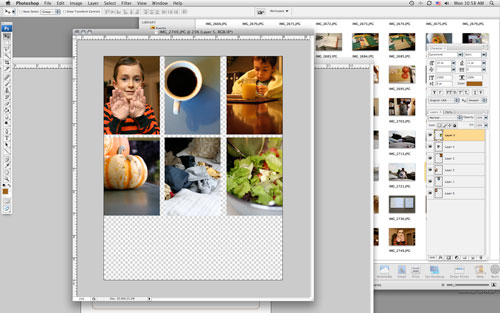
To do this and any other sort of gathering I create a new canvas (usually something like 8 inches x 10 inches at 300 dpi) and then open photos I want to use. Each photo is re-sized before adding to the canvas: in this case to 2.5 inches x 3.5 inches (which requires portions of the image to be cropped). I usually set my photo to 3.5 inches tall first which gives me a width of over 5 inches (if you have the proportion lock checked).
From there I use the crop tool to crop the image to 2.5 inches wide. I get to keep a lot of the image that way. After sizing the image I drag and drop it onto the new canvas and print after filling it up.
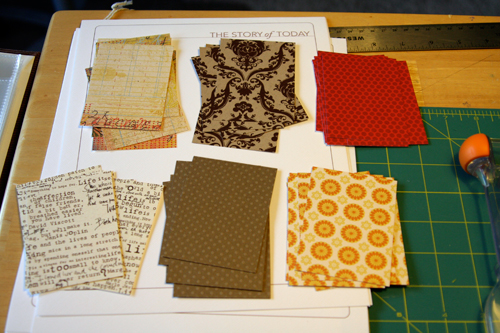
2. Cut up patterned paper rectangles for the divided page protectors: 2.5 inches x 3.5 inches. I cut seven of each pattern. Here's what I went with (from top left: Basic Grey Recess, Hambly Studios, Scenic Route Claudia Street (this one has big numbers on the back), 7gypsies Life Creme, Bazzill Basics Dotted Swiss Cardstock, and Scenic Route Sonoma Napa Street. Any six papers you have at home will work.
3. Slip a combination of photos and patterned papers into the divided page protector pockets. If you have many more photos you could skip the patterns and go with all photos or if you have a lot of stuff cut up pieces of those things to 2.5 inches x 3.5 inches to fit. Consider adding more pages if you need more pockets.
Some days I had less than 9 photos to crop after doing the photo gathering for the second page. For those places I will be adding more stuff/patterned paper rectangles.
These patterned paper rectangles will be embellished over the next few days.
Make this project as simple as you can for yourself so you will actually DO IT! You have already done so much work in taking photos, gathering stuff, and documenting life. Give it a home.

The pumpkin muffin recipe can be found here at allrecipes.com.

A complete list of posts related to the week in the life project can be found here.


Comments
Sign in or sign up to comment.
157 comments
This is perfect Ali! Thanks
We are heading to Lindeman Island (a tropical island of the coast of Aust) in 2 weeks and I know now exactly how I will document our first big family holiday. My little girls are 3 and 5 and they will love being able to look back on their holiday in an alum like this. My holiday will be even more relaxing knowing how to scrap it when I get home! I am getting my supplies together before I go and am even using the colours from the brochet, so I will only need to print the photos when I get back (I will take the laptop and journal each night when they are asleep)! WOOHOO!!!!
Now I have to ask a BIG question...
Did I see a mention of Australian CK in one of your days journalling?????
Man-o-man I sooooooo hope so!!!! That would be amazing!!!!!!!!
Replies
Sign in or sign up to reply.
Caryl, Heather, Peggy - you don't have to have Photoshop to use the template overlays (and they do work in 7). You can use them in Word (see comments above regarding this). I believe you could open them and print from iPhoto but you would not be able to move the words around (you can't do that in Word either).
Replies
Sign in or sign up to reply.
I love the way you put this together - I had the Story of Today overlays in my wishlist and downloaded tonight...and after lots of playing around have figured out how to print the pages, with journaling and with the pieces moved around. Love that I've learned so much about PSE working with your digital downloads! thank you for all the inspiration!
Replies
Sign in or sign up to reply.
Hi Ali! Thank you for doing this project again and inspiring us to do the same. I went crazy with the camera last week and took over 1,000 shots just of "daily life" and I LOVE THEM! I printed them up 4x6 (local supermarket had a 10 cent a print special) so I've got tons of material to work with. I ordered the canvas book you used, but will probably have to use a 12x12 album due to the high volume of pix I want to get in it. I downloaded your overlays (love them!) but for some reason, can't print them. I can bring them up on my computer and view the images, but am unable to print. I have windows vista and do not have photshop (YET as I was waiting 'til next week when it looks like PSE 7 will be available). Do I need photoshop to print them up?
This is my 3rd time doing this process with you (once at CKU in Nashville and once through your Shutterfly book) and I've loved it each time. Huge thank you's for inspiring us to photograph so many wonderful everyday moments. xo, Tiffany
Replies
Sign in or sign up to reply.
Thanks Ali for this fun project. I have a vacation week next week so I plan to work on my book next week..can't wait!
Replies
Sign in or sign up to reply.
Addendum to my message above. I re-read the messages above and see that I do NOT need PS or PSE to print the overlays, so I don't know what I'm doing wrong. I actually downloaded them twice and still can't print them (though I can see them on my computer). It won't let me cut and paste them, either. Has anyone else had this problem? Sorry, Ali, you may have answered this several times before, I just can't find it...thanks, again. xo, Tiffany
Replies
Sign in or sign up to reply.
hi ali! can you share what brand and type of photo paper you used to print your photos and overlays on? i also want to buy the overlays tomorrow. however this will be my very first digital purchase, do you know of a handy tutorial that i can follow to unzip it? or is it saved in a file and ready to use immediately? sorry, told you i was new at this! :) btw- your project is coming along beautifully and is so inpirational! take care- tara
Replies
Sign in or sign up to reply.
What a fantastic week this was! I developed a rather nasty cold on Sunday and the last few days have been kind of blurry, but today I started to put things together. I thought I wanted to use an old folder/binder from Sweden (which was purchased by a professor of my university in the 70s but never used, he gave it away when clearing his office – what a strory just for the "container" of the album! ) – but it is just too complicated. I would have to individually punch 4 holes per page and trim each page in a rather peculiar way to make it fit, so I've decided to have a look around town for a "ready-to-use" album when I'm feeling a bit better. "Keeping it simple" is what I'm trying to do – thanks for reminding us again and again. I think I just want it to be too perfect. But then, I would love to just see it done!
Replies
Sign in or sign up to reply.
Well, so far it is Wednesday. As of today, this project - both the journal and the photos - has served to show me just how much I dislike my living space. Not my life - and not the exterior to my living space (except when gray fog comes in and socks all the plans for pretty photos this week). But mostly, it is depressing me. I am going to carry on, because as I am forced to look at these details I dislike, I am also in the convenient position to be four months away from moving, from where I will be able to rectify all of this, and in this regard, this project will probably manifest itself as a plan-of-action/plan-of-change.
Thank you
Replies
Sign in or sign up to reply.
OK, so I didn't join in the week in the life album project last week with everyone. And I know what you're going to say Ali. It's OK. And you know what? It is. I am going to use the rest of this week to prepare and start on Sunday!
I can't wait!
Replies
Sign in or sign up to reply.
I am so doing this now. I was waiting to see what your formula was going to be since I too am a production mode person. And yes, yes, yes this is a wonderful time to do this in our family! I want to start on Monday and maybe if I am lucky one of the days will feature the birth of my new little neice, now known as Junior since Sis is keeping the name close to her bulging chest. Can't wait to meet her! Must go charge camera batteries now . . . . . .
Replies
Sign in or sign up to reply.
Do you have suggestions for enlarging the journaling area for the 12 x 12 page? Parts of the day of the week in your handwriting lean over the lines, plus there are vertical lines that don't stretch. Thanks for letting me know.
Melissa
Replies
Sign in or sign up to reply.
I love your blog!! and this project...Your album is beautiful!! you are such an inspiration!!! I need HELP!! I have NEVER used any digital products...and I want to do this one!! I have purchased the 12x12 template I don't have a 12x12 printer so I want to do an 8x8 I can't figure out how to make the template smaller....PLEASE HELP!!
Thanks and I look forward to following your blog and participating in future projects.
Pat
Replies
Sign in or sign up to reply.
Thanks so much for posting this project on your blog. I got mine done last night and am so happy with it!!
[url]http://leighpenner.blogspot.com/2008/10/week-in-life.html[/url]
Replies
Sign in or sign up to reply.
Okay, I posted the link incorrectly, so I'm trying again:
http://leighpenner.blogspot.com/2008/10/week-in-life.html
Replies
Sign in or sign up to reply.
Ali,
Thanks for the inspiration. I just completed my Week in the Life album, and really enjoyed the process. It was hard to give my camera a full 24 hour break after the exercise though! :)
Here's a link to my completed album:
http://www.andreasteed.com/node/452
Replies
Sign in or sign up to reply.
OH Ali..... love your stuff. I am trying to do this project 2010. I purchased your 8.5x11 story of today overlays. I want to print them onto cardstock. I cant open them. I read your tutorial but i do not have word.... I successfully printed your newest 2010 dig. elements for 2010 life/week. Can you help me? I am so new to this that the learning curve is steep.
Thanks, Tracy J
Replies
Sign in or sign up to reply.